This document, including the information contained herein, is proprietary to Triotech Amusement Inc.
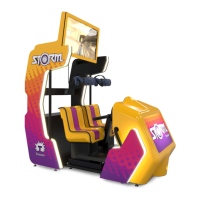
12 Storm Initial Startup Checklist
To ensure that your Storm is working properly, we recommend running this checklist
upon its initial Startup.
• Plug the machine
• Switch the power on
• Wait for the machine to start
• Use service switch to go into menu (Inside the coin door).
•
1- Calibrate client first (player 2, left looking at screen)
2- Calibrate master second (player 1, right looking at screen)
• Follow procedures in the Owner s manual to properly complete the calibration
sequence
• Press service switch to access the menu again
• set volume
• Set desired motion strength
• Set coin value
• Press restart
• Validate TV is showing attract mode
• Start test ride with each player
• Validate hand tracking is functional for both players
• Validate the motion system is working and that the motion stop function is working
• Validate that the ride is working properly without any tracking issue.
• Validate that sound is playing properly
• Validate that the wind effect is working properly


 To Next Page