EasyManua.ls Logo

Triotech Storm VR - Replacing an Actuator

Triotech Storm VR
72 pages
Print Icon
To Next Page IconTo Next Page
To Previous Page IconTo Previous Page
Loading...
Storm-OM-001 -
Storm-OM-001
38
28 February 2020
This document, including the information contained herein, is proprietary to Triotech Amusement Inc.
10.1.2 Replacing an Actuator
For ease, it is important to remove the actuators one at a time. If you have to replace both,
start by replacing one of them, then the second one.
Before removing an actuator, remove the protective rubber around the base and insert a
2x4 shim in-between the base and the moving part of the base.

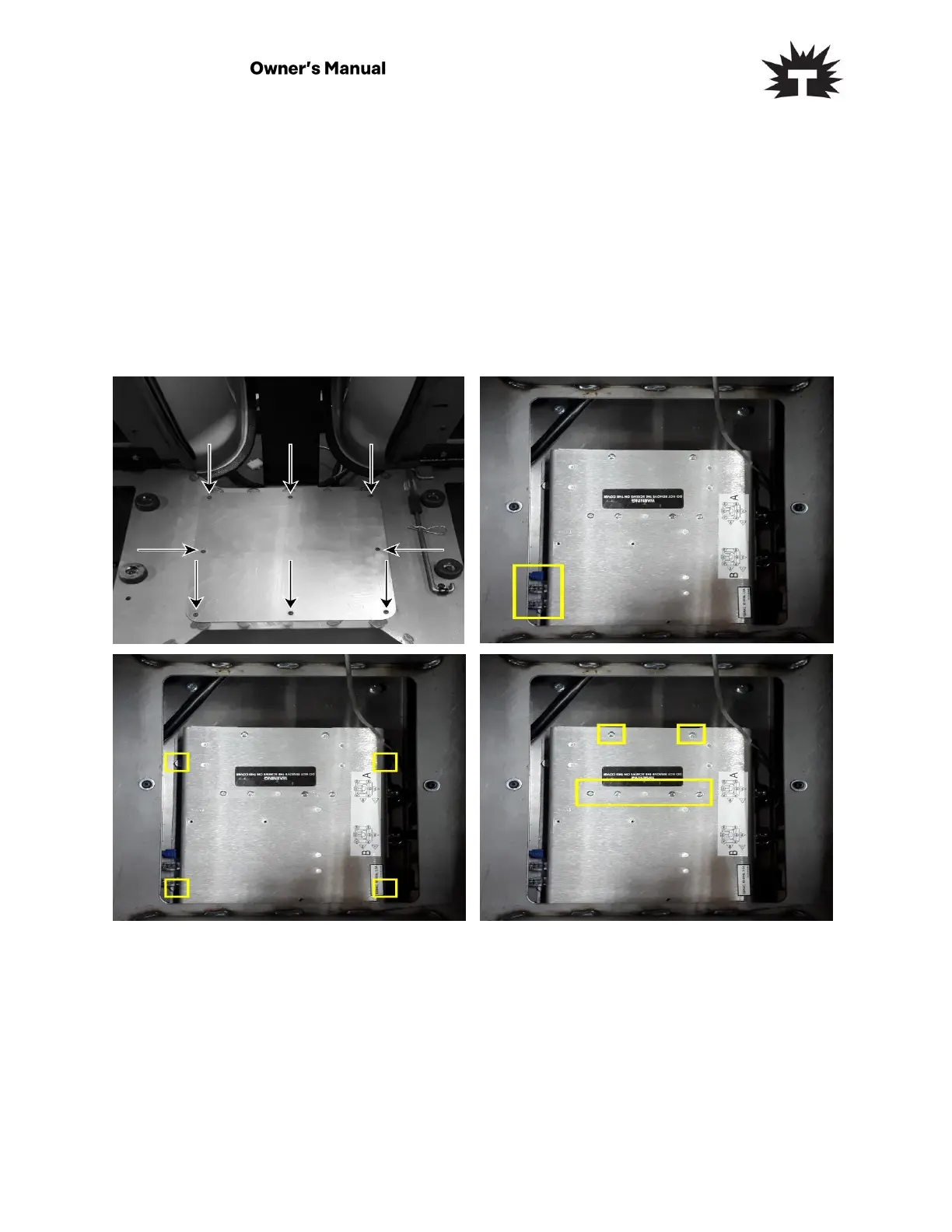
1- Remove the 8 hex screws using a
2.5mm allen key to remove the access
cover.
2- You can now remove the cover.
Remove the cables on the left of the
ACM.
3- Remove the 4 screws holding the ACM
on the bottom plate.
4- Remove the 6 screws from the access
cover. Remove the access cover.

Table of Contents

Related product manuals