This document, including the information contained herein, is proprietary to Triotech Amusement Inc.
10.3 Replacing a Drive Assembly or Actuator motor
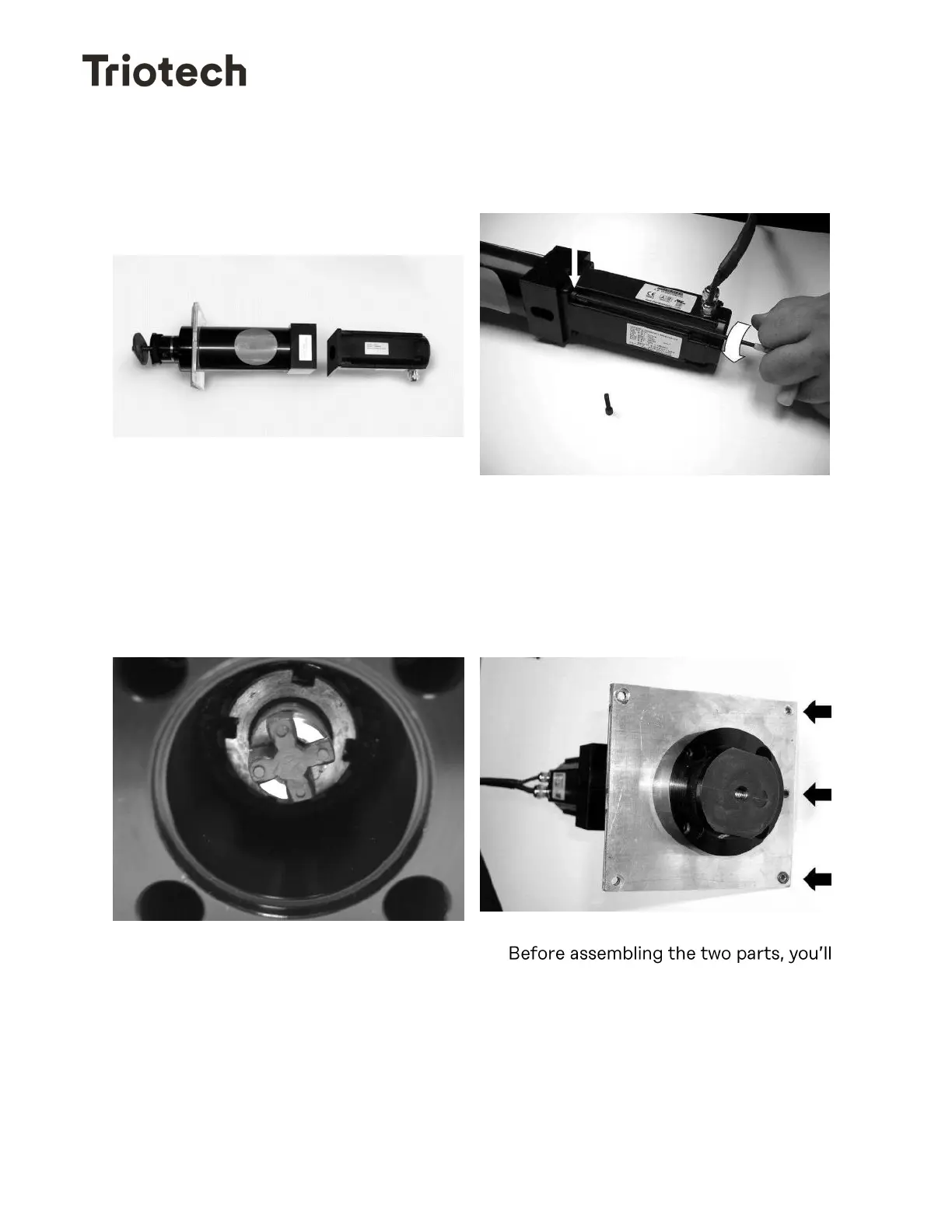
The actuator is made of two main parts:
The Drive Assembly (Left part on the
photograph) and the Actuator Motor
(Right part on the photograph)
You can replace either part after
disassembling them.
1- Remove the four screws that hold the
drive assembly to the motor using a
9/64 Allen key.
Now you can assemble the two parts and put the four screws back.
2- Make sure that the little cross-shaped
red plastic part attached to the coupler
remains on the piston side. If not,
please reinsert it before reassembling
the two.
3-
have to orient them properly. The
Motor cable should be opposite to the
three screw holes on the holding plate
of the Drive Assembly part as shown.


 To Next Page