Other Conventional Surveying Tutorials
119
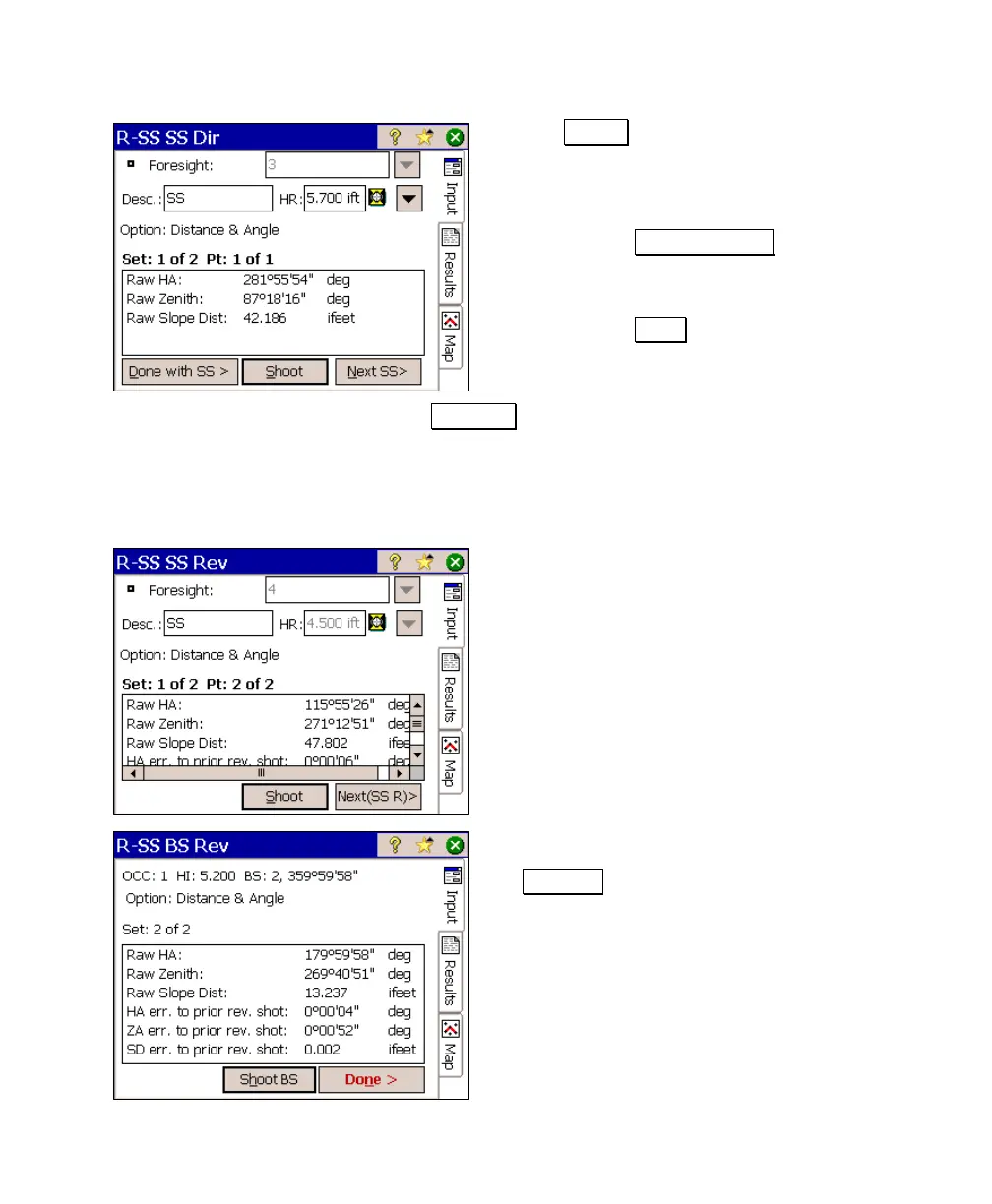
5. Tap Shoot to take a side shot. Once the
shot is completed, the Results screen,
shown here, will be displayed. You are now
provided with three option:
• Tap Done with SS > if you are
finished taking all Face 1 side shots
for this set and continue to Step 6.
• Tap Shoot if you want to throw out
the results for this shot and re-
shoot it.
• Tap Next SS> if you want to shoot another new side shot
in Face 1. You will then repeat Step 4 for the new point.
(The label for this button will change depending where
you are in the routine and helps guide you through the
process.)
6. Once all Face 1 side shots are completed,
reverse the scope to begin shooting the
Face 2 side shots for the current set, taking
a reverse shot to the backsight last. If
additional sets are remaining, you will
repeat the process from Step 4 until all the
sets are complete.
7. When all shots for every set is complete,
the lower right button will be labeled
Done > . Tapping it will compute and
store all the side shots.



 To Next Page