GPS Module
297
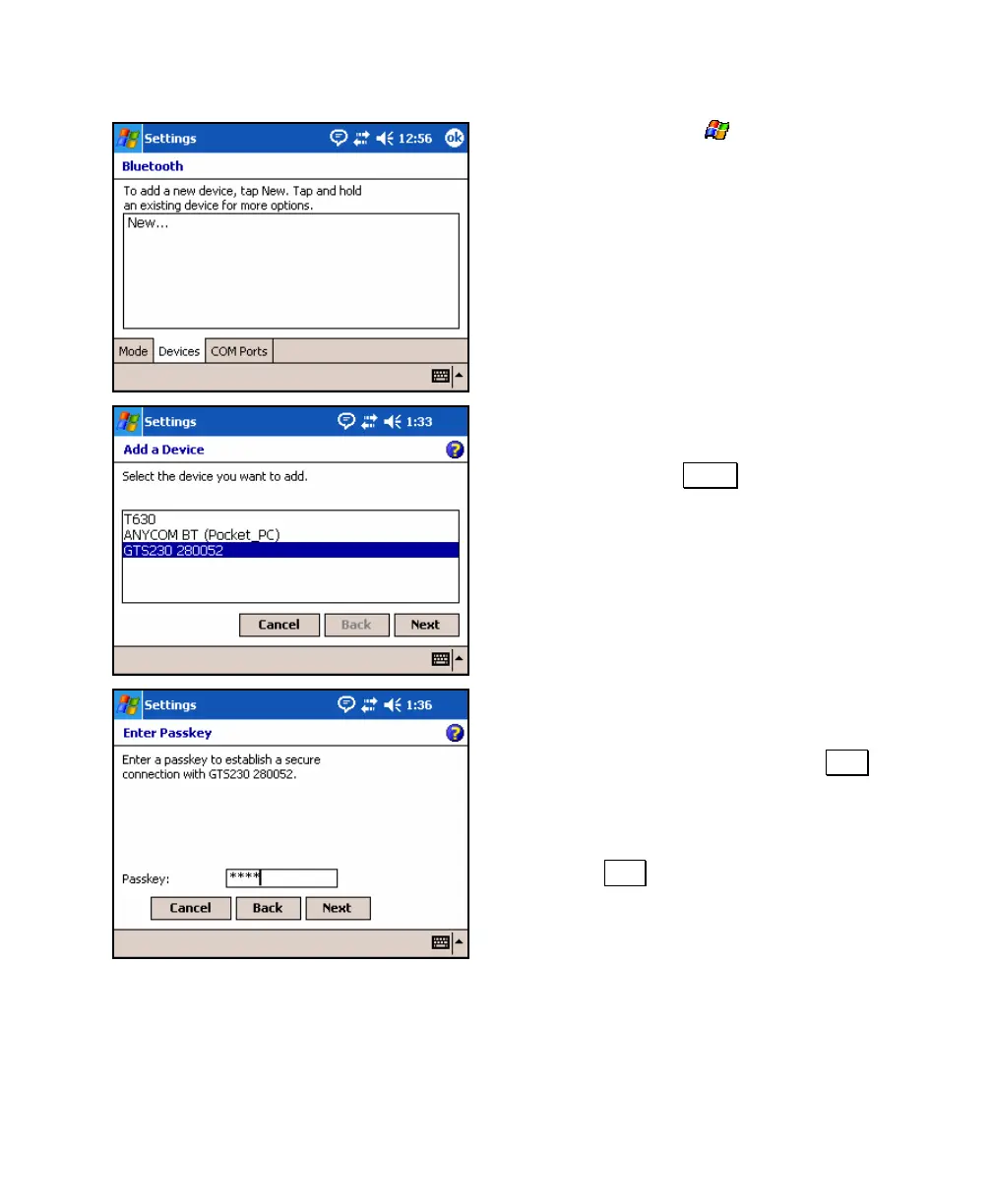
3. From Windows, tap
> Settings >
Connections > Bluetooth > Devices. With the
peripheral hardware positioned within a
few meters, tap New… to search for
Bluetooth devices.
4. Once the search is complete, all
discoverable Bluetooth devices in the area
will be listed. Tap the device you want to
add and then tap Next .
5. If connecting to a GPS receiver or a total
station, enter the Bluetooth passkey if
there is one or leave the field blank if not
passkey is required and then tap Next and
skip to Step 7.
If connecting to a cellular phone, enter any
passkey that is 3 characters or longer and
then tap Next and continue to the next
step.



 To Next Page