User’s Manual – GPS Mode
300
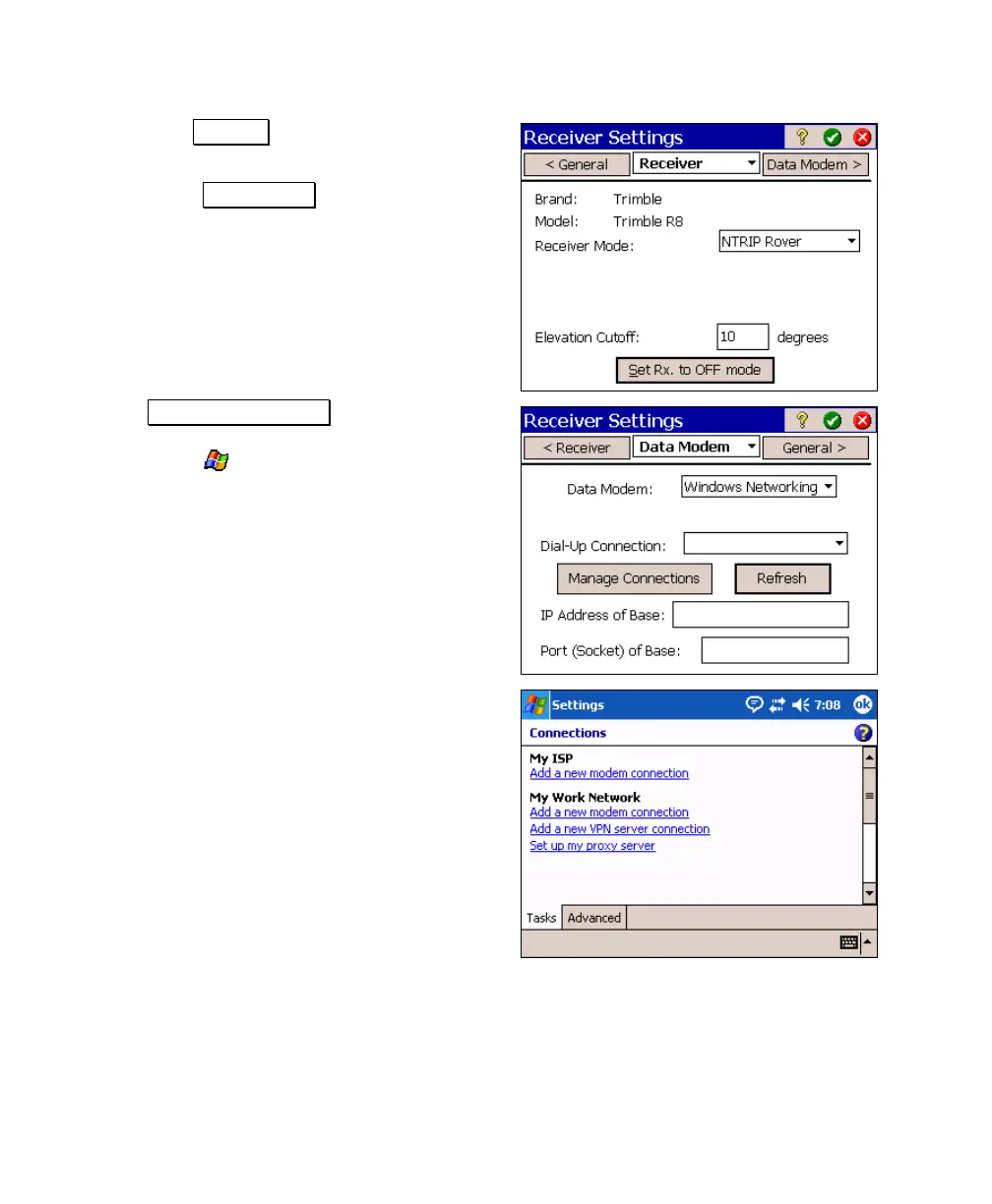
4. With the Receiver card selected, set
Receiver Mode to NTRIP Rover.
5. Select the Data Modem card.
6. Tap Manage Connections. (This will
temporarily exit Survey Pro and access the
Windows'
> Settings > Connections >
Connections screen.)
7. Under My ISP, tap Add a new modem
connection.



 To Next Page