GPS Module
301
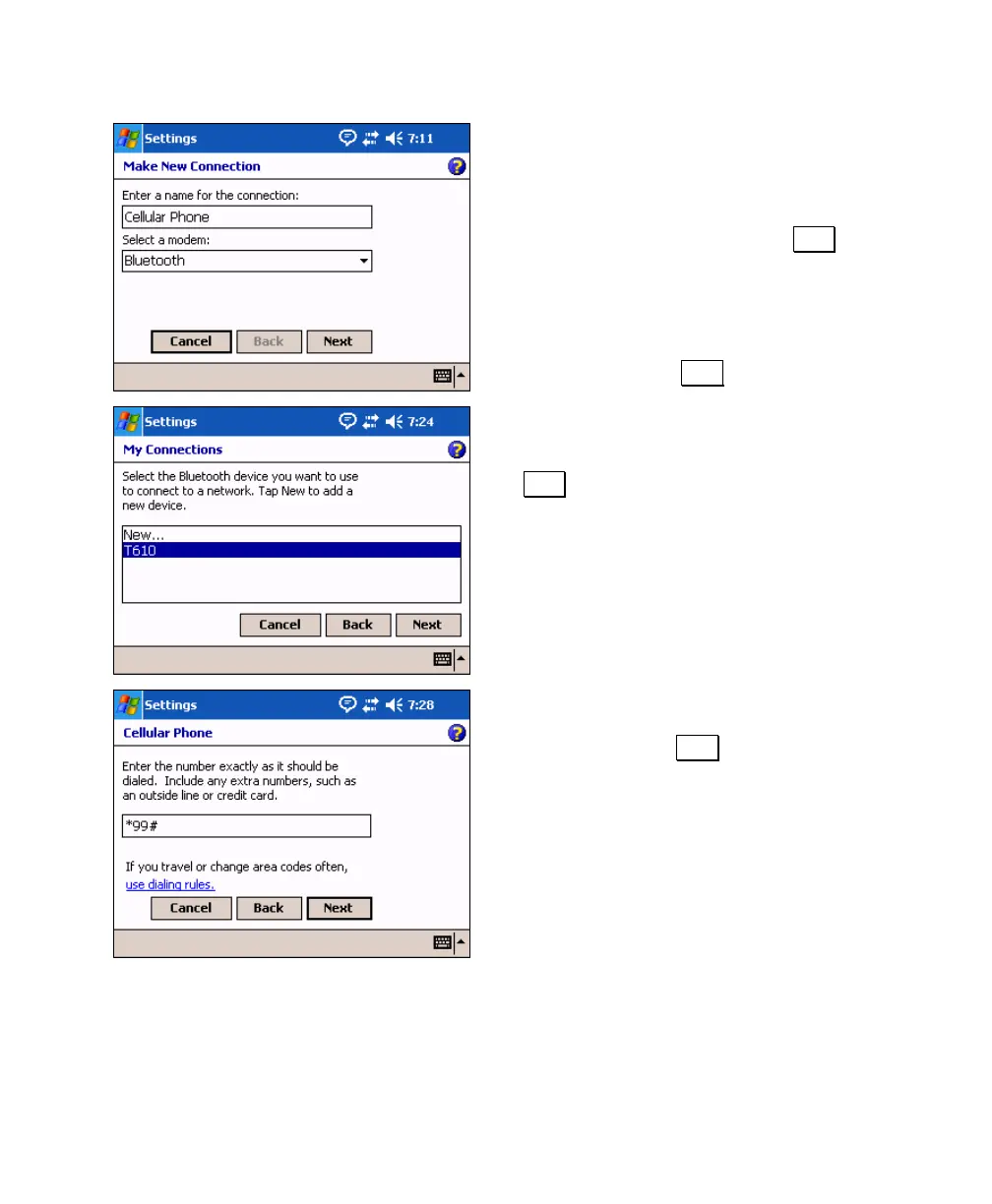
8. Enter a name for the new connection in the
first field
• If communicating with the phone via
Bluetooth, select Bluetooth in the
second field and then tap Next and
continue to the next step.
• If the phone is connected to the data
collector with a cable, select Hayes
Compatible on COM1 in the second field
and then tap Next and skip to Step 10.
9. Select the phone you added during the
Bluetooth discovery and bonding process as
described in the User's Manual and tap
Next.
10. Enter the number provided by your cellular
phone company used to access online
services and tap Next.



 To Next Page