User’s Manual – GPS Mode
310
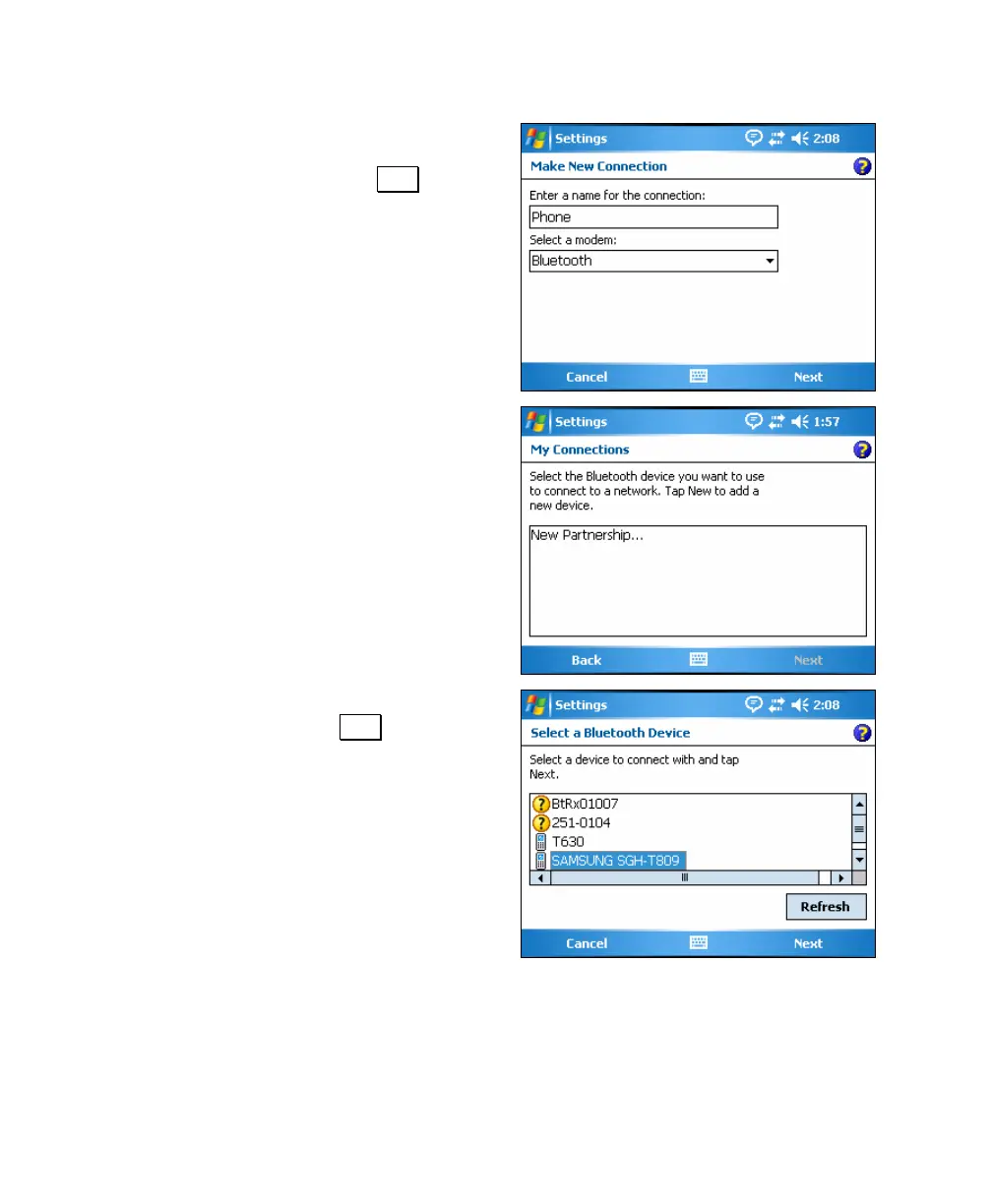
3. Enter a name for the new connection in
the first field, select Bluetooth in the
second field and then tap Next and
continue to the next step.
4. Confirm the Bluetooth cell phone that
you want to partner with is turned on
and Bluetooth is enabled and then tap
New Partnership. The data collector
will perform a scan for any nearby
Bluetooth devices and list them on the
screen when finished.
5. Select the cell phone you want to
partner with and tap Next.



 To Next Page