Basic GPS Module
319
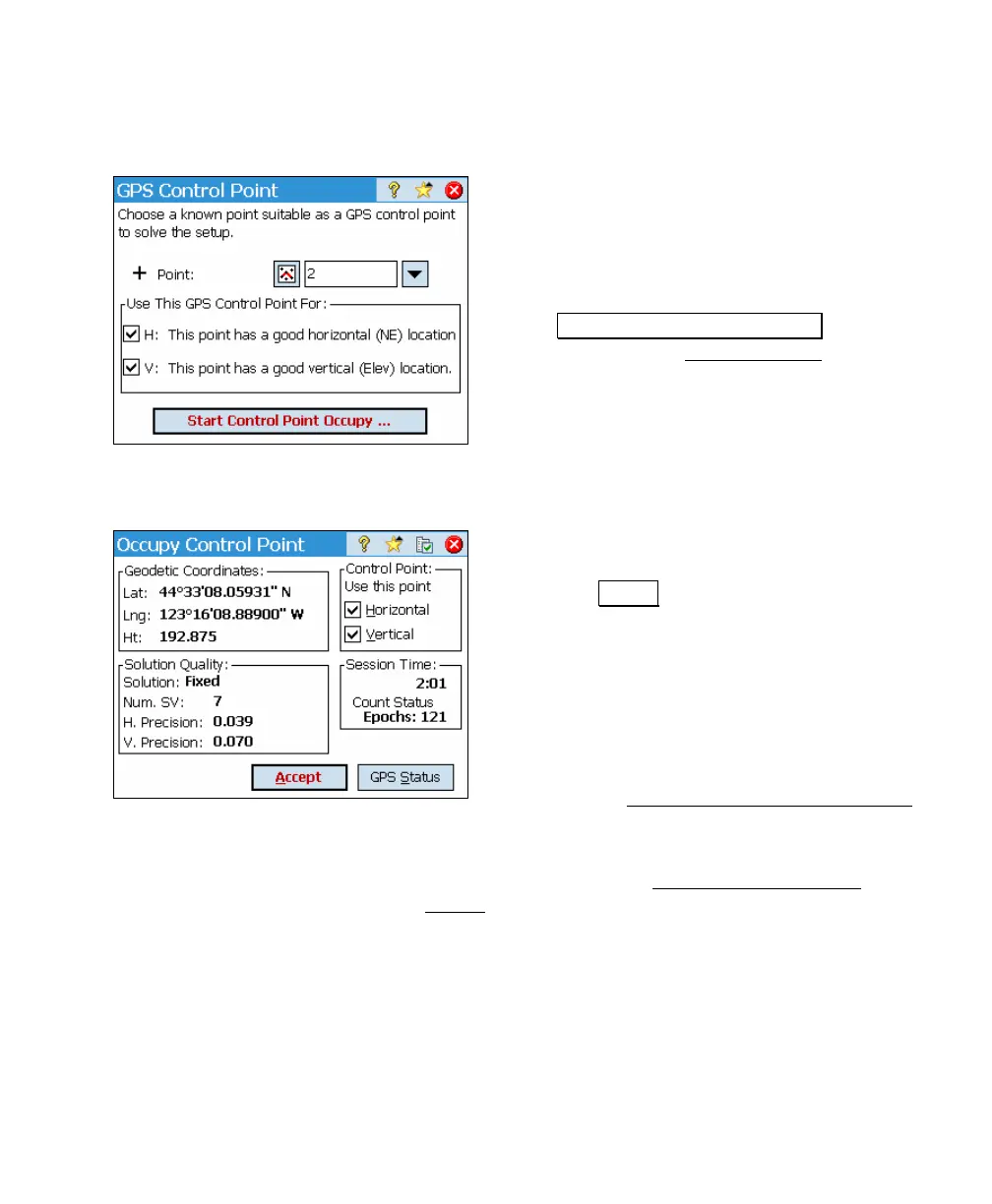
Collect Control – Screen 1
1. Select an existing job file point
2. Designate if it is valid for horizontal,
vertical, or 3D control.
3. Level the receiver over the point and
tap
Start Control Point Occupation. This will
open the next Collect Control screen
(Page 319) to monitor the occupation.
Collect Control – Screen 2
1. Review the choice of H/V control
eligibility.
2. Tap Accept to end the occupation. The
control point is created in the job file
and the raw data is recorded. This
screen and the previous screen will exit,
and you will be at one of two places:
a. If you do not yet have the
minimum amount of control,
you will remain on the
Projection Control Point Status
screen (Page 317).
b. If you now have the minimum amount of control, you
will move forward to the Projection Check Point
Status screen (Page 320).



 To Next Page