50
4. Local Console
ToinputtheDDCinformation:
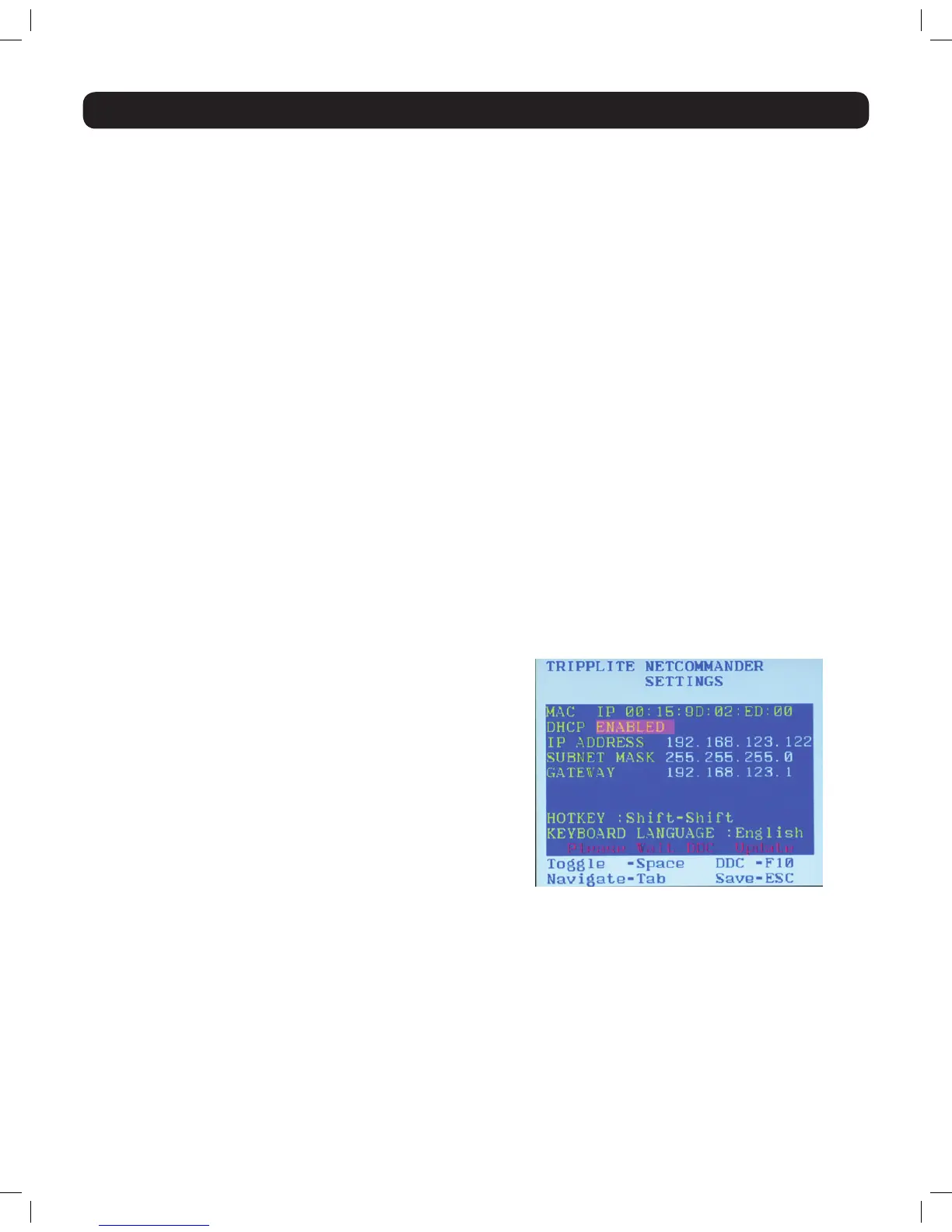
1. In the F2 - SETTING window, press the [F10] key. The text
“Pleasewait”ashesafewtimesanddisappears.Themonitor’s
DDC information is sent to all SIUs.
YoushouldupdatetheDDCinformationinanyofthefollowing
circumstances:
• WhenreplacingthemonitorconnectedtotheNetCommanderIP
• WhenaddinganewSIUtothesystem
• WhenreconnectinganexistingSIUthatwastemporarilyusedina
different system
Changing the Hotkey:
Bydefault,thehotkeycombinationusedtoopentheOSDis[Shift]+[Shift].YoucanchangethishotkeyintheF2 – SETTING menu to use
any of the following. Note: The left [Shift] hotkey must be used; the right [Shift] key will not work. If you set the hotkey to [Ctrl] + [Ctrl] or
[Ctrl] + [F11], the left [Ctrl] key must be used.
• [Shift] + [Shift]
• [Ctrl] + [Ctrl]
• [Ctrl] + [F11]
• [Print Screen] + [Print Screen]
Tochangethehotkey:
1. In the F2 - SETTING window, navigate to the Hotkey field.
2. Press the [Spacebar] key to toggle between the available options.
3. After choosing the desired hotkey, press the [Esc] key to exit the F2 – SETTING window.
To change the keyboard language:
Bydefault,thekeyboardlanguageispresettoUSEnglish.YoucanchangethekeyboardlanguagetoFrench(FR)orGerman(DE).Note: This
refers to the OSD keyboard language and not the computer keyboard language.
Tochangethekeyboardlanguage:
1. In the F2 - SETTING window, navigate to the Keyboard Language field.
2. Press the [Spacebar] key to toggle between the available options.
3. After choosing the desired language, press the [Esc] key to exit the F2 – SETTING window.
Inputing and Updating DDC Information:
DisplayDataChannel(DDC)isaVESAstandardforcommunicationbetweenamonitorandavideoadapter.TheSIUemulatestheDDC
informationtotheconnectedcomputer.WhenrstinstallingtheNetCommanderIPsystem,emulatetheDDCinformationoftheconnected
monitor into the memories of all connected SIUs.
14-03-051 93-32D5.indd 50 3/14/2014 9:52:43 AM


 To Next Page
 Loading...