3
3. Web Console
2.2 Other Default Settings
2.3 SNMP Configuration
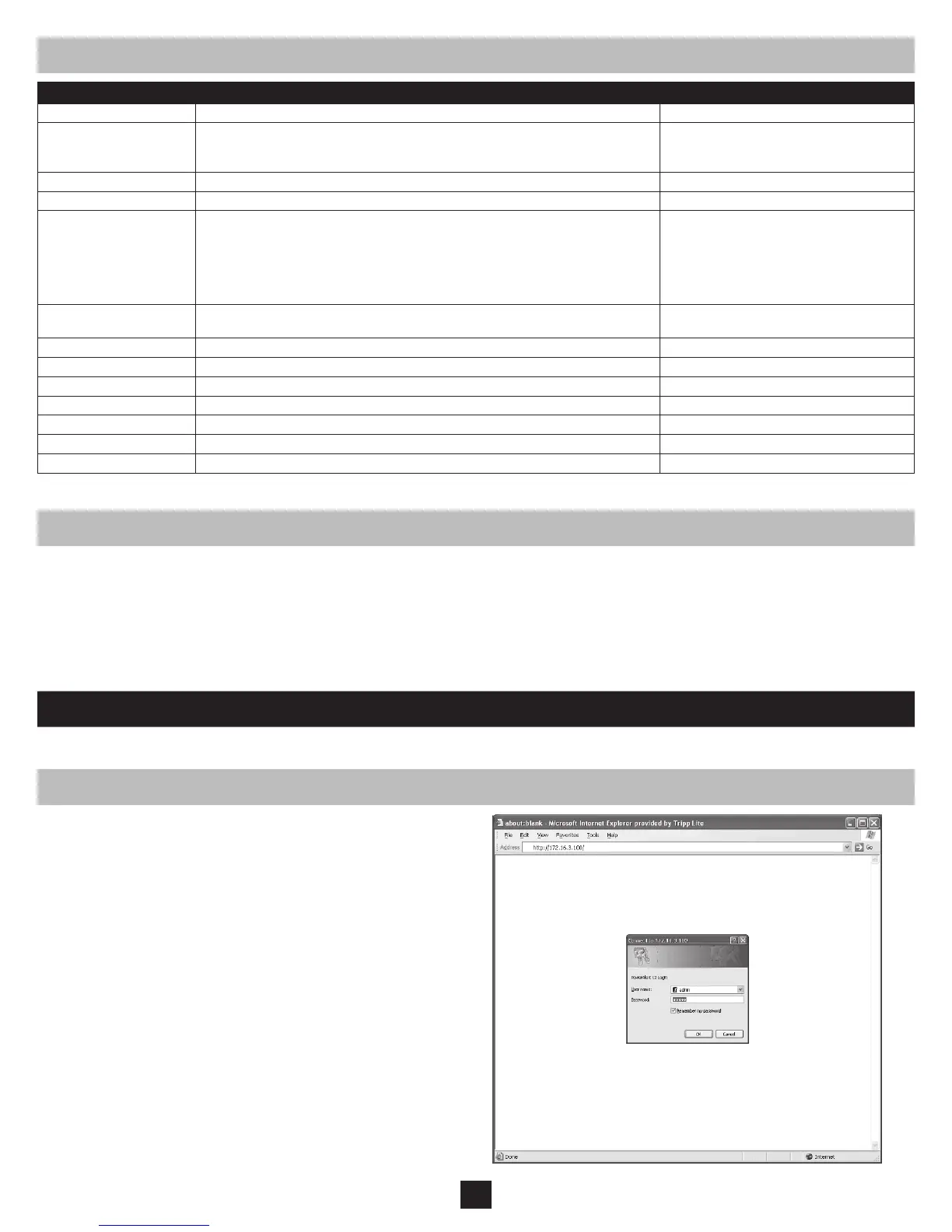
3.1 Opening the Web Console
SNMPWEBCARD allows a compatible UPS system or PDU to function as an SNMP-managed device on your network, using the SNMP agent and
Management Information Base (MIB). The SNMP agent resides in the SNMPWEBCARD rmware and responds to standard SNMP commands
(Get, Get Next and Set). It can also generate SNMP traps (messages). The MIB determines which parameters can be monitored and controlled. Two
MIB les—Tripplite.mib and RFC1628.mib—must be loaded on each Network Management Station that will monitor the managed device. (The les
are provided on the CD-ROM included with the SNMPWEBCARD or network-enabled PDU. Consult your Network Management Station software
documentation for instructions on how to import MIB les.)
The Web console is the primary graphical user interface for the SNMPWEBCARD.
Open a Web browser that supports frames, forms and Java. 1.
Type the IP address assigned to the SNMPWEBCARD or PDU into 2.
the address eld and press the enter key. (Refer to the printed manual
for IP address assignment instructions.)
You should be prompted for a user name and password (Figure 3.
3-1). The default administrator user name is admin and the default
password is admin.
After you enter the user name and password, the status page (Figure 4.
3-3) will appear in the browser window.
Note: Pages update automatically every 30 seconds. Reload/refresh
a page manually to update sooner.
Figure 3-1: Web Console Login
Setting Default Value Additional Information
IP Address Obtain via DHCP
3.9 Settings > Network
User Name and Password
User Name: admin Password: admin (For Version 12.04.0030 and Above)
User Name: guest Password: guest
User Name: admin Password: [blank] (For Versions 12.03.0024 and 12.04.0019)
3.10 Settings > System
Telnet Access Enabled (SSH Access: Enabled)
3.9 Settings > Network
Web Access Enabled (SSL Access: Disabled)
3.9 Settings > Network
SNMP Access Enabled for Version 12.04.0040 and above
Disabled for Previous Versions
Default SNMP Access for 12.04.0040 and above
Community Access Type Network Access SNMP Version
tripplite read/write all v2c
public read only all v1
3.9 Settings > Network
Temperature High &
Battery Low Event
Shut Down UPS System 2 Minutes After Event
3.7 Settings > Events
E-mail Notification Not Configured
3.7 Settings > Events
SNMP Traps Not Configured
3.9 Settings > Network
Time Use Onboard Clock (Set Manually)
3.10 Settings > System
Event Logging Enabled
3.11 Logs > Events
Data Logging Disabled
3.12 Logs > Data
Ramp/Shed Remain off / Remain on (not configured)
5.0 Load Ramping and Shedding
SYSLOG Disabled
3.9 Settings > Network
Figure 2-2: Default SNMPWEBCARD Settings



 To Next Page