A
5
3.3 Status ( Co ntinued )
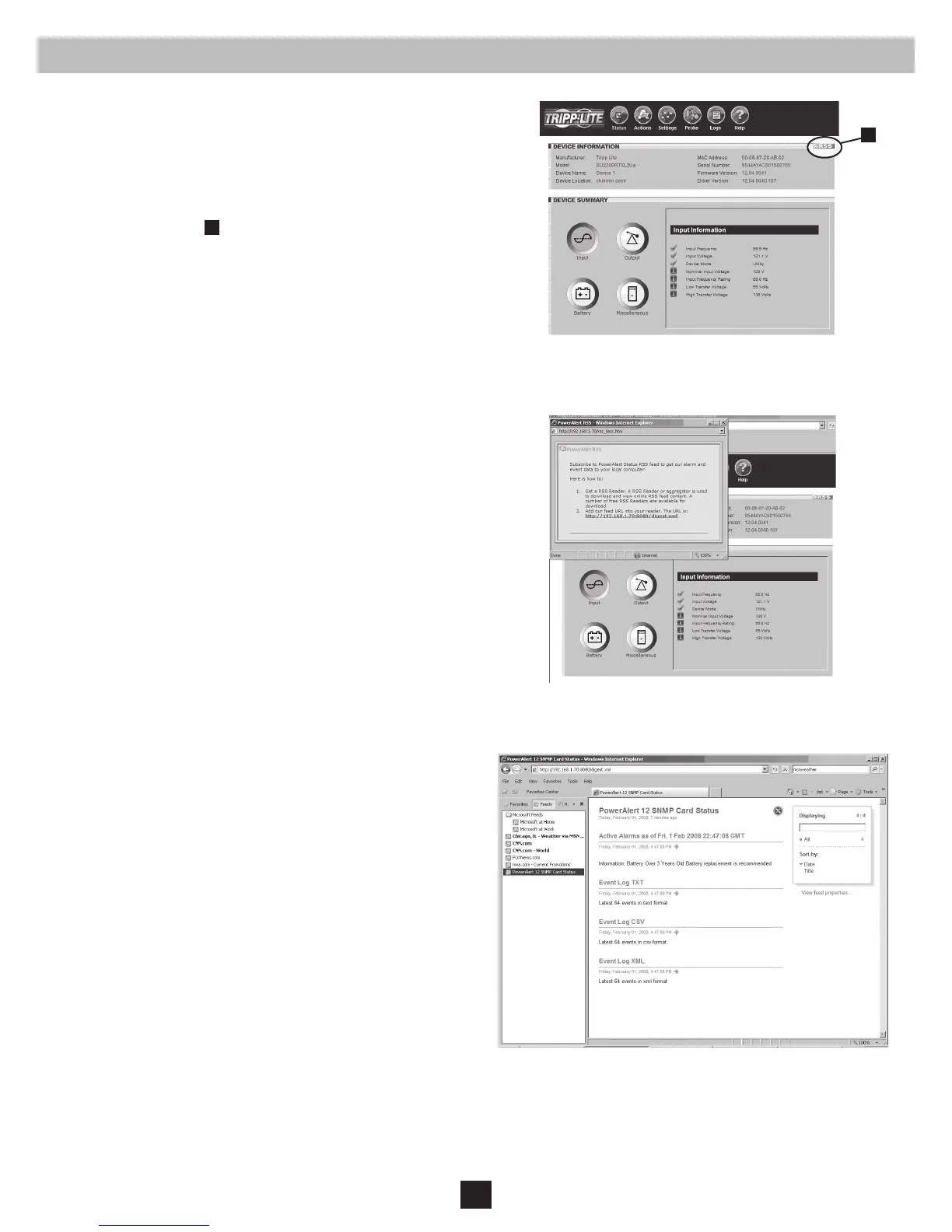
RSS Feed
The RSS Feed feature was implemented to allow users to subscribe
to the SNMPWEBCARD to view current alarm status, as well as
event logs in the form of .XML, .TXT and .CSV les. This allows
a user to quickly view status on the SNMPWEBCARD without
requiring a login to each individual device.
1. Click on the RSS symbol
A
.
2. Add the URL http://x.x.x.x:8080/digest.xml to the RSS reader or
aggregator. Note: If the SNMPWEBCARD is congured to SSL mode,
enter HTTPS instead of HTTP.
This is an example of the status screen viewed via the RSS reader:
Dynamic Generation of Status Report
The SNMPWEBCARD’s Web interface makes it possible to retrieve current alarm status through XML, text (TXT), or comma-delimited CVS le
extensions. This feature can be used to integrate status information into proprietary management systems. To retrieve the le, enter the following URL:
http://x.x.x.x/status.leextension. Note: If the SNMPWEBCARD is congured to SSL mode, enter HTTPS instead of HTTP.
Figure 3-4: RSS Feed Screen
Figure 3-5: RSS Subscription
Figure 3-6: Status Screen



 To Next Page