24
General Information
Speedometer and Odometer
The digital speedometer indicates the road
speed of the motorcycle. The read-out
displays the motorcycle road speed in
increments of one mile (or kilometre) per
hour.
The electronic odometer and two trip meters
are in the display screen. For details of the
operation of the odometer and trip meters,
please refer to the following pages.
Tachometer
The tachometer shows the engine speed in
revolutions per minute - rpm (r/min). At the
end of the tachometer range there is the
'red zone'. Engine rpm (r/min) in the red
zone is above maximum recommended
engine speed and is also above the range for
best performance.
Trip Computer
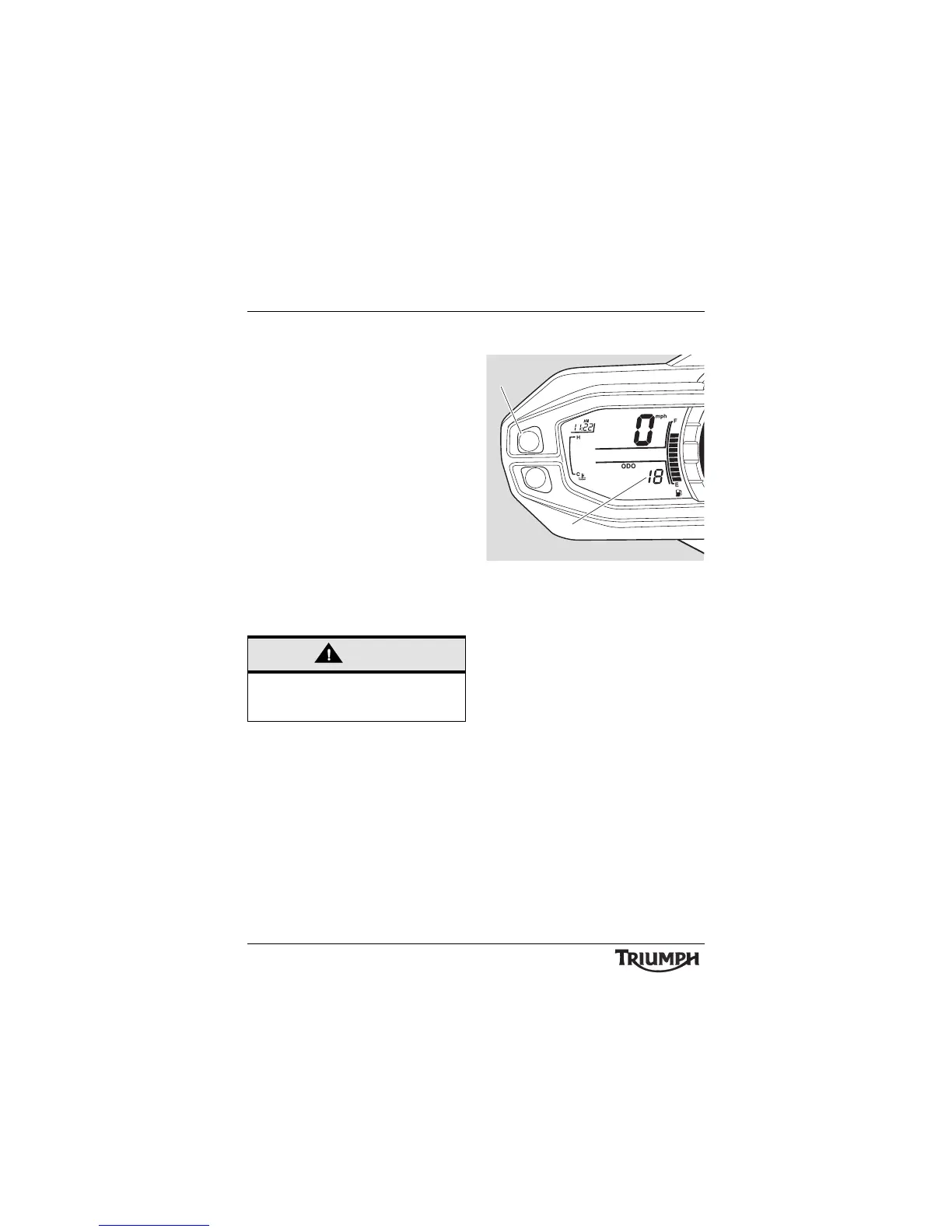
1. Display screen
2. Button A
To access the trip computer information press
and release button 'A' until the desired
display is visible. The display will scroll
through in the following order:
• Trip Meter 1
• Trip Meter 2
• Tyre Pressure Monitoring system -
if fitted (available as an accessory on
Tiger 800 models only)
•Set up.
Note:
• The tyre pressure monitoring
system (TPMS) is an accessory which
must be fitted by your authorised
Triumph dealer. The TPMS display
will then be activated by your
authorised Triumph dealer (TPMS is
not available on Tiger 800XC
models).




 To Next Page