28
General Information
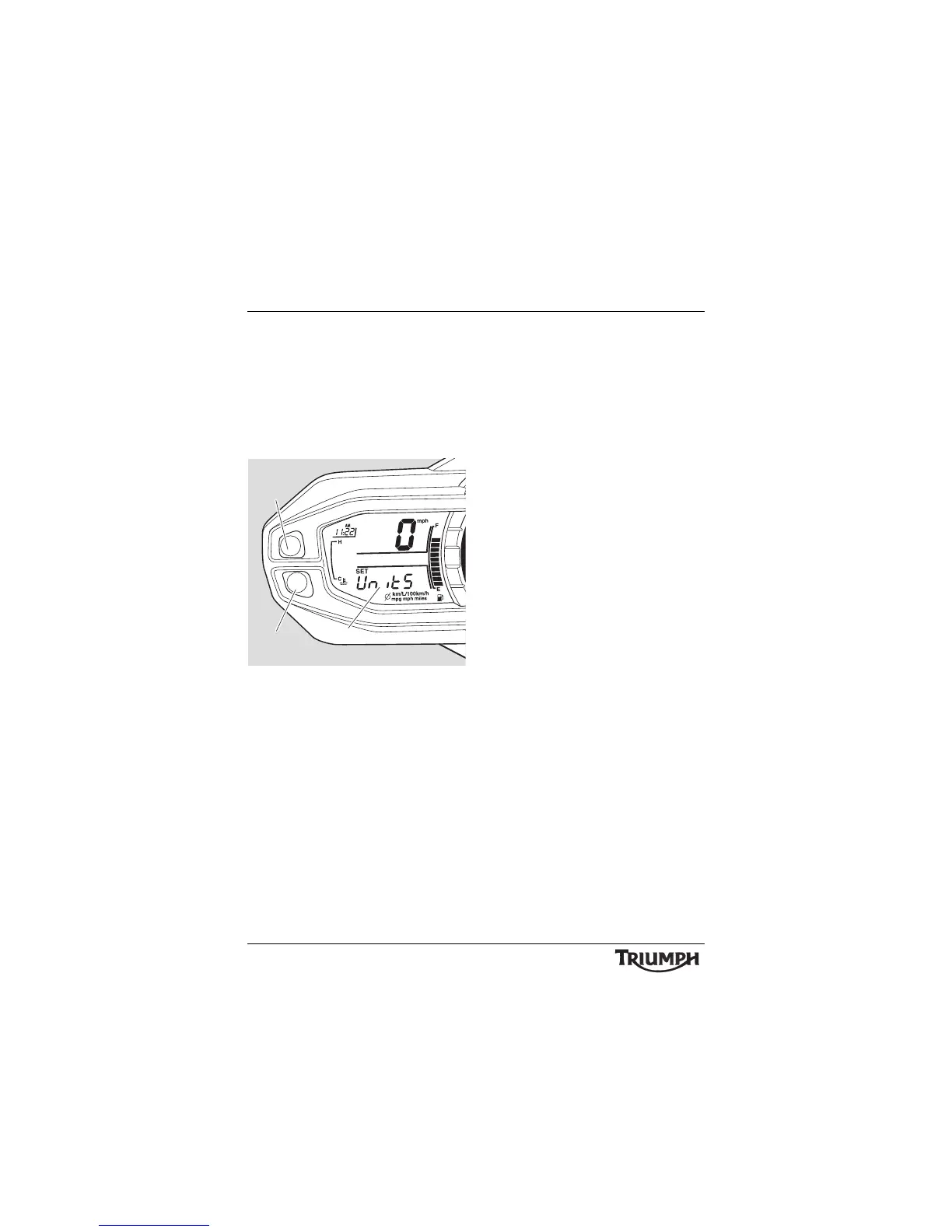
To access the units display; with the
motorcycle stationary and in neutral turn the
ignition to the ON position.
Press and release button 'A' until set up is
visible in the display screen then press
button 'B'.
Press and release button 'A' until UnitS is
visible then press button 'B'.
1. Display screen
2. Button A
3. Button B
Press and release button 'A' until the desired
display is visible. The display will scroll
through in the following order:
• mpg - Imperial gallons
• mpg US - US gallons
• L/100 km - Metric
•km/L - Metric.
Models without TPMS: Press button 'B'
and do not touch buttons 'A' or 'B' again until
UnitS is visible in the display screen. When
UnitS is visible in the display screen, press
and release button 'A' until r
Eturn is visible
then press button 'B'. Trip 1 will be visible in
the display screen.
Models with TPMS: Press button 'B' and do
not touch buttons 'A' or 'B' again until PSI or
bAr is displayed. Press and release button 'A'
until the desired tyre pressure units are
visible. Press button 'B' and wait until UnitS is
displayed, then press button 'A' and when
rEturn is displayed press button B. Trip 1 will
be visible in the display screen.






 To Next Page