32 | Trivel.com
GETTING STARTED
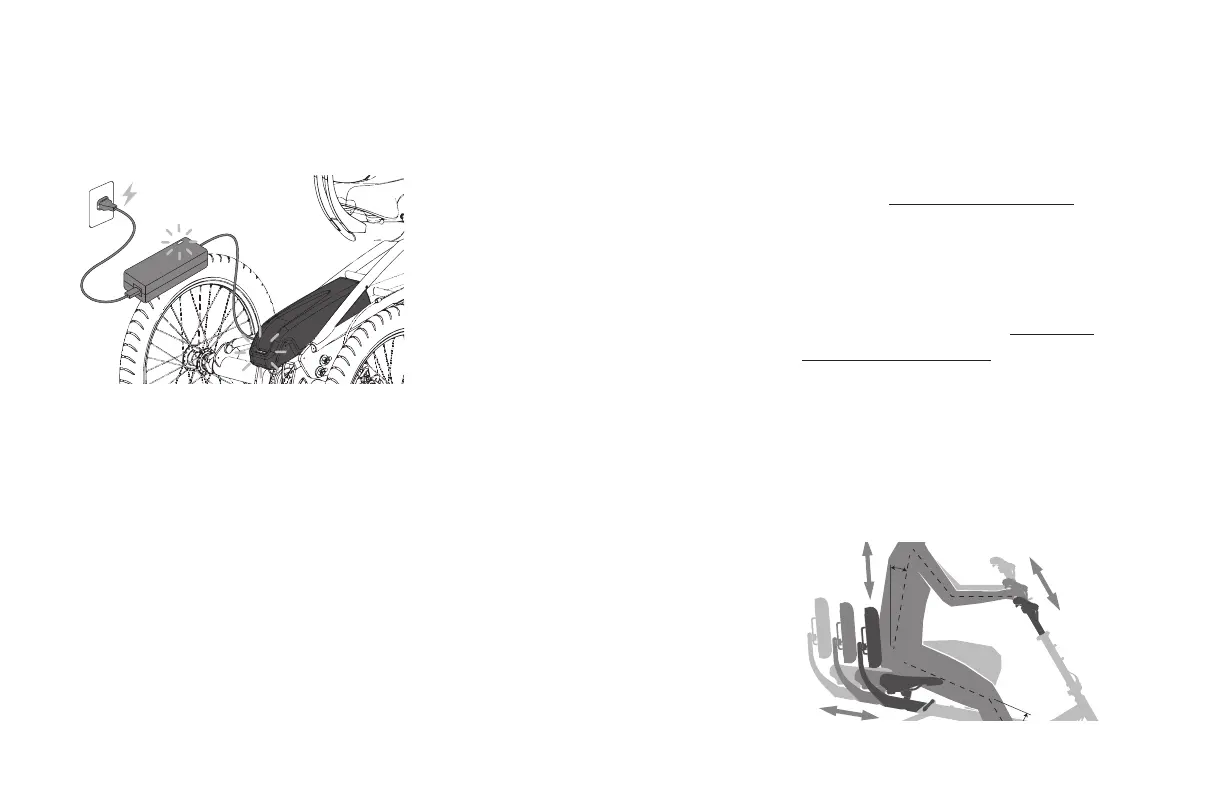
Step 1: Charge the battery
1. Connect the AC power plug into
the charger.
2. Plug the AC power plug into an electrical
outlet. The LED indicators on the charger
will light up.
3. Connect the charging plug into the
battery’s left side charging port. The
LED indicators on the battery will blink,
confirming that charging is underway. Let
the battery charge until it is full.
Step 2: Adjust your position
1. Slide the seat beam back or forth into the
frame so you have a proper leg extension.
See section Setting your seat position
for instructions.
2. Move the backrest support up or down
along the rail and adjust the angle to
your preference. See section Setting the
backrest height and angle for instructions.
3. Raise or lower the upper stem assembly to
find a comfortable handlebar height.
4. Make sure all the tightening levers and
bolts are tight.
4. The light on the charger will turn green
when fully charged.
5. Pull the charging plug from the battery
port and replace the rubber protector cap.



 To Next Page