42 | Trivel.com
REMOVING OR INSERTING THE BATTERY
It is recommended to remove the battery
from the frame for charging or for storing
it for a long period.
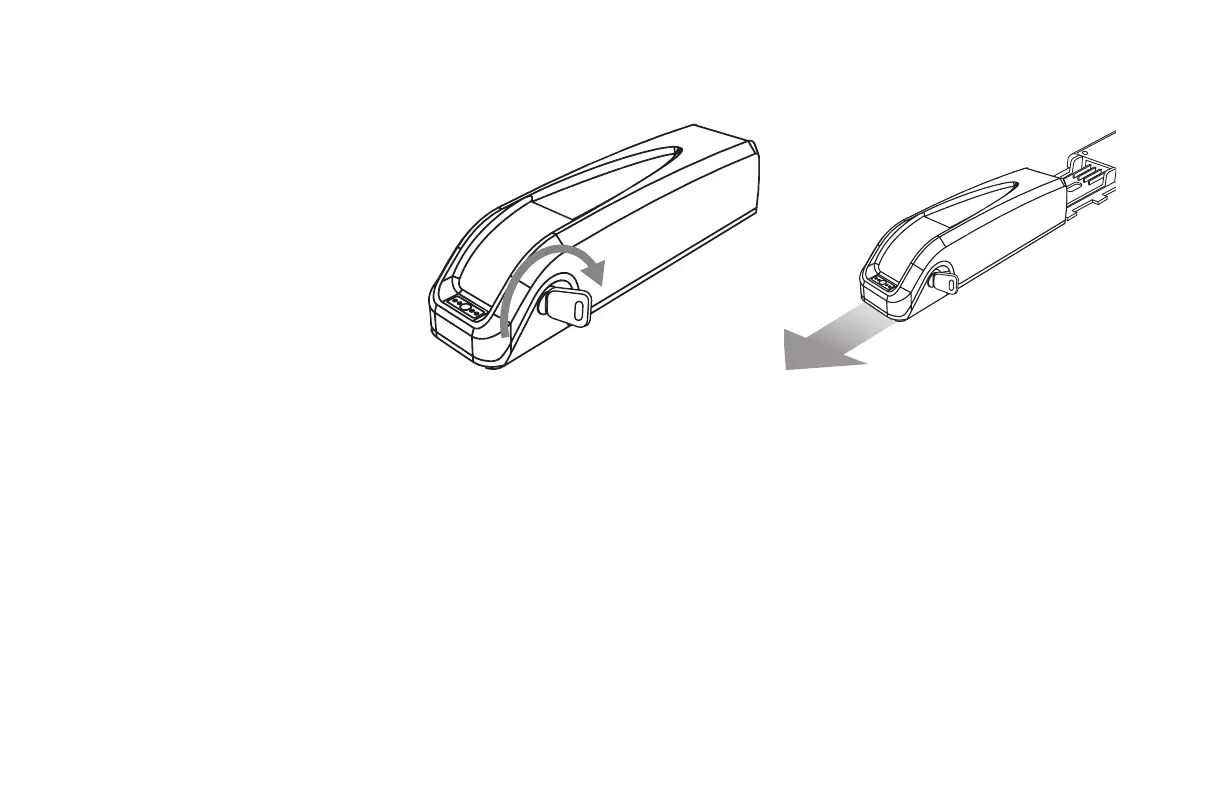
To remove the battery:
1. Insert the key into the key lock of the
battery.
2. Turn the key for half a turn, counter
clockwise(to the left) to unlock the battery.
3. Firmly and carefully pull the battery along
the battery holder bracket towards the
back.



 To Next Page