Trivel.com | 35
USING THE LCD PANEL FUNCTIONS
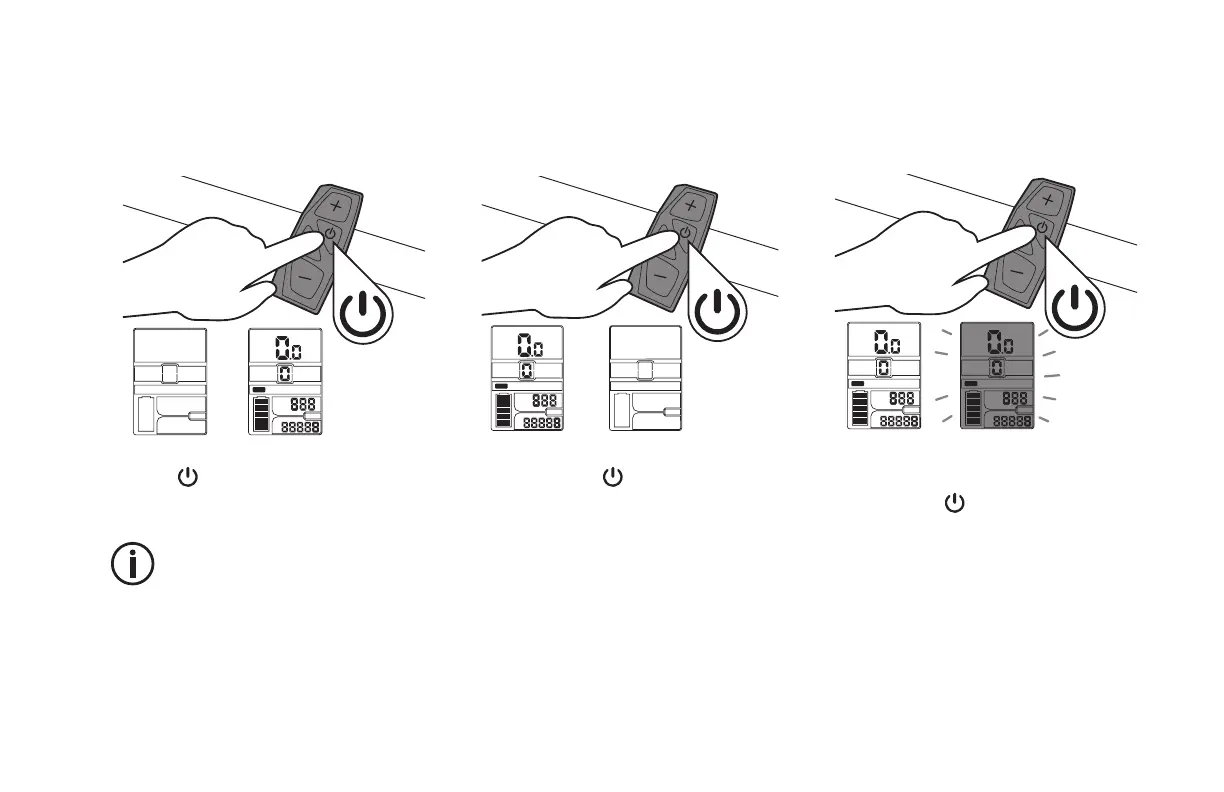
Turning the LCD Panel ON
MODE
POWER
KM/H
ODO
TRIP
KM
x1
Press the Power button on the controller
to turn the LCD Panel ON.
The LCD Panel with shut down
automatically after 5 minutes
without operation or input in order
to save battery capacity.
Turning the LCD Panel OFF
MODE
POWER
KM/H
ODO
TRIP
KM
(3 sec)
Press and hold the Power button on the
controller for 3 seconds to turn the LCD
PanelON.
Activate the backlight
MODE
POWER
KM/H
ODO
TRIP
KM
x1
POWER
KM/H
ODO
TRIP
KM
MODE
Once the LCD Panel has been turned ON,
shortly press the Power button on the
controller to turn backlight ON.



 To Next Page