Trivel.com | 37
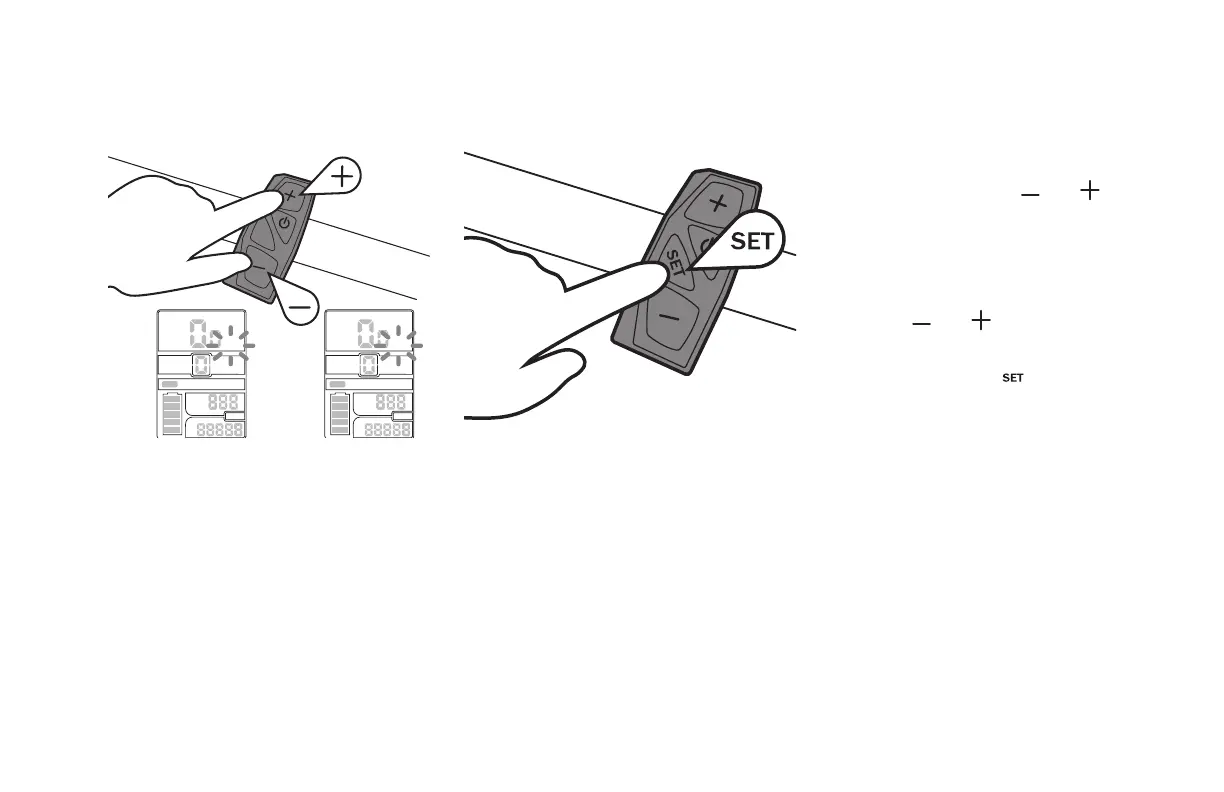
To change the speed and
distance unit
SET
(5 sec)
MODE
POWER
KM/H
ODO
TRIP
MODE
POWER
MPH
ODO
TRIP
1. While the LCD Panel is ON, press and hold
simultaneously both the and
buttons on the controller for 5seconds
until the Unit value flashes.
2. Switch to the desired Unit (Km/h or Mph)
using the and buttons
3. Then shortly press the button to save
the new Unit to be displayed.



 To Next Page