14
CONSOLE FUNCTIONS
USING THE PULSE FUNCTION
The PULSE Window on your Console works in conjunction with the Pulse Sensors on both handrails. When
you are ready to read your pulse:
1. Place both hands rmly on the Pulse Sensors. For the most accurate reading, it is important to use both
hands.
2. Your estimated heart rate will display in the PULSE window approximately 5 seconds after you grasp
the Pulse Sensors.
3. This estimate is not exact and persons with medical conditions and/or a specic needs for accurate
heart rate monitoring should not rely on the estimations provided.
USING THE AUDIO FUNCTION
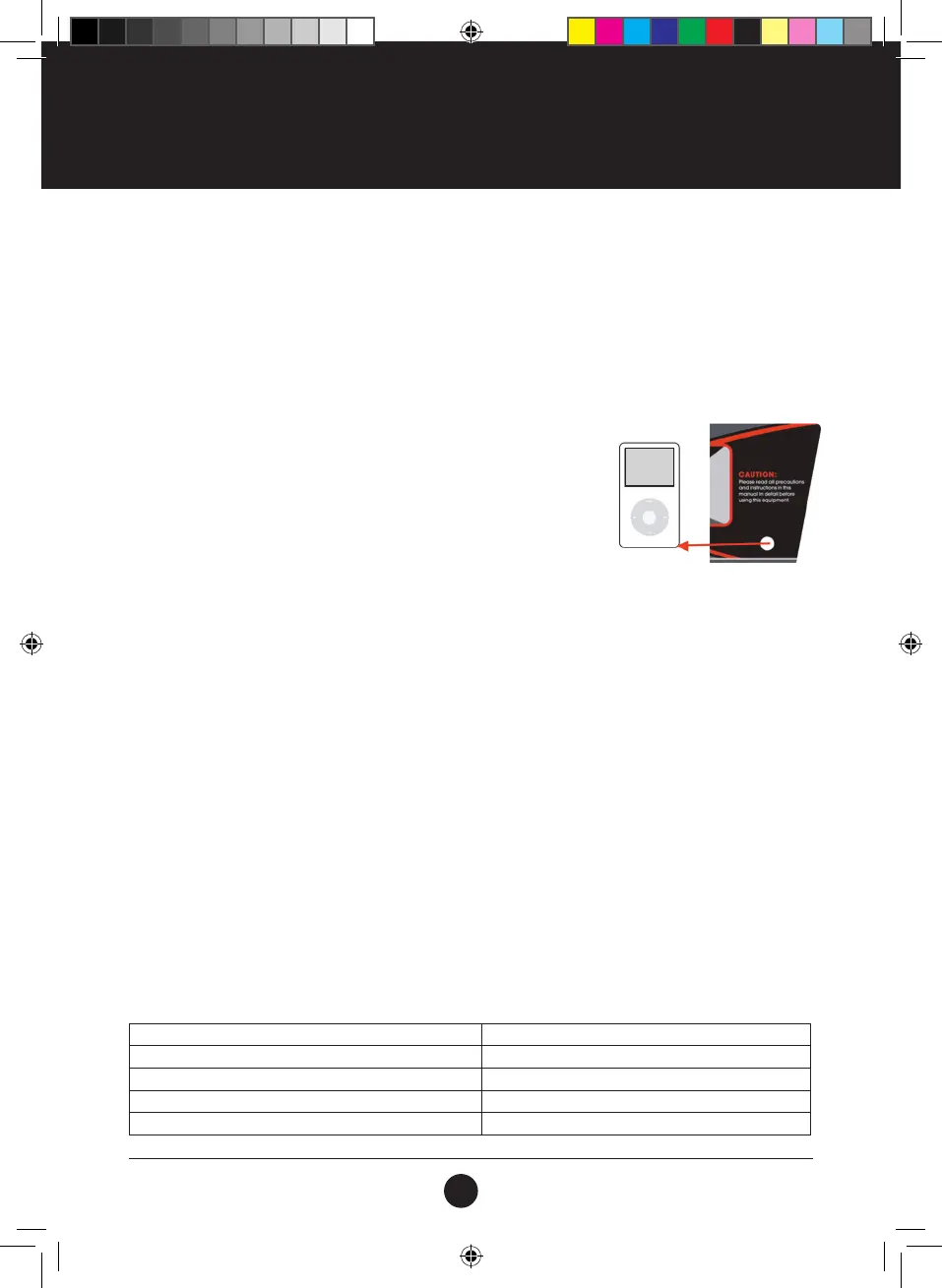
As the gure shows, plug one end of the audio cable into the audio jack
on the Console, plug the other end of the audio cable in to the MP3 player.
The speaker on the Console will then play the music from the MP3 player.
The speaker volume can be adjusted on the MP3 player.
BODY FAT SCALE
This function is to estimate your body fat according to the basic information of your body condition.
This estimate is not exact and persons with medical conditions and/or a specic need for accurate body fat
value should not rely on the estimations provided.
STEP 1: Press the PROGRAM button repeatedly until the LCD displays FAT. Press the MODE button to set
the required parameters: AGE, GENDER, HEIGHT, and WEIGHT.
STEP 2: After entering the BODY FAT function, the LCD will display F 1 and 25, which represents age, press
the SPEED +/- button to set the age from 10 - 99. Then press the MODE button to go to the next step.
STEP 3: After pressing the MODE button, the LCD will display F 2 and 01, which represents your GENDER,
press SPEED +/- button to set the gender from 01-02.
01 represents MALE, 02 represents FEMALE. After selection press the MODE button to go to the next step.
STEP 4: After pressing the MODE button, the LCD will display F 3 and 170, which represents HEIGHT, press
the SPEED +/- button to set the height from 100CM-200CM. Press the MODE button to go to the next step.
STEP 5: After pressing the MODE button, the LCD will display F 4 and 70, which represents WEIGHT, press
the SPEED +/- button to set the weight from 20KG-150KG. Press the MODE button to go to the next step.
STEP 6: After you are nished setting all the necessary information of your body condition, press the MODE
button again, the LCD will display F 5 and “---”, this means that the Console will start calculating your results.
Hold the pulse sensor on both handrails with both hands for approximately 8 seconds after which your body
fat results will be displayed on the LCD.
BODY FAT CHART
To check your body fat condition, use the chart below against the reading received on the treadmill’s LCD.
BODY CONDITION RESULT
Obese BMI > 30
Overweight 26 < BMI < 30
Normal 19 < BMI < 25
Underweight BMI < 19
#19M05T011 TR105 Treadmill UM V3.indd 14 2019/06/25 4:21 PM



 To Next Page