12
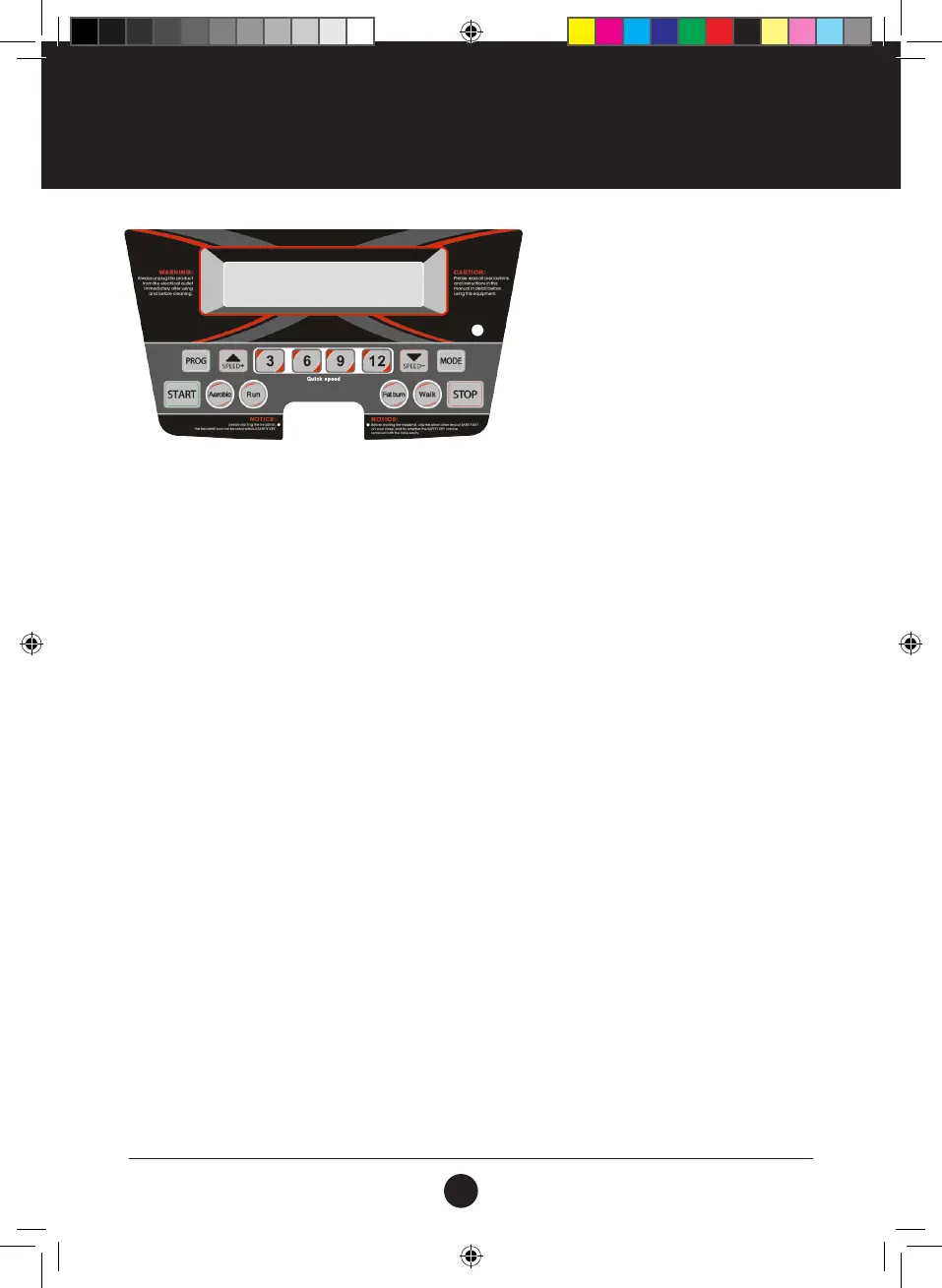
DISPLAY FUNCTION:
TIME: Accumulates total workout time from 0:00 to 99:59 minutes.
PULSE: When pulse single is detected by grasping both stainless steel pick-ups on front
handrails, it will display your current heart rate in beats per minute from 50 to 200.
SPEED: Displays the current belt speed from starting at 1.0 km/h to 12.0 km/h.
CALORIE: Accumulates calorie consumption during exercise. Maximum value is 999 KCAL.
DISTANCE: Accumulates total workout distance from 0.0 to 99.9 kilometers by count-up.
Accumulates total workout distance from 0.5 to 99.9 kilometers by count-down.
GETTING STARTED:
1. Check to make sure nothing is on or will hinder the movement of the treadmill.
2. Plug in the power cord and turn the treadmill ON.
3. Stand on the foot rails of the treadmill.
4. Attach the safety key clip to a part of your clothing.
5. Put the safety key into the safety keyhole in the console, and then the treadmill will be on start/ready
status.
6. There are two buttons on both handrails, right is SPEED+ and SPEED-, left is START and STOP, and it will
perform same functions as SPEED +/- and START/STOP buttons on the Console.
7. During your workout in any mode, when you press the STOP button, the treadmill will be paused. If you
want to resume your workout, you can press the START button and all previous data will resume, the
treadmill belt will begin movement after count-down. If you want to go to start/ready status, press
the STOP button again after pausing the treadmill. During selecting the required program or setting
information, pressing the STOP button will return the treadmill to start/ready status.
8. You have two options to start your workout:
A. QUICK START
Simply press the START button to begin working out.
B. SELECT A PROGRAM
Select the manual program by pressing the MODE button or pressing the PROGRAM button to enter
manual program or 8 preset training goals.
CONSOLE FUNCTIONS
#19M05T011 TR105 Treadmill UM V3.indd 12 2019/06/25 4:21 PM



 To Next Page