EasyManua.ls Logo

Trojan TR310 - User Manual

Trojan TR310
33 pages
Print Icon
To Next Page IconTo Next Page
Loading...
CAUTION
READ ALL PRECAUTIONS AND
INSTRUCTIONS IN THIS MANUAL
BEFORE USING THIS EQUIPMENT.
KEEP THIS MANUAL FOR
FUTURE REFERENCE.
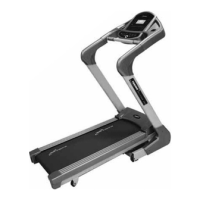
TR310 TREADMILL
FITSHOW AND
BLUETOOTH ENABLED
AUTO
INCLINE
CARDIO
@trojanhealth
Trojan Health and Fitness SA
www.trojanhealth.co.za
USER MANUAL
AUDIO ENABLED
APPS
FitSHOW APP ENABLED
#22M07T003 TR310 TREADMILL - USER MANUAL.indd 1 2022/08/29 3:27 PM

Questions and Answers

  • J
    Jennifer MosleyAug 5, 2025
    How to fix error E01 on a Trojan TR310 Treadmill?
    • P
      patriciaparkerAug 6, 2025
      Error E01 on your Trojan Treadmill indicates a possible message failure between the computer and the bottom control board. Check that the wires connecting the computer and the bottom control board are correctly connected. If the issue persists, consider changing the entire control board.
  • T
    Tracy MillerAug 11, 2025
    What to do if my Trojan Treadmill shows error E05?
    • J
      Joshua SmithAug 11, 2025
      Error E05 on your Trojan Treadmill indicates a possible current overload. If a current overload is detected or the motor is stuck, the machine will start self-protecting its system due to excessive current. Try adjusting the machine and restarting it. Also, check for unusual noises coming from the motor or if the motor/bottom control board has burnt out, and replace if necessary. Ensure you are using the correct voltage.
  • C
    Carl NealAug 16, 2025
    Why does my Trojan Treadmill display error E03?
    • T
      Tyler EspinozaAug 16, 2025
      Error E03 on your Trojan Treadmill indicates a possible no sensor signal. First, check that the speed sensor wire connection is correct and reconnect it if necessary. If the connection is fine, check if the speed sensor is damaged and replace it with a new one if needed.
  • D
    David MccoyAug 21, 2025
    What does error E04 mean on my Trojan TR310 Treadmill and how can I fix it?
    • W
      William HowellAug 21, 2025
      Error E04 on your Trojan Treadmill indicates a possible incline motor study failure. Begin by checking if the incline motor wires are correctly connected and reconnect them if necessary. Also, inspect the incline motor wire for damage and replace it if required. After checking the connections and wires, press the study key on the incline motor to reset it.
  • A
    Andre MaxwellAug 27, 2025
    What to do if my Trojan TR310 Treadmill is showing error E02?
    • R
      Rebecca HayesAug 27, 2025
      Error E02 on your Trojan Treadmill indicates a protection against exploding. If there is a bad connection or an open circuit in the motor, replace it with a new motor or check the connection. Also, if the power cable has a puncture, replace it with a new power cable or control board.
  • D
    Daniel RiosAug 30, 2025
    How do I resolve error E06 on my Trojan Treadmill?
    • J
      jeffreymaynardAug 30, 2025
      To resolve error E06 on your Trojan Treadmill, try turning the power off and on again. If the problem persists, consider changing the controller.

Summary

Important Safety Instructions

Health Warning

Consult physician before exercise, stop if feeling unwell, warm-up/cool-down importance.

Installation Guidelines

Ensure level surface, adequate space, and proper ventilation for setup.

Proper Usage Instructions

Use equipment as intended, one person at a time, maintain balance.

Access Control and Supervision

Keep children away, supervise use, locate in controlled areas.

Inspection and Maintenance Precautions

Check for damage, use genuine parts, tighten fasteners, maintain labels.

Operating Warnings and Limitations

Avoid loose clothing, keep others clear, heed weight limits.

Pre Assembly Check List

Hardware & Tools List

Parts List

Exploded Drawing

Assembly Steps

Preparation and Unpacking

Ensure space, check all parts against exploded drawing before assembly.

Attaching Uprights and Handles

Secure left/right upright tubes and console frame to the main frame using bolts.

Computer Bracket Installation

Fasten the computer bracket to both upright tubes for console mounting.

Securing Console and Covers

Attach upright bracket covers and adjust console screen angle for optimal viewing.

Base Cover and Safety Key Attachment

Install base covers and connect the safety key to the console to enable operation.

Folding Mechanism Operation

Instructions for safely folding and unfolding the treadmill for storage or transport.

Console Functions

Function Buttons and Display Overview

Explanation of console buttons for speed, time, distance, calories, and heart rate display.

Modes, Start;Stop, and Speed;Incline Control

Operating modes, start/stop functions, and adjusting speed and incline.

Quick Start and Handlebar Controls

Using the quick start function and controls located on the handlebars.

Countdown, Program Modes, and Tests

Using countdown modes, installed programs, heart rate, and body fat tests.

BMI, USB, Bluetooth, and Sleep Functions

Understanding BMI, using USB/Bluetooth for music, and sleep mode features.

Exercise Parameter Settings

Default and setting ranges for speed, incline, time, distance, and calories.

FitShow App

App Installation and User Registration

Steps to download, install, register, and log in to the FitShow app.

Equipment Synchronization

Connecting the FitShow app to your Trojan treadmill via Bluetooth for data transfer.

Fitness Modes and Equipment Control

Selecting training modes and controlling treadmill functions through the app.

Custom Training and Discovery Features

Creating custom plans, using outdoor mode, and exploring app content.

Sports Centre and Fitness Data Management

Accessing personal fitness data, workout history, and profile settings.

Kinomap App

Kinomap App Setup and Equipment Pairing

Steps for installing Kinomap, creating an account, and pairing with equipment.

Zwift App

Zwift App Setup and Equipment Pairing

Steps for installing Zwift, creating an account, and pairing with equipment.

Fitness Tips & Techniques

Aerobic and Weight Training Guidance

Explains aerobic exercise and the role of weight training in fitness routines.

Muscle Groups Targeted by Exercise

Identifies lower body muscles developed and conditioned by treadmill workouts.

Conditioning Guidelines

Exercise Intensity and Heart Rate Monitoring

Guidance on maintaining target heart rate zones and measuring pulse during exercise.

Warm Up & Cool Down

Workout Structure, Frequency, and Stretches

Recommended workout phases, exercise frequency, and basic stretching techniques.

Maintenance

Cleaning, Storage, and Belt Adjustment

Procedures for cleaning, storing, and adjusting the treadmill running belt.

Belt and Deck Lubrication

Recommendations for periodic lubrication of the running belt and deck friction system.

Running Belt Centering Procedure

Steps to adjust the running belt to ensure it remains centered during operation.

Trouble Shooting Guide

Error Code Diagnostics and Solutions

Explains common error codes, their potential causes, and solutions.

2 Year Limited Warranty

Repairs Procedure

Trojan TR310 Specifications

General IconGeneral
Speed0.8 - 16 km/h
Incline0 - 12%
Max User Weight120 kg
DisplayLCD
Programs12
Heart Rate MonitoringYes
FoldableYes

Related product manuals