EasyManua.ls Logo

Trojan TR 1000 - User Manual

Trojan TR 1000
36 pages
Print Icon
To Next Page IconTo Next Page
Loading...
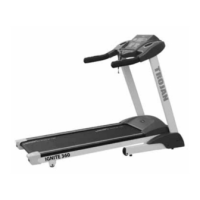
TR 1000
TREADMILL
AUTO
INCLINE
CARDIO
USER MANUAL
Visit facebook.com/trojanhealth
www.trojanhealth.co.za
CAUTION
READ ALL PRECAUTIONS AND
INSTRUCTIONS IN THIS MANUAL
BEFORE USING THIS EQUIPMENT.
KEEP THIS MANUAL FOR
FUTURE REFERENCE.
Question and Answer IconNeed help?

Do you have a question about the Trojan TR 1000 and is the answer not in the manual?

Summary

Important Safety Instructions

Health Warnings

Consult physician, stop if unwell, warm-up and cool-down are essential.

Installation Guidelines

Secure on level surface, away from moisture, with ventilation and adequate space.

Proper Usage Precautions

Use as intended, one person at a time, maintain balance, do not adjust while using.

Access Control and Supervision

Supervise use in a controlled area, keep children away, ensure close supervision.

Equipment Inspection

Check for damage, use approved parts, tighten bolts, maintain labels, contact service for repairs.

Operating Warnings

Instruct users, keep children away from moving parts, avoid loose clothing/jewelry.

User Weight Limitations

Maximum user weight is 130 kg for the TR 1000 Treadmill.

Grounding Instructions

Electrical Safety: Grounding

Improper grounding risks electric shock. Consult electrician, do not modify plug.

Voltage and Plug Requirements

Use on 220-240 Volt circuit with grounding plug. Do not use adaptors.

Pre-Assembly Checklist

Manual and Part Familiarization

Familiarise yourself with labelled parts and read the manual carefully before use.

Treadmill Specifications

Details running deck, set-up size, user weight (130 Kg max), speed (1-18 Km/h), and programs.

Hardware and Tools List

Assembly Preparation

Check hardware packaging for all parts. Basic assembly tools are provided.

Parts List

Exploded Drawing

Assembly Steps

Step 1: Preparation

Open carton, remove parts, place Main Frame on flat surface, check all parts supplied.

Step 2: Attach Uprights to Computer

Affix Computer to Left/Right Uprights using Bolt (51) and Lock Washer (64).

Step 3: Secure Uprights

Push up uprights, ensure wires connected, hold uprights to prevent falling.

Step 4: Attach Uprights to Base Frame

Secure Right Upright to Main Frame using Bolt (53) and Lock Washer (64).

Step 5: Attach Base Covers

Affix Right Base Cover (74) using Wrench/Screw Driver (61) and Bolt (68).

Step 6: Insert Power Cable

Insert the Power Cable (31) into the inlet as illustrated.

Step 7: Insert Safety Key

Put the Safety Key (88) in the console slots to begin exercise.

Final Assembly Check

Check assembly, secure all bolts, read instructions carefully before use.

Folding Instructions

Folding the Treadmill

Pull Base Frame up until a click sound is heard for Air Pressure Bar.

Unfolding the Treadmill

Tap Cylinder (11) with foot, pull running deck down to lower automatically.

Folding Safety Precautions

Unplug power, ensure parts secured, keep clear of descending deck.

Computer Functions

Function Buttons Overview

Describes buttons: SPEED, INCLINE, TIME, DIST., CAL., PULSE for display.

Treadmill Operation Modes

Explains PROGRAM, MODE, START, STOP, SPEED+/-, INCLINE+/- for treadmill control.

Quick Speed and Incline Selection

Preset speed (3, 6, 9, 12) and incline (3, 6, 9, 12) settings for quick selection.

Operation Instructions

Main Function and Standby Mode

Switch on power supply to enter standby mode.

Quick Start-Up Procedure

Insert safety key, press START, adjust speed/incline, press STOP or remove key.

Count Down Mode Operation

Select TIME, DISTANCE, or CALORIE countdown; set parameters and speed/incline.

Using Installed Programs

Select P1-P20 programs, adjust time, speed/incline change automatically.

User-Defined Programs

3 customizable programs (UO1-UO3) with 20 stages each. Set time, speed, incline.

Heart Rate Monitoring

Hold pulse sensors for 5 seconds for reading. Use for indication only, not medical.

Body Fat Test Procedure

Test body fat using SEX, AGE, HEIGHT, WEIGHT parameters. Hold pulse for BMI.

Data Display and Parameter Ranges

Table showing default, range, and mark for SEX, AGE, HEIGHT, WEIGHT parameters.

BMI Classification Reference

Categorizes BMI values into UNDERWEIGHT, AVERAGE, OVERWEIGHT, OBESE.

Energy Saving and Safety Lock Functions

Energy saving mode activates after 10 mins inactivity. Safety key stops treadmill.

Running Data and Setting Ranges

Table detailing min value, default, setting range for SPEED, INCLINE, TIME, DISTANCE, CALORIES, HEART RATE.

Program Table Details

Table showing speed and incline settings for each of the 20 preset programs across 20 time periods.

Troubleshooting Guide

Control Board Communication Errors (E01)

Failure between computer/bottom control board. Check wires or change board.

Motor and Circuit Protection Errors (E02, E05)

Motor circuit protection, overload detected. Check motor, cables, or board.

Sensor and Incline Motor Errors (E03, E04)

No sensor signal or incline motor failure. Check wires, sensors, or motor.

Technical Parameters

Physical Specifications

Includes built-up/folded dimensions, running area, net weight.

Performance and User Limits

Power, max output power, speed range (1-18 Km/h), and max user weight (130kg).

LCD Display Functions

LCD display shows SPEED, TIME, DISTANCE, PULSE, CALORIES.

Exercise Instructions

Warm-Up Phase Benefits

Helps blood flow, prepares muscles, reduces injury risk. Includes stretching exercises.

Exercise Phase Focus

Builds leg strength, maintain steady tempo. Raise heart beat into target zone.

Cool-Down Phase Purpose

Lets cardiovascular system and muscles wind down. Repeat warm-up exercises.

Training Guidelines: Frequency, Intensity, Goals

Train 3+ times/week. Increase duration/intensity. Consult doctor for muscle toning, weight loss.

Treadmill Usage Basics

Learn controls, stand on pads, hold bar, test speed gradually, run for 10 mins.

Exercise Stage Progression

Learn speed/incline adjustment. Walk 1km at stable velocity (15-25 mins).

Optimizing Exercise Intensity

Gradually add speed every 2 mins. Increase intensity during TV ads. Slow down for cool down.

Recommended Exercise Frequency

3-5 times/week, 15-60 mins/workout. Adjust intensity. Consult physician.

Speed Guidelines for Exercise

Provides speed ranges for Beginner, Slow/Normal/Fast Walking, Jogging, and Running.

Maintenance Guide

Maintenance Warnings

Unplug power before maintenance. Stop treadmill before folding.

General Cleaning Procedures

Wipe belt/frame with damp cloth, use mild soap/water and brush for belt, vacuum monthly.

General Care and Checks

Check parts for wear, replace worn mats/parts. Contact help line if in doubt.

Belt and Deck Lubrication

Recommended periodic lubrication based on user frequency (annually, 6 months, 3 months).

Running Belt Tightness Adjustment

Keep belt tight over rollers to avoid slipping and damage. Adjust between plates and belt.

Centering the Running Belt

Belt Adjustment Guide

Adjust for right/left drift by turning bolts. Adjust belt tightness periodically.

Belt Gap and Edging Attention

Space between belt and edgings should be normal, gap between left/right no more than 5mm.

Fitness Tips and Techniques

Aerobic Exercise Benefits

Sustained activity sending oxygen to muscles, improving lung/heart fitness.

Weight Training for Toning

Tones, builds, and strengthens muscle. Helps reduce excess fat. Consult physician.

Treadmill Muscle Engagement

Highlights lower body muscle groups developed by treadmill exercise.

Conditioning Guidelines

Starting an Exercise Program

Start slowly if inactive/overweight. Increase time gradually. Work at own pace.

Target Heart Rate Zone

Maintain 65-85% max heart rate for aerobic exercise. Adjust intensity to target zone.

Heart Rate Measurement

Stop, move legs, count pulse for 6 secs, multiply by 10 for BPM.

Warm-Up and Cool-Down

Workout Structure: Warm-up, Train, Cool-down

Each workout: 5-10 min warm-up, 20-30 min training, 5-10 min cool-down.

Recommended Exercise Frequency

Plan 3 workouts/week, with rest days. Aim for regular, enjoyable exercise.

Suggested Stretching Exercises

Includes Toe Touch, Hamstring, Calf/Achilles, Quadriceps, Inner Thigh stretches.

Two-Year Limited Warranty

Warranty Exclusions

Warranty excludes disaster, misuse, commercial use, non-authorised modification, wear and tear.

Warranty Claim Process

Claims require proof of purchase or warranty number. Contact service centre for details.

Repairs Procedure

Reporting Faults and Service Calls

Call Trojan Call Centre to log fault. Advisor identifies fault, books service.

Repair Costs (Under;Out of Warranty)

Under warranty: free. Out of warranty: consumer expense, quote provided for approval.

Summary

Important Safety Instructions

Health Warnings

Consult physician, stop if unwell, warm-up and cool-down are essential.

Installation Guidelines

Secure on level surface, away from moisture, with ventilation and adequate space.

Proper Usage Precautions

Use as intended, one person at a time, maintain balance, do not adjust while using.

Access Control and Supervision

Supervise use in a controlled area, keep children away, ensure close supervision.

Equipment Inspection

Check for damage, use approved parts, tighten bolts, maintain labels, contact service for repairs.

Operating Warnings

Instruct users, keep children away from moving parts, avoid loose clothing/jewelry.

User Weight Limitations

Maximum user weight is 130 kg for the TR 1000 Treadmill.

Grounding Instructions

Electrical Safety: Grounding

Improper grounding risks electric shock. Consult electrician, do not modify plug.

Voltage and Plug Requirements

Use on 220-240 Volt circuit with grounding plug. Do not use adaptors.

Pre-Assembly Checklist

Manual and Part Familiarization

Familiarise yourself with labelled parts and read the manual carefully before use.

Treadmill Specifications

Details running deck, set-up size, user weight (130 Kg max), speed (1-18 Km/h), and programs.

Hardware and Tools List

Assembly Preparation

Check hardware packaging for all parts. Basic assembly tools are provided.

Parts List

Exploded Drawing

Assembly Steps

Step 1: Preparation

Open carton, remove parts, place Main Frame on flat surface, check all parts supplied.

Step 2: Attach Uprights to Computer

Affix Computer to Left/Right Uprights using Bolt (51) and Lock Washer (64).

Step 3: Secure Uprights

Push up uprights, ensure wires connected, hold uprights to prevent falling.

Step 4: Attach Uprights to Base Frame

Secure Right Upright to Main Frame using Bolt (53) and Lock Washer (64).

Step 5: Attach Base Covers

Affix Right Base Cover (74) using Wrench/Screw Driver (61) and Bolt (68).

Step 6: Insert Power Cable

Insert the Power Cable (31) into the inlet as illustrated.

Step 7: Insert Safety Key

Put the Safety Key (88) in the console slots to begin exercise.

Final Assembly Check

Check assembly, secure all bolts, read instructions carefully before use.

Folding Instructions

Folding the Treadmill

Pull Base Frame up until a click sound is heard for Air Pressure Bar.

Unfolding the Treadmill

Tap Cylinder (11) with foot, pull running deck down to lower automatically.

Folding Safety Precautions

Unplug power, ensure parts secured, keep clear of descending deck.

Computer Functions

Function Buttons Overview

Describes buttons: SPEED, INCLINE, TIME, DIST., CAL., PULSE for display.

Treadmill Operation Modes

Explains PROGRAM, MODE, START, STOP, SPEED+/-, INCLINE+/- for treadmill control.

Quick Speed and Incline Selection

Preset speed (3, 6, 9, 12) and incline (3, 6, 9, 12) settings for quick selection.

Operation Instructions

Main Function and Standby Mode

Switch on power supply to enter standby mode.

Quick Start-Up Procedure

Insert safety key, press START, adjust speed/incline, press STOP or remove key.

Count Down Mode Operation

Select TIME, DISTANCE, or CALORIE countdown; set parameters and speed/incline.

Using Installed Programs

Select P1-P20 programs, adjust time, speed/incline change automatically.

User-Defined Programs

3 customizable programs (UO1-UO3) with 20 stages each. Set time, speed, incline.

Heart Rate Monitoring

Hold pulse sensors for 5 seconds for reading. Use for indication only, not medical.

Body Fat Test Procedure

Test body fat using SEX, AGE, HEIGHT, WEIGHT parameters. Hold pulse for BMI.

Data Display and Parameter Ranges

Table showing default, range, and mark for SEX, AGE, HEIGHT, WEIGHT parameters.

BMI Classification Reference

Categorizes BMI values into UNDERWEIGHT, AVERAGE, OVERWEIGHT, OBESE.

Energy Saving and Safety Lock Functions

Energy saving mode activates after 10 mins inactivity. Safety key stops treadmill.

Running Data and Setting Ranges

Table detailing min value, default, setting range for SPEED, INCLINE, TIME, DISTANCE, CALORIES, HEART RATE.

Program Table Details

Table showing speed and incline settings for each of the 20 preset programs across 20 time periods.

Troubleshooting Guide

Control Board Communication Errors (E01)

Failure between computer/bottom control board. Check wires or change board.

Motor and Circuit Protection Errors (E02, E05)

Motor circuit protection, overload detected. Check motor, cables, or board.

Sensor and Incline Motor Errors (E03, E04)

No sensor signal or incline motor failure. Check wires, sensors, or motor.

Technical Parameters

Physical Specifications

Includes built-up/folded dimensions, running area, net weight.

Performance and User Limits

Power, max output power, speed range (1-18 Km/h), and max user weight (130kg).

LCD Display Functions

LCD display shows SPEED, TIME, DISTANCE, PULSE, CALORIES.

Exercise Instructions

Warm-Up Phase Benefits

Helps blood flow, prepares muscles, reduces injury risk. Includes stretching exercises.

Exercise Phase Focus

Builds leg strength, maintain steady tempo. Raise heart beat into target zone.

Cool-Down Phase Purpose

Lets cardiovascular system and muscles wind down. Repeat warm-up exercises.

Training Guidelines: Frequency, Intensity, Goals

Train 3+ times/week. Increase duration/intensity. Consult doctor for muscle toning, weight loss.

Treadmill Usage Basics

Learn controls, stand on pads, hold bar, test speed gradually, run for 10 mins.

Exercise Stage Progression

Learn speed/incline adjustment. Walk 1km at stable velocity (15-25 mins).

Optimizing Exercise Intensity

Gradually add speed every 2 mins. Increase intensity during TV ads. Slow down for cool down.

Recommended Exercise Frequency

3-5 times/week, 15-60 mins/workout. Adjust intensity. Consult physician.

Speed Guidelines for Exercise

Provides speed ranges for Beginner, Slow/Normal/Fast Walking, Jogging, and Running.

Maintenance Guide

Maintenance Warnings

Unplug power before maintenance. Stop treadmill before folding.

General Cleaning Procedures

Wipe belt/frame with damp cloth, use mild soap/water and brush for belt, vacuum monthly.

General Care and Checks

Check parts for wear, replace worn mats/parts. Contact help line if in doubt.

Belt and Deck Lubrication

Recommended periodic lubrication based on user frequency (annually, 6 months, 3 months).

Running Belt Tightness Adjustment

Keep belt tight over rollers to avoid slipping and damage. Adjust between plates and belt.

Centering the Running Belt

Belt Adjustment Guide

Adjust for right/left drift by turning bolts. Adjust belt tightness periodically.

Belt Gap and Edging Attention

Space between belt and edgings should be normal, gap between left/right no more than 5mm.

Fitness Tips and Techniques

Aerobic Exercise Benefits

Sustained activity sending oxygen to muscles, improving lung/heart fitness.

Weight Training for Toning

Tones, builds, and strengthens muscle. Helps reduce excess fat. Consult physician.

Treadmill Muscle Engagement

Highlights lower body muscle groups developed by treadmill exercise.

Conditioning Guidelines

Starting an Exercise Program

Start slowly if inactive/overweight. Increase time gradually. Work at own pace.

Target Heart Rate Zone

Maintain 65-85% max heart rate for aerobic exercise. Adjust intensity to target zone.

Heart Rate Measurement

Stop, move legs, count pulse for 6 secs, multiply by 10 for BPM.

Warm-Up and Cool-Down

Workout Structure: Warm-up, Train, Cool-down

Each workout: 5-10 min warm-up, 20-30 min training, 5-10 min cool-down.

Recommended Exercise Frequency

Plan 3 workouts/week, with rest days. Aim for regular, enjoyable exercise.

Suggested Stretching Exercises

Includes Toe Touch, Hamstring, Calf/Achilles, Quadriceps, Inner Thigh stretches.

Two-Year Limited Warranty

Warranty Exclusions

Warranty excludes disaster, misuse, commercial use, non-authorised modification, wear and tear.

Warranty Claim Process

Claims require proof of purchase or warranty number. Contact service centre for details.

Repairs Procedure

Reporting Faults and Service Calls

Call Trojan Call Centre to log fault. Advisor identifies fault, books service.

Repair Costs (Under;Out of Warranty)

Under warranty: free. Out of warranty: consumer expense, quote provided for approval.

Trojan TR 1000 Specifications

General IconGeneral
BrandTrojan
ModelTR 1000
CategoryTreadmill
LanguageEnglish

Related product manuals