11
ASSEMBLY STEPS
1. PREPARATION
• Before assembling make sure that you will have enough space around the item.
• Use the supplied parts and hardware for the assembly.
• Before assembling please check whether all the required parts have been supplied as per the exploded
drawing on the opposite page.
STEP 1
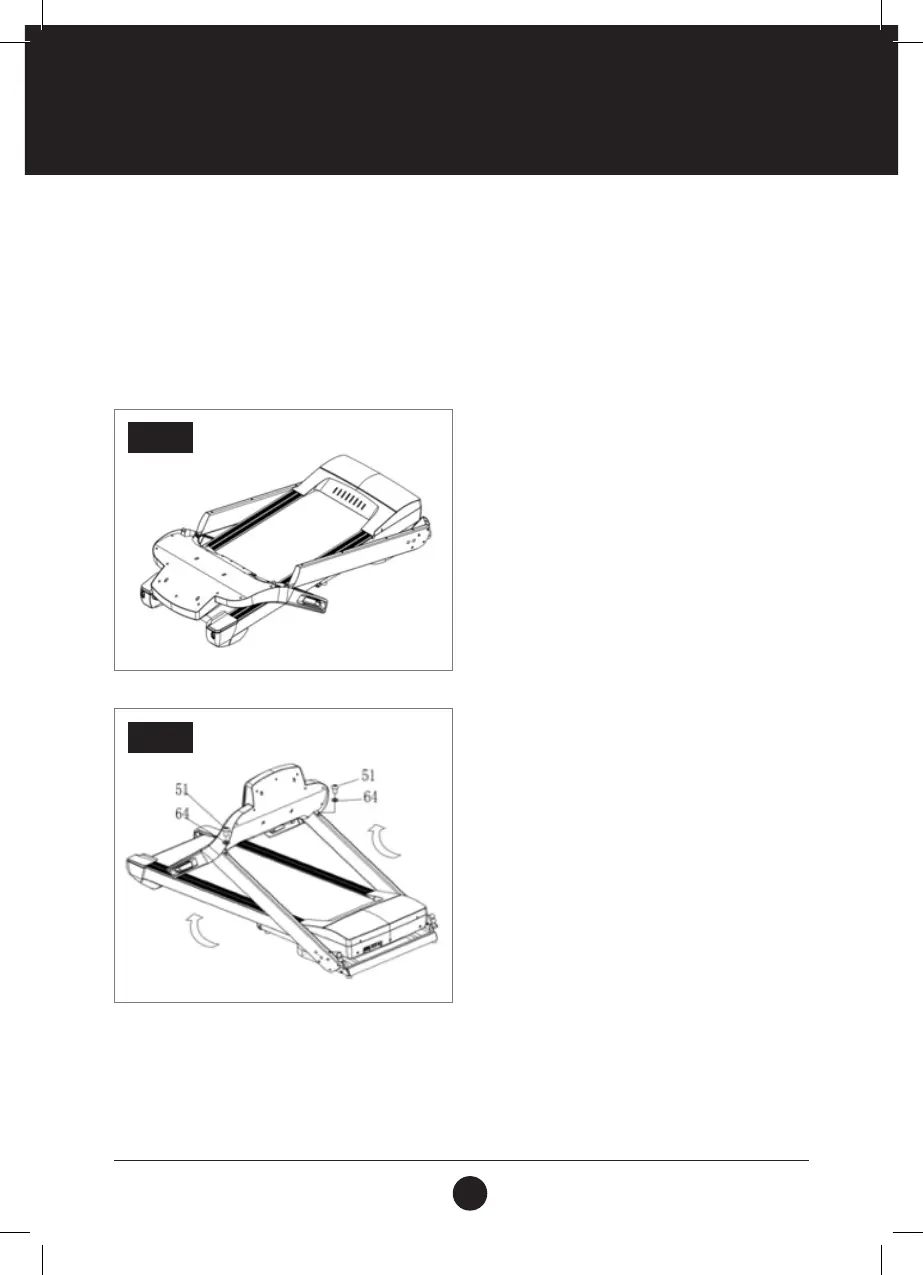
STEP 1:
Open the carton, remove all the parts and place the
Main Frame (1) on a at and dry surface.
STEP 2:
Lift up the Computer, Left and Right Uprights as
illustrated by the arrow in the corresponding image
Use the 5# Allen Key (12) to afx the Computer to
the Left Upright and Right Upright by using Bolt (51)
and the Lock Washer (64) .
Note: Do not squash the wires inside the tube.
Ensure that wires are connected. Support the
upright with one hand to avoid it falling down and
possibly causing injury.
STEP 2



 To Next Page