24 25
FITSHOW APP FITSHOW APP
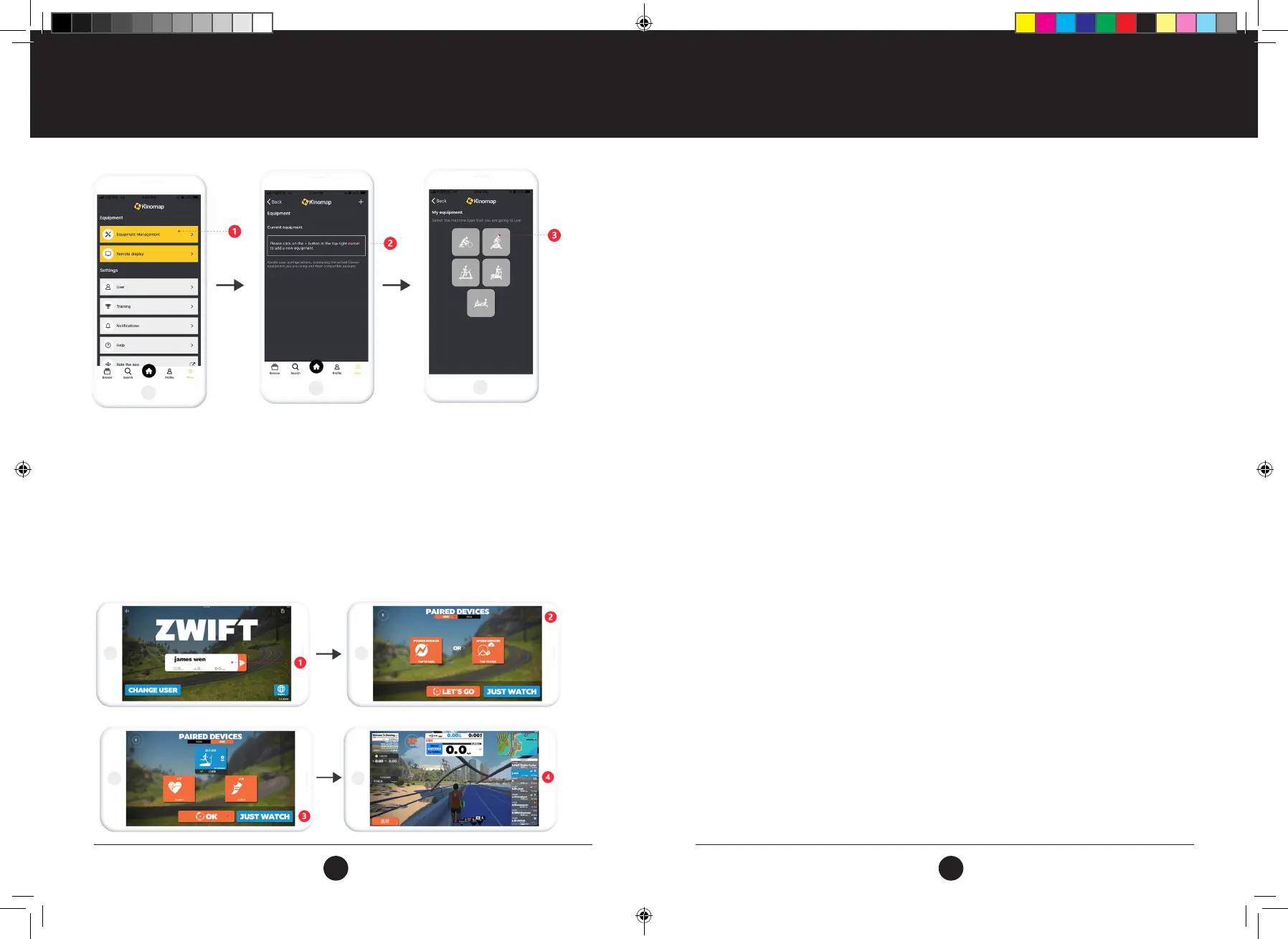
1. Search, download, and install Kinomap through the App Store or Google Play.
2. Create your account .
3. Login to the APP.
4. Select “Equipment Management”.
5. Select the “Device Type”.
6. Select the “FitShow” Icon.
7. The APP will now search for your Equipment, once found, select the Equipment you wish to pair.
8. Select your Training Mode.
9. Select “Start” to start your Training Session.
ZWIFT
1. Search, download, and install ZWIFT through the App Store or Google Play
2. Create your account
3. Login to the APP
4. Select “Power Source” to Pair your device and Equipment.
5. The APP will now search for your Equipment, once found, select the Equipment you wish to pair.
6. Select “Start” to start your Training Session.
BLUETOOTH AUDIO INSTRUCTIONS
Turn on the Bluetooth on your device and click or tap on SEARCH DEVICE.
1. Select the Trojan equipment item you wish to pair your device with.
2. Once connected, your device will now be paired to your Trojan equipment item.
3. Open your favorite music player on your device.
4. Press PLAY/PAUSE to listen to the music or pause at any moment.
5. The volume can be controlled and adjusted on your Device and your Trojan equipment by either
pressing the Volume Up / Down Buttons on your Console, or by pressing the Volume Up / Down
Buttons on your Device.
#22M03T011.1 TR500 Treadmill UM - Amendment.indd 24-25 2022/05/06 13:44



 To Next Page