12 13
ASSEMBLY STEPS
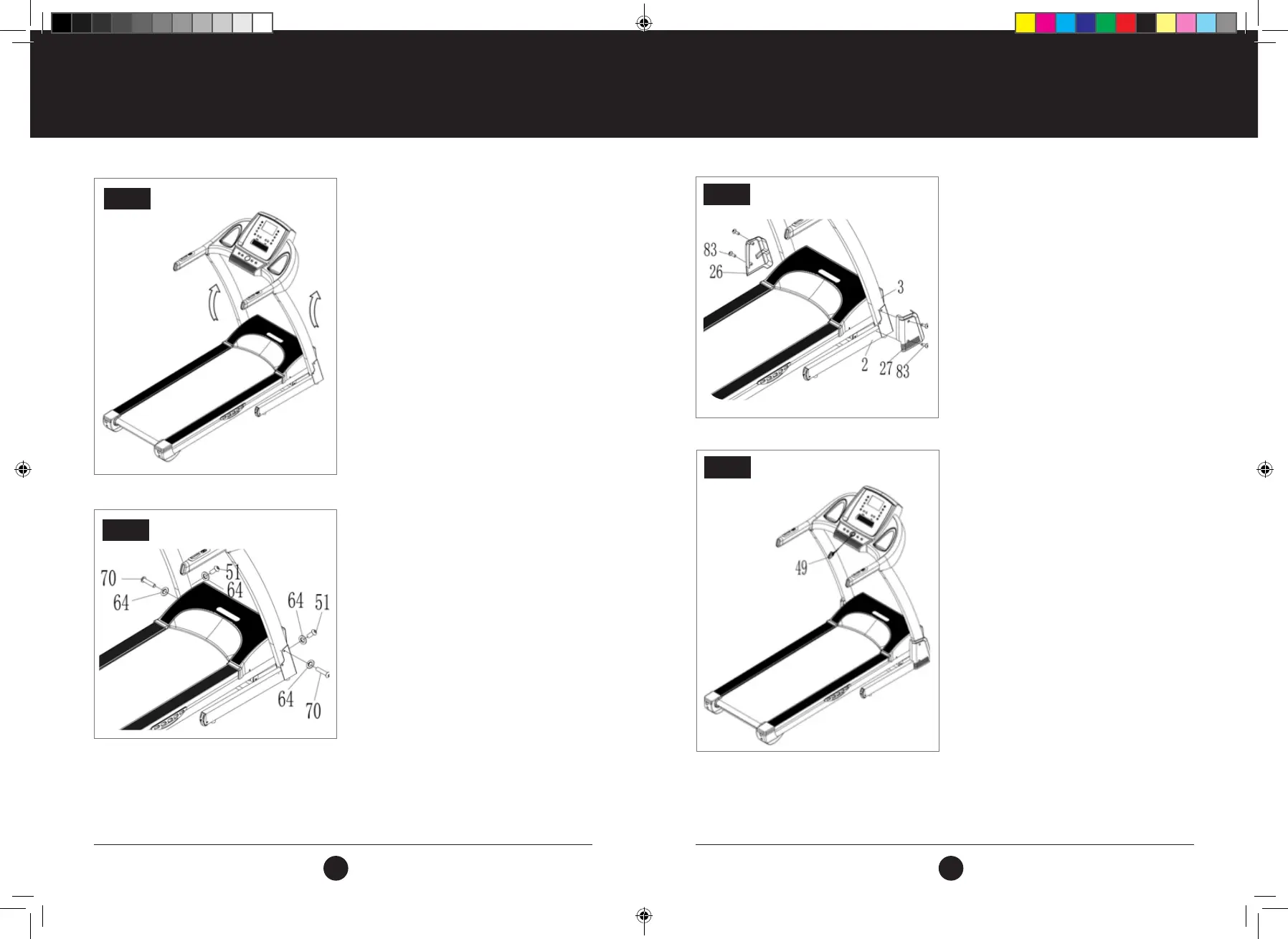
STEP 3:
Pull up the Uprights and the Computer.
Note: Support the upright with one hand to avoid it
falling down and possibly causing injury.
STEP 4:
Use 5 Allen key (13) to lock the right
uprights onto the Main Frame (1) with Bolt M8 x 45
(70) and Lock Washer (64).
Then use 5 Allen key (13) to afx the left upright
onto the main frame with bolt M8*16 (51) and Lock
Washer (64).
Both sides have the same assembly method.
Note: Do not squash the computer wire when
folding the computer. Support the upright with one
hand to avoid falling down and any possible injury.
STEP 3
STEP 4
STEP 5:
Using Screw Driver (12), secure the Base Covers
(26/27) onto the Base Frame (3) with
Bolt ST4.2x19 (83).
Both sides have the same assembly method.
Note: During locking please hold the uprights with your
hand, to avoid falling down and any possible injury.
PLEASE ENSURE THE ASSEMBLY HAS BEEN COMPLETED PER THE ABOVE
INSTRUCTIONS AND THAT ALL BOLTS ARE SECURELY TIGHTENED. ONCE
THIS HAS BEEN CHECKED, YOU MAY PROCEED WITH THE INSTRUCTIONS
THAT FOLLOW. PLEASE ENSURE THAT YOU READ THE INSTRUCTIONS
CAREFULLY BEFORE OPERATING THE TREADMILL.
ASSEMBLY STEPS
STEP 5
ATTENTION:
STEP 6:
Insert Safety Key (49) into the slot on the console.
STEP 6
#22M03T011.1 TR500 Treadmill UM - Amendment.indd 12-13 2022/05/06 13:44



 To Next Page