CHAPTER 2: ASSEMBLY GUIDE
Truetness.com / 800.426.6570 / 636.272.7100 35 of 62
TREADMILL ASSEMBLY STEPS:
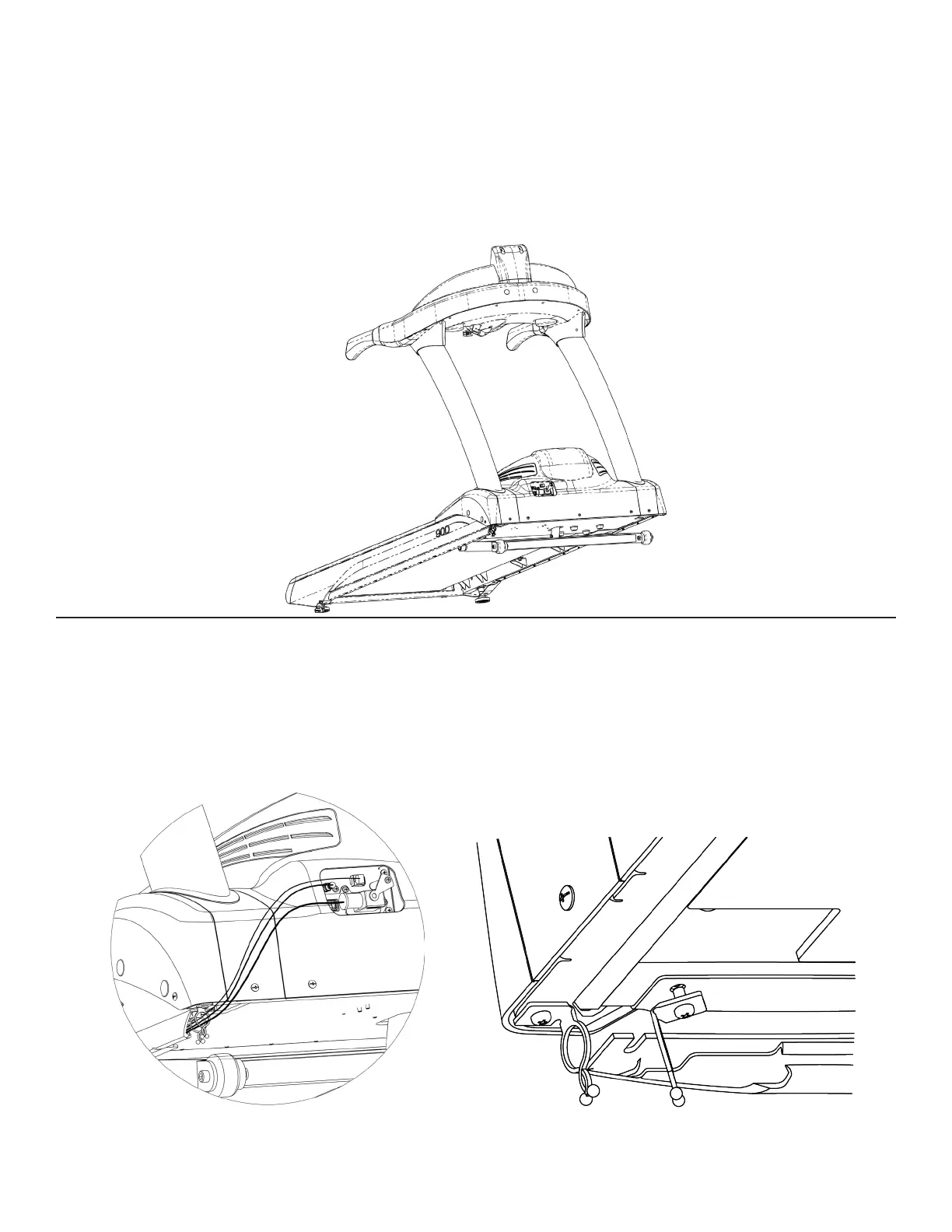
Step 23 Core Management Hardware Alignment (Optional):
Step 24 Guide Channel (Optional):
Insert the coaxial, ethernet, and power cord cables into the guide channel of the cord management hardware.
Route the three cables through the two wire retainer clips by untwisting and enlarging the gap between both
prongs. Return the wire retainer clips to the neutral position aer all three cables are routed through.
Note: To optimize cable retention in the guide channel of the core management hardware, insert the three cables
in the following order based on cord diameter: Ethernet, coaxial, and power cable.
Position the cord management hardware to allow seamless transition with the treadmill frame when viewed
from the outside. Tighten the 11 screws from Step 1 (Prepare Treadmill) to lock the core management hardware
position in place.



 To Next Page