Operation 3-5
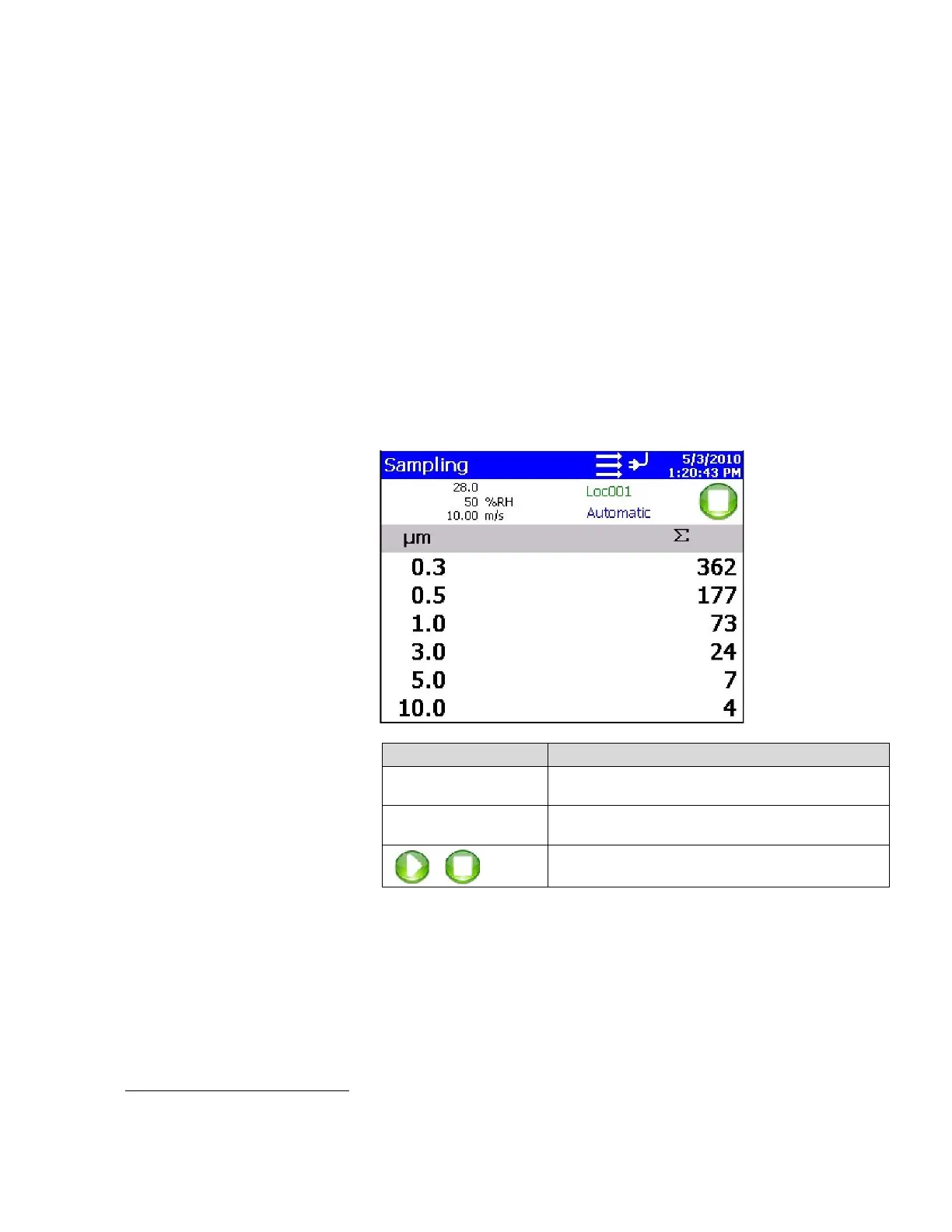
Zoomed Data Screen
The Zoomed Data screen is entered by touching in the size and
count part of the main tab display. The bottom portion of the
screen summarizes the concentrations for the currently selected
location. Tap the size and count portion of the display to switch
back to the Main Tab display.
The display shows:
• Temperature
*
• Relative humidity*
• Air Velocity*
• Bin sizes
• Particle count/concentration
Field Description
Location
Label that displays information about the currently
selected location.
Manual/Automatic/Beep
Mode Indicator; refers to the “Data Count Mode”
(see section below).
Press the Start/Stop button the begin sampling in
the configured mode.
*
Temperature, Humidity, and Air Velocity are displayed only if the optional T/H probe is installed.













 To Next Page