Quick troubleshooting Guide
TUN-QTSG-0519-EN_A3
For power inverter models M1500 – M2000 – M2500 – M3000
ANNEX 3
Tel.: 450.649.2470 / 1.877.964.2582 Fax.: 1.888.855.9834
TUNDRAINVERTERS.COM
INSTALLATION – INSIDE THE CAB 2-16
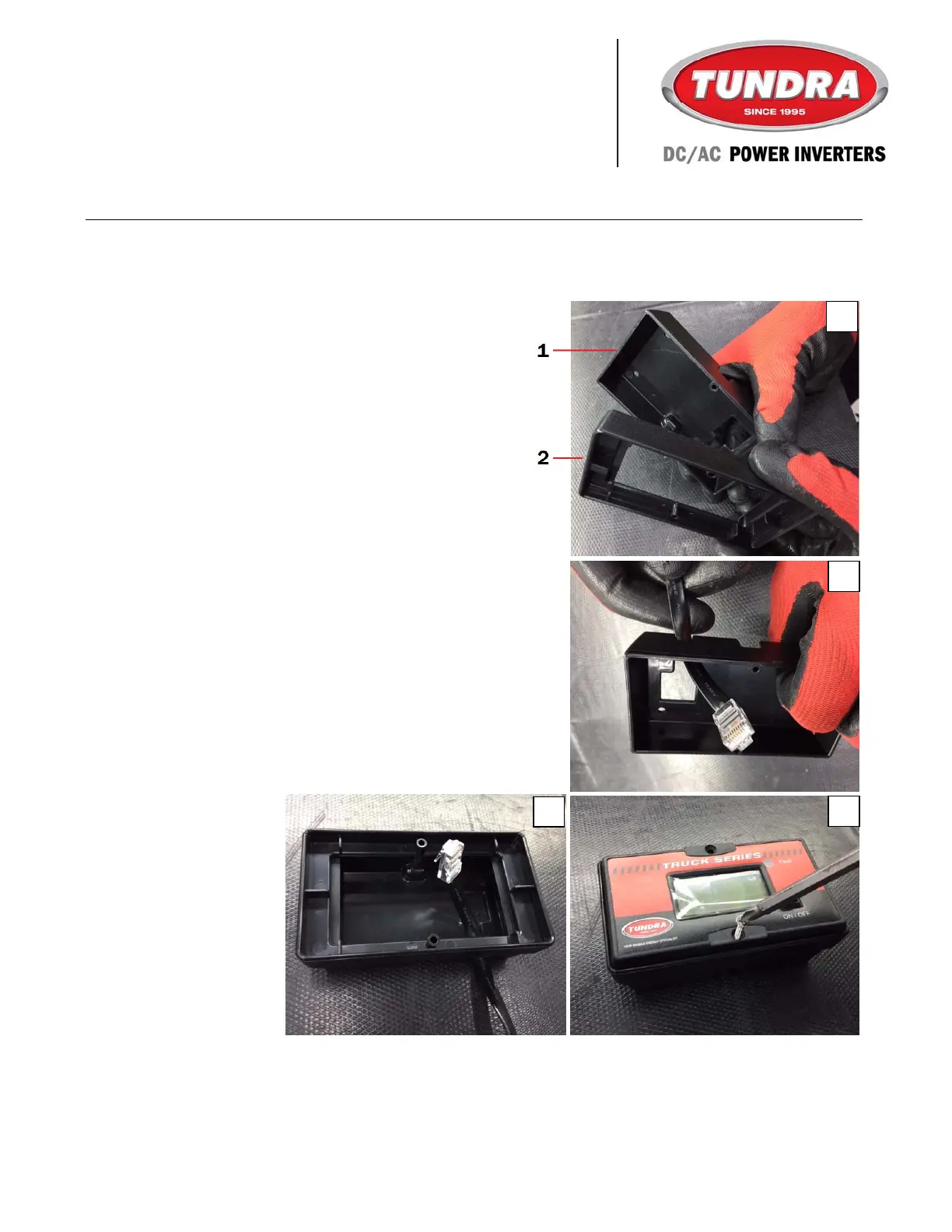
MULTIDATA LCD MONITOR – SURFACE INSTALLATION (con’d)
3. Release the two parts of the monitor
surface mount kit (included).
4. Insert the cable into the opening of the
bottom cover (part 1) and secure the cover
to the desired surface.
5. Attach Part 2 to Part 1 by pressing firmly.
6. Connect the cable to the multidata LCD
monitor.
7. Install the multidata LCD monitor with the
included screws.
4
7
5
3



 To Next Page