3. Necessary basic knowledge
00 8811 17, 08/18 (Rev. 6.0) 11
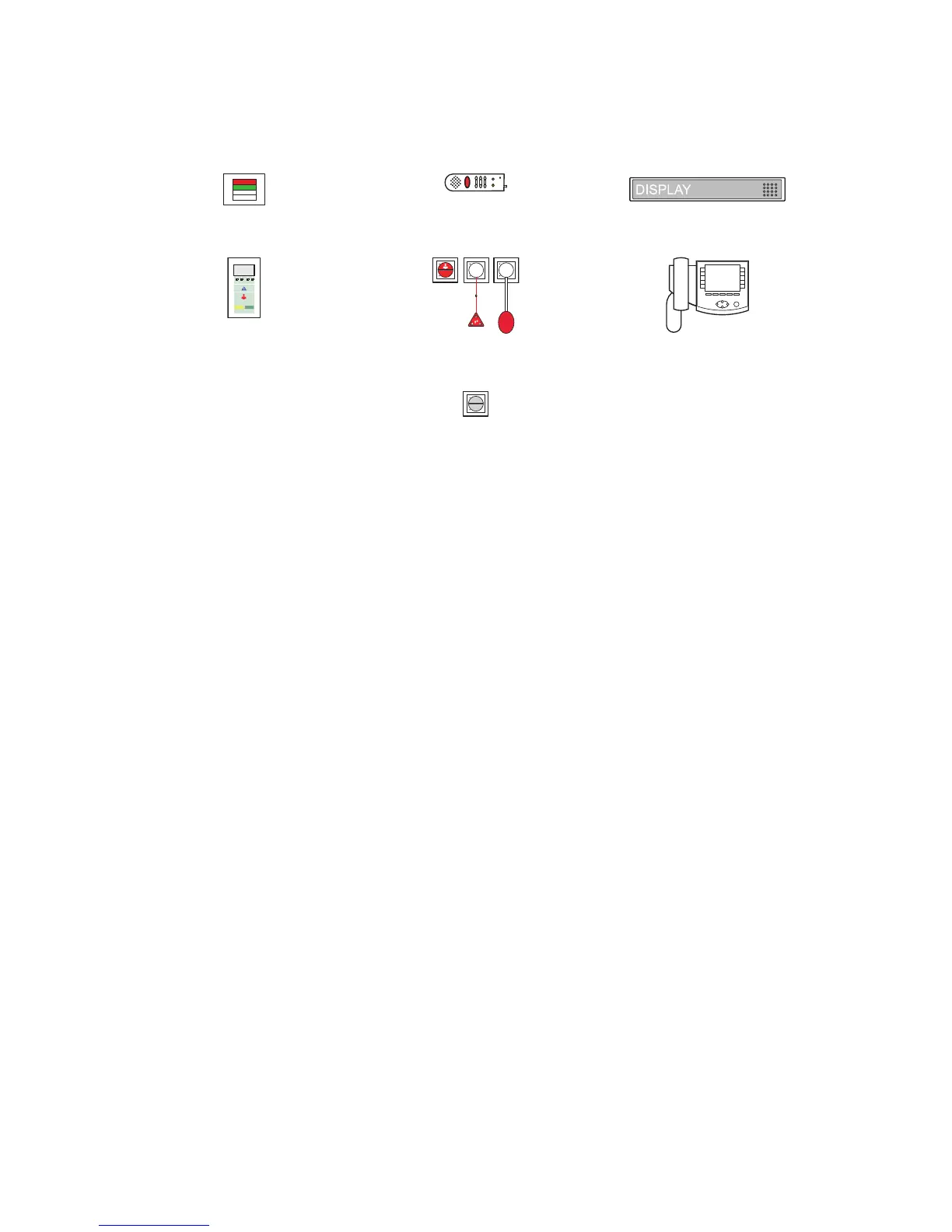
Icons used for the sample ward drawing
What else you should know
Announcements
Aside from call handling, announcements can be made from the ComStation-
BUS-C
; these can be made either exclusively to staff or to all rooms in the
ward.
Staff groups
The medical staff can be divided into two groups (e.g. nurses and doctors).
In order that the staff at the ComStation
BUS-C
address the appropriate med-
ical staff, a distinction is made between both types. We have staff 1and staff
2. Each staff group has its own presence button in the room (Staff 1 = green,
Staff 2 = yellow). You have to ask your system administrator which type of
staff is allocated to the respective group.
Privacy
Although it is possible to converse with rooms from the ComStation
BUS-C
, it
is not possible to listen in on the rooms without this being noticed. The reason
is, every room has a privacy function, a technical facility which makes listen-
ing in impossible. This will be cancelled if a call is triggered from the room or
if staff are logged as present in the room.
Room lamp
Patient handset Corridor display
ComTerminal
Various call switches
ComStation
BUS-C
Cancel switch/WC



 To Next Page