6. Handling calls
28 00 8811 17, 08/18 (Rev. 6.0)
You will learn the type of call when you establish a speech connection to the
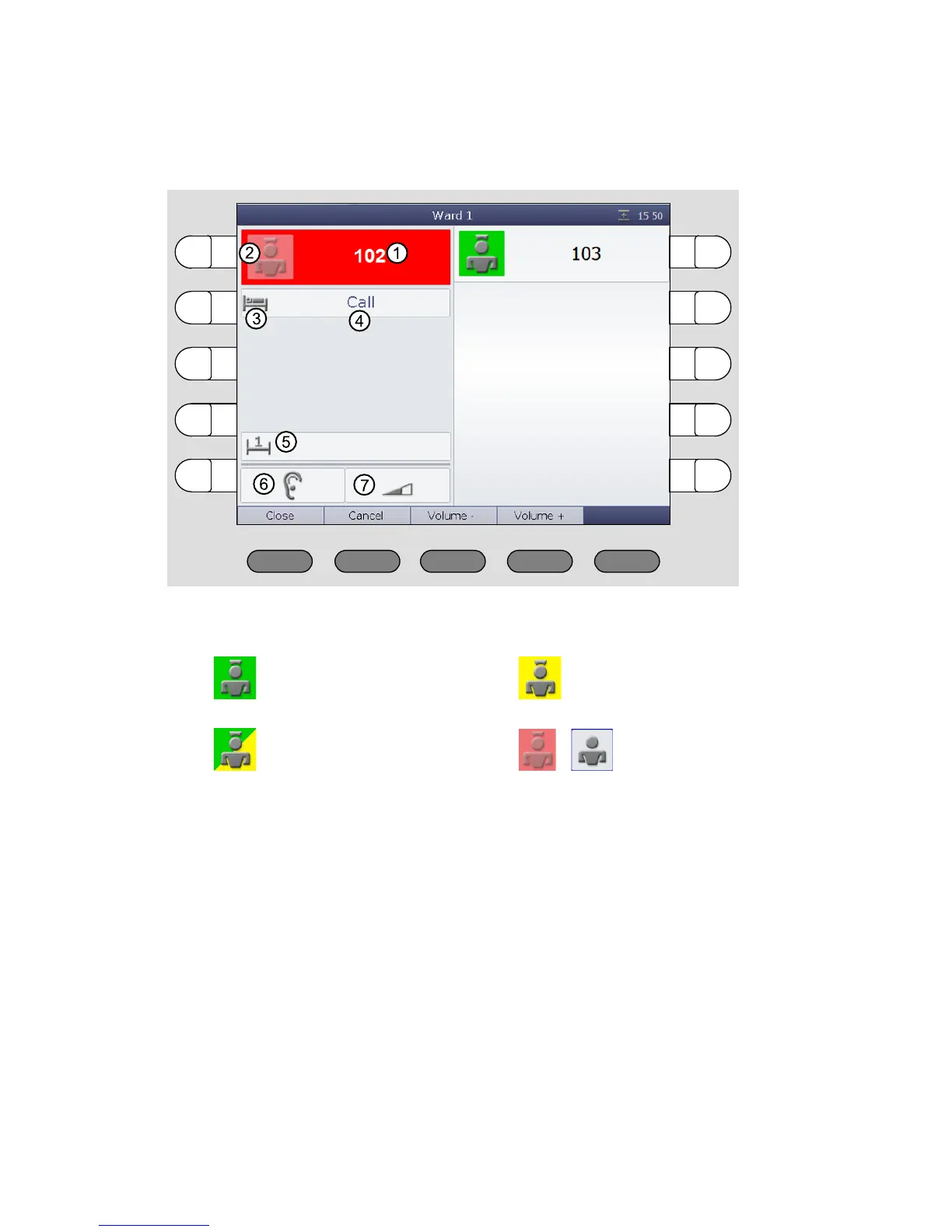
room and the speech connection window appears:
After you have established a speech connection to a call location, the call is
named an answered call. Previously, it was a fresh call. Answered calls ap-
pear below fresh calls in the call list. Answered calls are not indicated audibly
and do not flash.
[1] Call location
[2] Green:
Staff 1 in the room
Yellow:
Staff 2 in the room
Green/yellow:
Staff 1 and staff 2 in the room
Light red or blue background:
No staff in the room
[3] Symbol for the call type
[4] Call type
[5] Bed no.
[6] Status of the privacy in the room, refer to page 22.
[7] Receiving volume, refer to page 22.



 To Next Page