18
cK
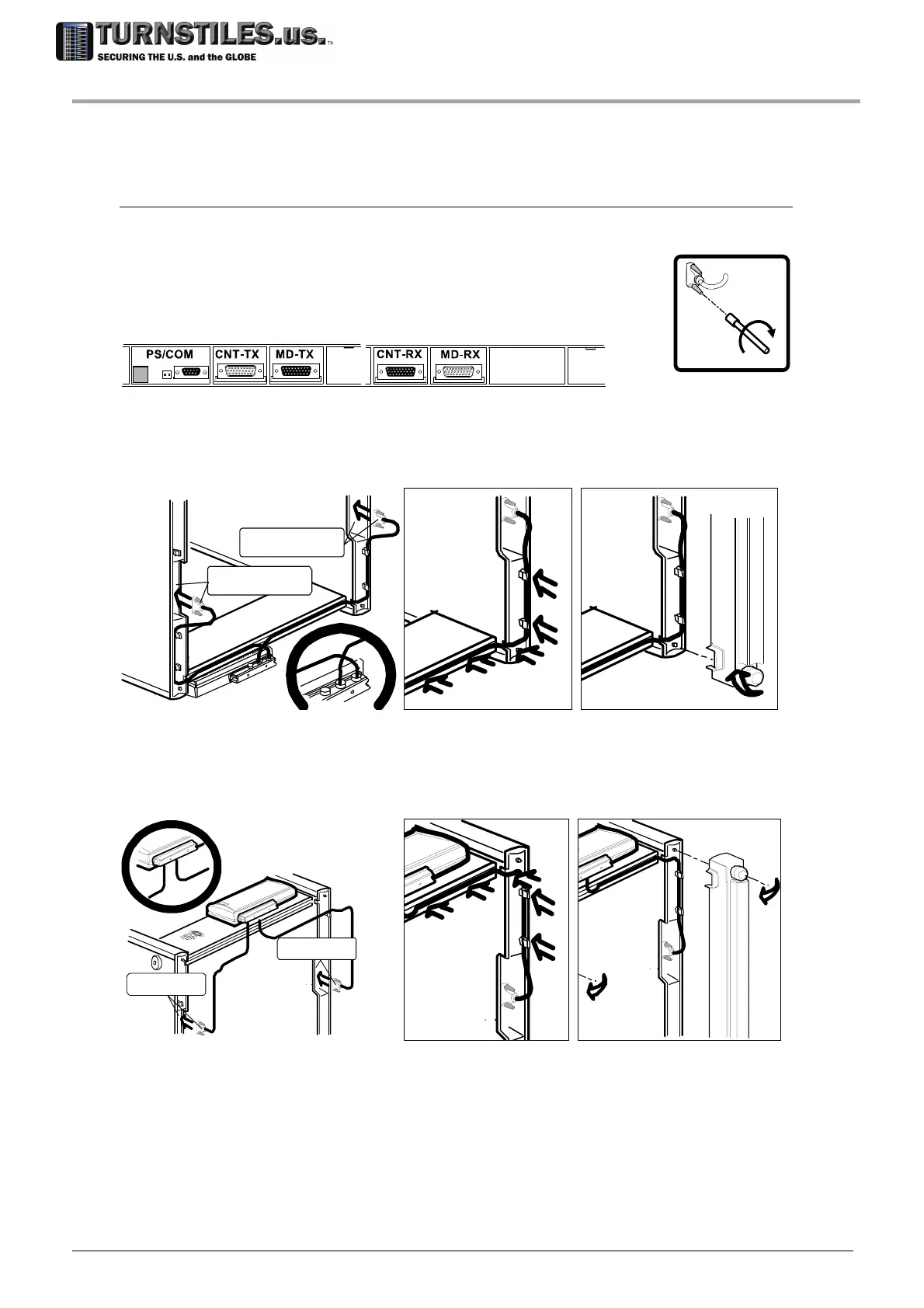
Connecting the control unit
Connect the cables coming from the control unit to the panels, taking care to match the labels of
each cable connector with the corresponding panel connector.
Lock the cable connectors, using the short screwdriver cK included into the
installation kit. Insert the cables into the crossbar groove. Fix the cables in
position using the clips on the panels. Wind the cable in excess, if necessary.
Remount the protection caps.
BAT
Configuration A
TX
RX
“MD-TX ”
“MD -RX”
RX
RX
Configuration B
TX
RX
“MD- TX”
“MD-RX”
RX
RX
303-670-1099



 To Next Page