22
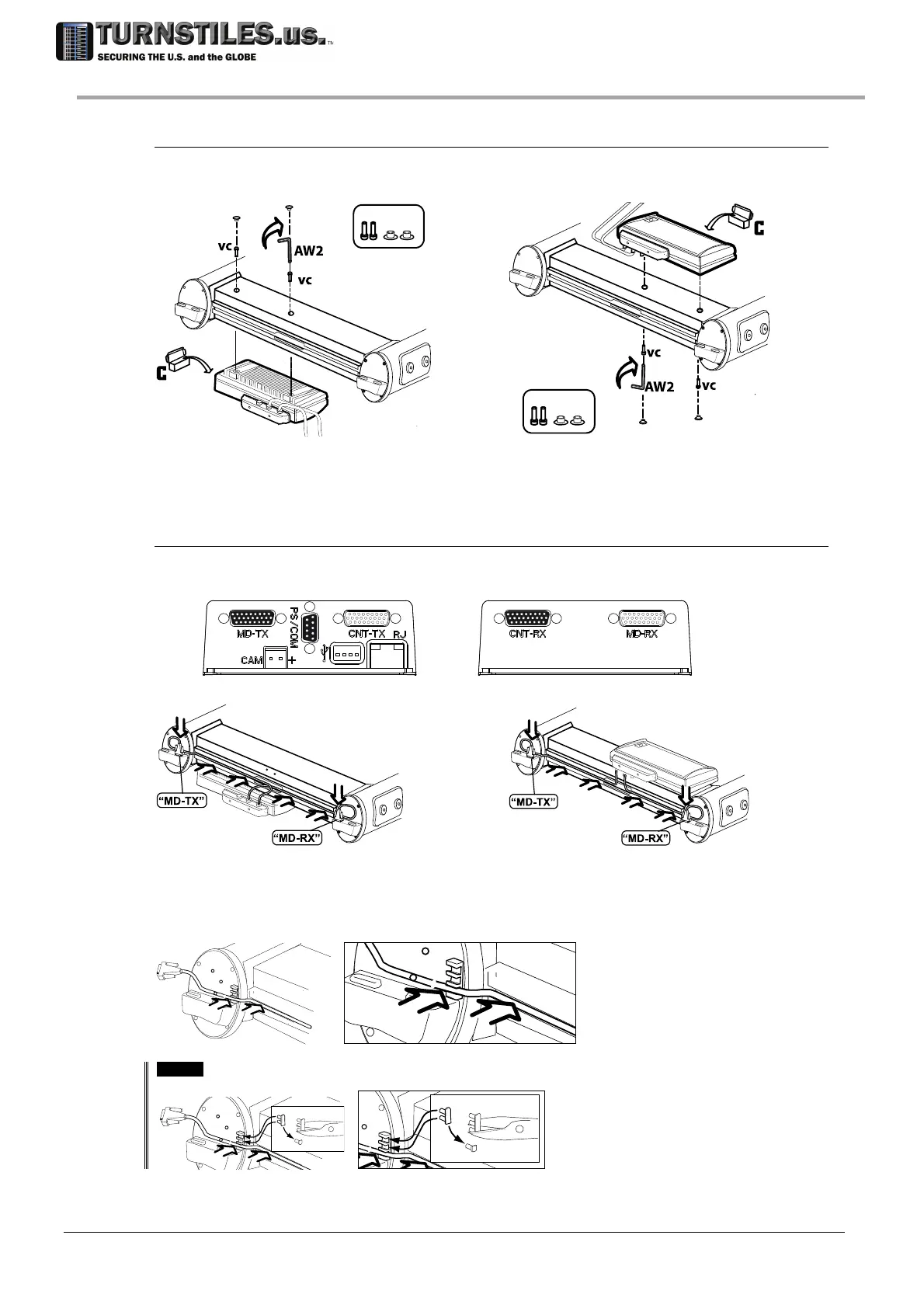
Attaching the control unit
Attach the control unit to the crossbar, using vc screws and AW2 wrench (included in the
installation kit). Tightening torque: 1.2 Nm. Cover the entry side of the fixing holes with the cbc
caps
cbc
vc
cbc
cbc
vc
cbc
cbc
cbc
Configuration A Configuration B
Connecting the control unit
Connect the cables coming from the control unit, as illustrated in the figure below.
Connect each cable to the column connector, winding the cable in excess, if necessary.
Configuration A Configuration B
Insert the cables into the crossbar groove cc and fasten it to the column.
[OPTION]
Water Proof Version
Cut one pin of the cap and insert it into the unused grooves, to ensure the sealing of the connections compartment.
cc
303-670-1099



 To Next Page