10
© Turntide Technologies. Condential. All Rights Reserved. DOCT00369-082321 Last Modied: 2023-03-09
Required Egress Congurable DNS UDP/53
Required Egress Congurable NTP UDP/123
Important Egress Protocol Specic HTTP TCP/80
3.4.1. Internet Connectivity
The Turntide Hub requires a stable internet connection to connect to the Turntide Cloud. Depending on the planned
internet connection the below is required at the installation location.
Local Area Network: Ethernet cable connected to the building network
Cellular Network: Strong 4g cellular network signal
When connecting via local area network, the below port requirments must be congured for proper communication with
the Turntide Cloud Application. Refer to the table in 3.4 above, “List of Ports to be Opened by IT.”
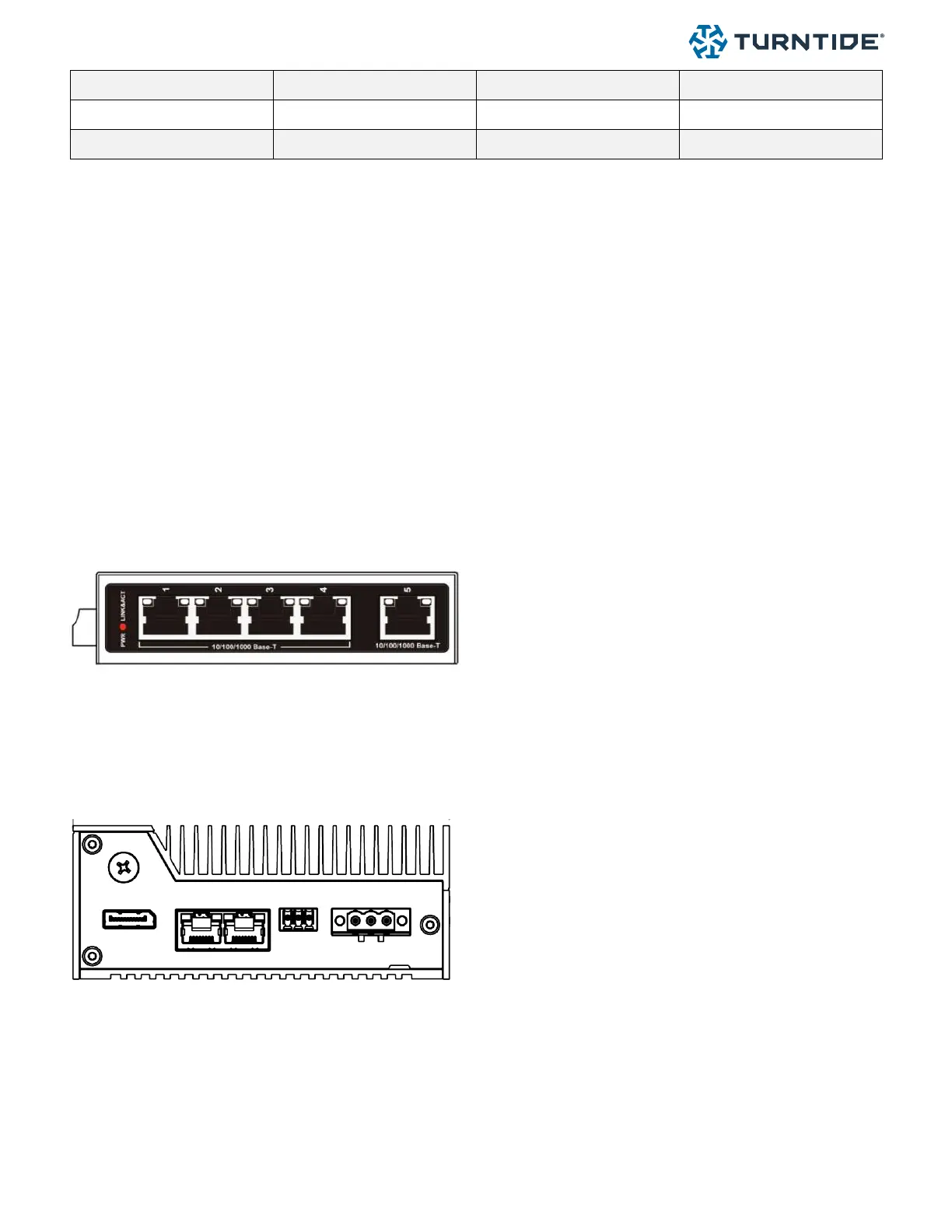
3.4.2. Connecting Ethernet with Enclosure
The Turntide Enclosure ships with a pre congured
5-port data switch. Connect an ethernet cable (RJ45
plug) into any available port on the supplied switch.
3.4.3. Connecting Ethernet Hub only
When not using a Turntide Enclosure or switch an ethernet cable must be connected directly to the hub.
Turntide Hub 7
The Turntide Hub 7 has two ethernet ports, LAN 1 and
Lan 2. LAN 1 is the primary connector: connect the
ethernet cable (RJ45) to LAN 1.
3.4.4. Using a Cell Modem
When using a supplied cellular modem an ethernet cable must connect the cell modem to the Turntide hub using one of
the methods outlined in 3.3.1 and 3.3.2.



 To Next Page