16
© Turntide Technologies. Condential. All Rights Reserved. DOCT00369-082321 Last Modied: 2023-03-09
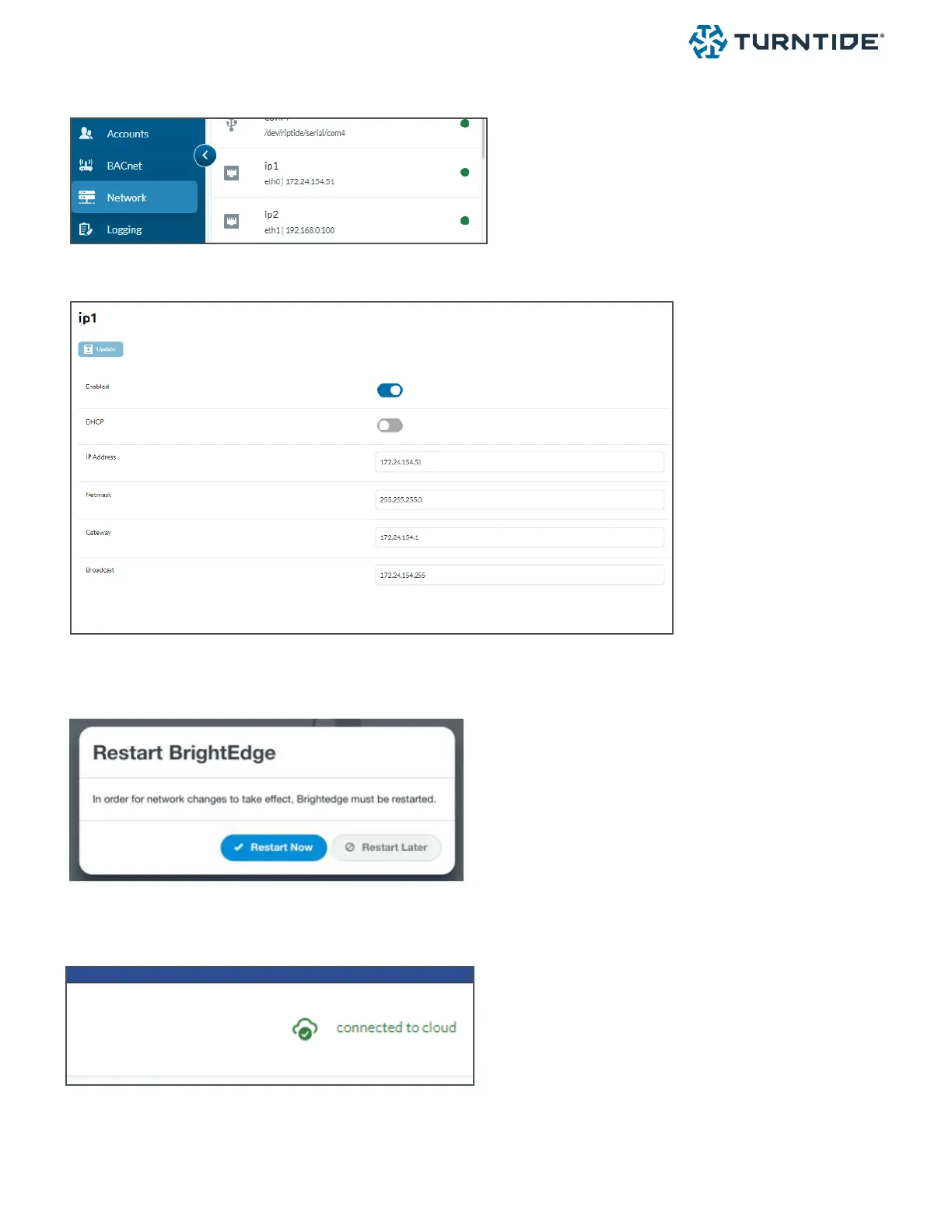
6.3. Initial Conguration / IP Setup
1. Select System > Network from the navigation bar
2. Select IP interface (IP1 primary interface)
3. Disable DHCP and congure the elds with the assigned IP address
4. Select Save and Restart Now to complete the setup



 To Next Page