23
© Turntide Technologies. Condential. All Rights Reserved. DOCT00369-082321 Last Modied: 2023-03-09
TURNTIDE TECHNOLOGIES
Our breakthrough technologies accelerate electrification and sustainable
operations for energy-intensive industries
Turntide Technologies | 1295 Forgewood Avenue, Sunnyvale, CA 94089
turntide.com | automationsales@turntide.com
DOCT00369-082321 Last Modied: 2023-03-09
7.3 BACnet Discovery Issues
BACnet MSTP Devices Discovered
Inconsistent Baud Rate Settings
Every BACnet device on the same MSTP network must be communicating at the same baud rate (speed). A common
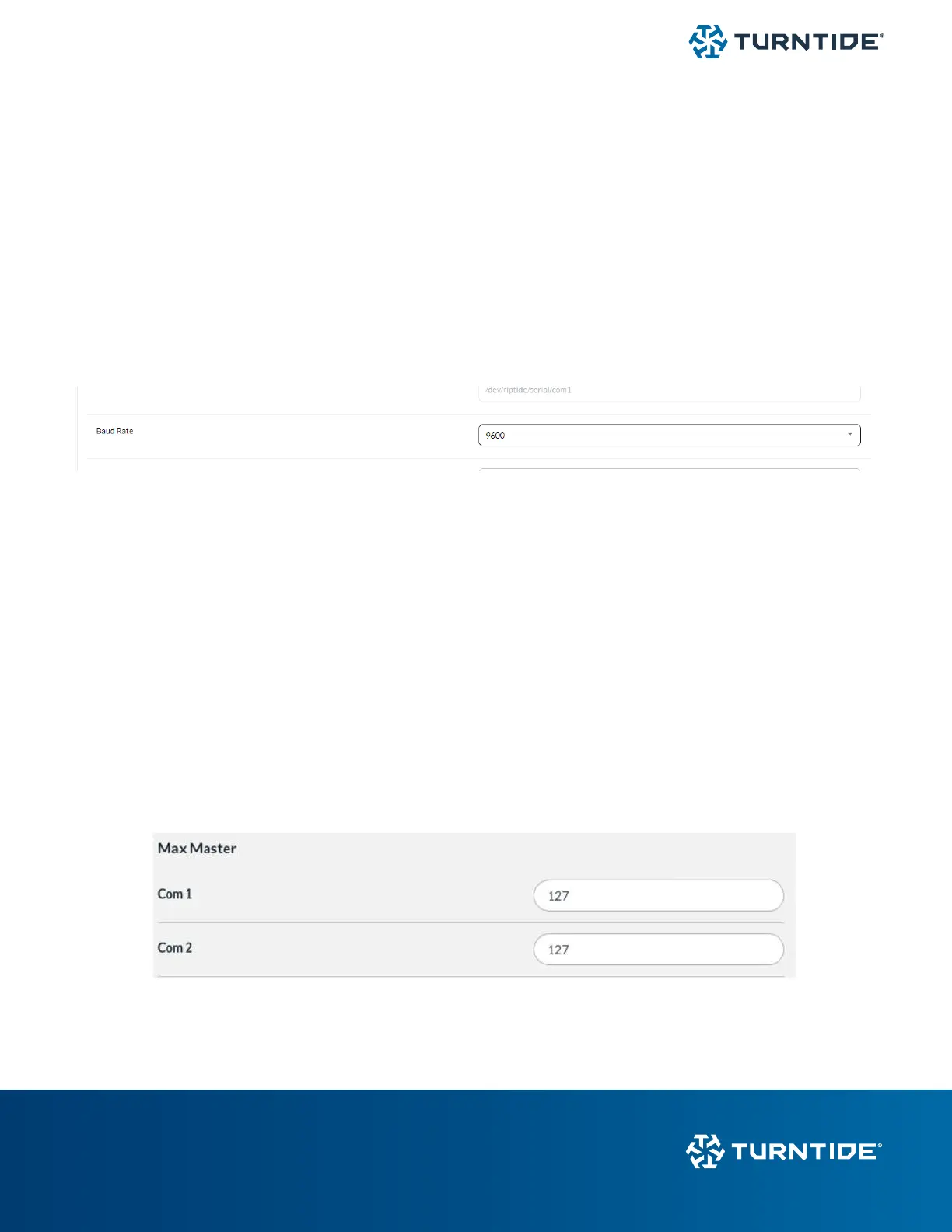
default baud is 38.4k but this is usually congurable at the device. The Baud rate for the Turntide Hub can be congured
individually for each serial bus port under its congurations in Network > Interfaces (com1 - com4).
Check all devices and make sure they have the same congured baud rate.
Duplicate MAC Addresses
Each BACnet MSTP device must be congured with a unique MAC address at the device. If several devices are missing
from discovery, it’s possible multiple devices have been programmed with the same MAC address. Check the user guide
for the BACnet device and assign it a unique MAC between 1 and 126.
The Turntide Hub is generally congured with a MAC of 0 or 127.
Max Master Setting
The Max Master setting can be found in the Hub UI under Network >BACnet Cong. This is set to 127 by default to allow
communication to all devices.



 To Previous Page