15
Go to Table of Contents
PS3™ Setup
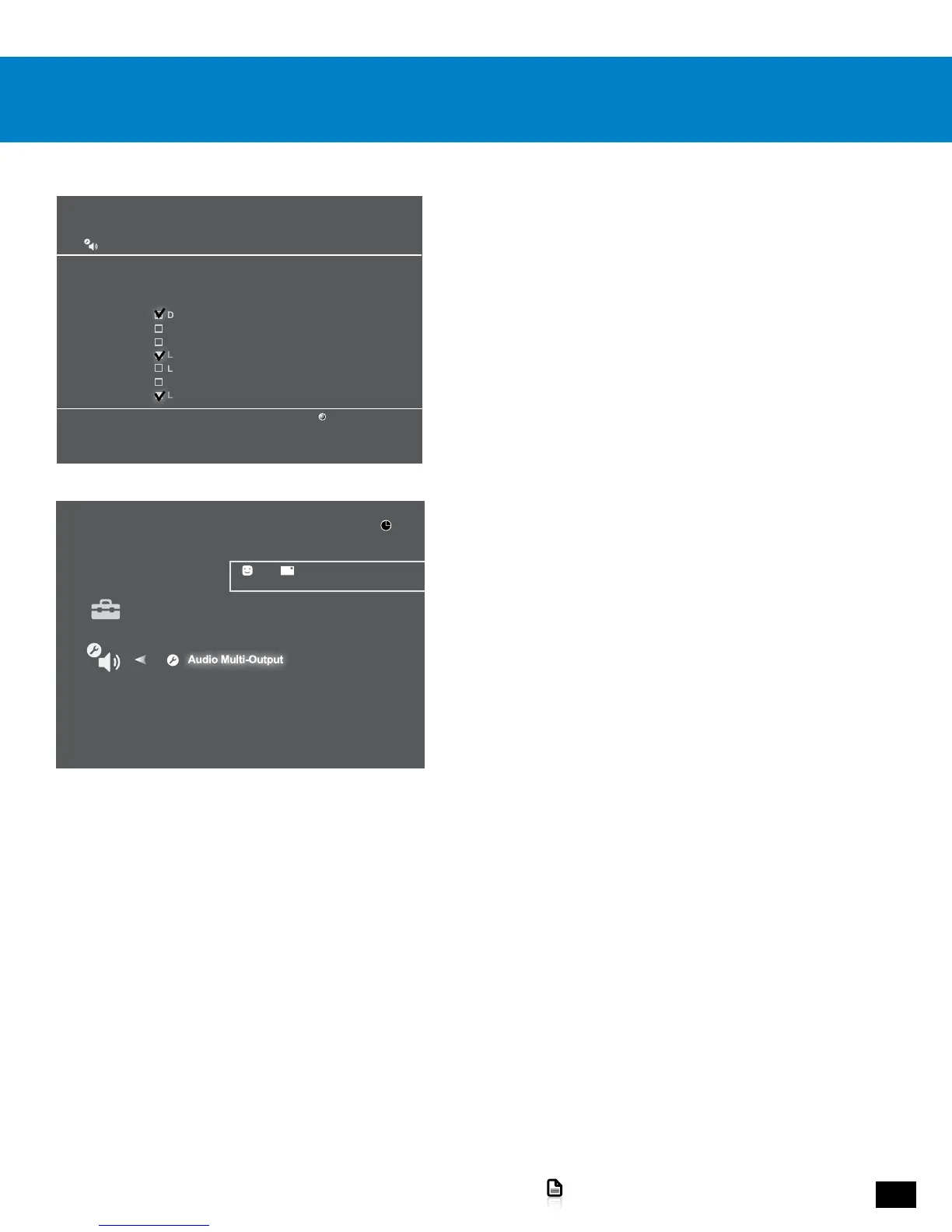
5. Go to Settings > Sound Settings > Audio Multi Output.
6. Select On.
Audio Output Settings
12/14 12:15 PM
0
On
Sets to output audio through multiple connectors
simultaneously. Audio output to connectors that are
not selected in [Audio Output Settings] is downscaled
to 2 Ch.
4. In the check-off boxes, select ONLY Dolby Digital 5.1 Ch.
NOTE: Do not select DTS. While the Elite 800 features DTS
Headphone:X surround sound, the system requires a Dolby Digital
input signal.
Audio Output Settings
Select an output format supported by the TV or AV amplifier (receiver) in use. The system will
automatically adjust the output to match the selected format.
Dolby Digital 5.1 Ch.
DTS 5.1 Ch.
AAC
Linear PCM 2CH. 44.1 kHz
Linear PCM 2 Ch. 88.2 kHz
Linear PCM 2 Ch. 176.4 kHz
Linear PCM 2 Ch. 48 kHz
Cancel
X Enter














 To Next Page