14
Go to Table of Contents
PS3™ Setup
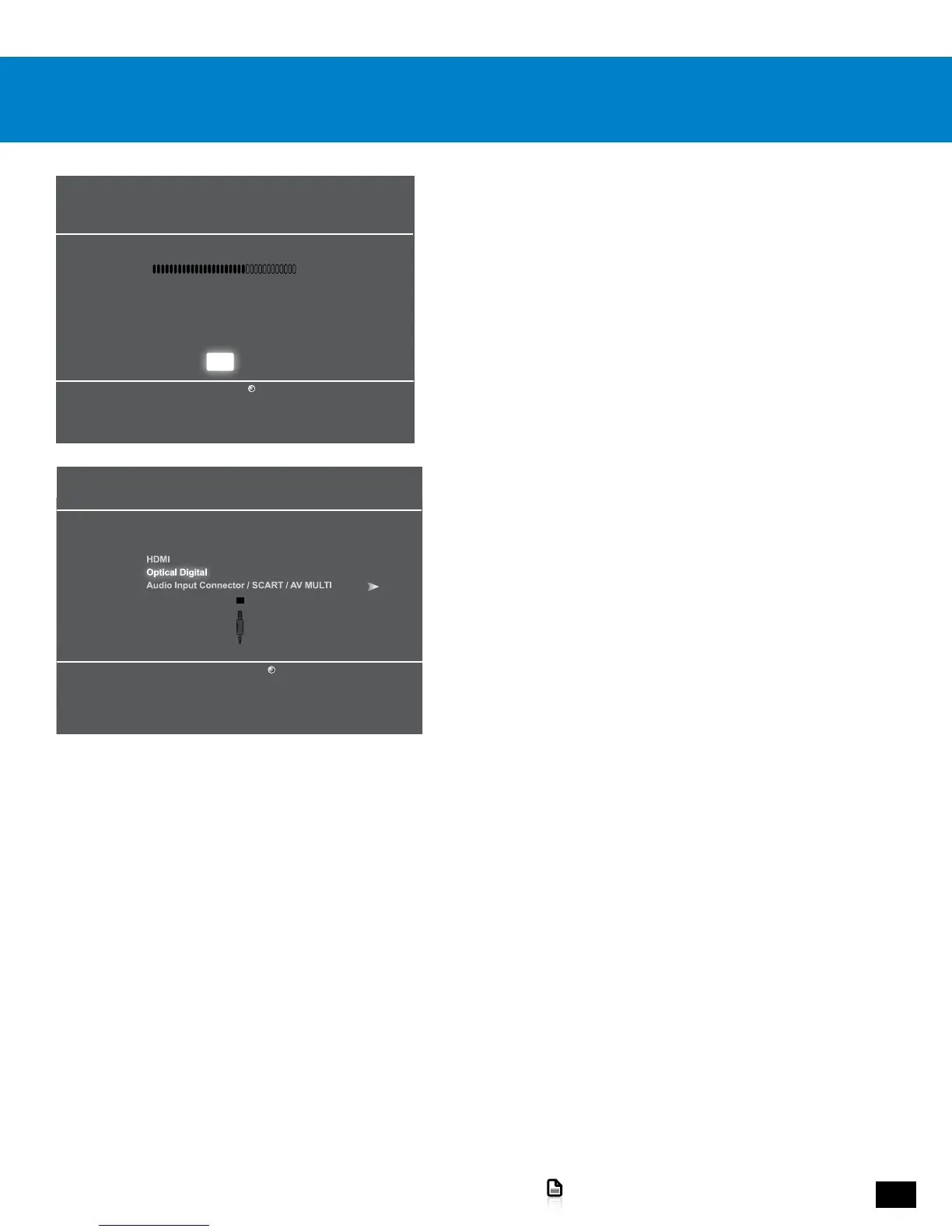
1. In the PS3 menus, go to Settings > Accessory Settings
> Audio Device Settings.
2. Set the Input Device and Output Device fields to Turtle Beach
Elite 800.
3. Go to Settings > Sound Settings > Audio Output Settings > Optical
Digital.
Audio Device Settings
Microphone Level 3
Input Device Turtle Beach Elite 800
Output Device Turtle Beach Elite 800
Back
X Enter
OK
Audio Output Settings
Select the connector on the TV or AV amplifier (receiver).
Turn on the power of the connected device.
Cancel














 To Next Page