7
Go to Table of Contents
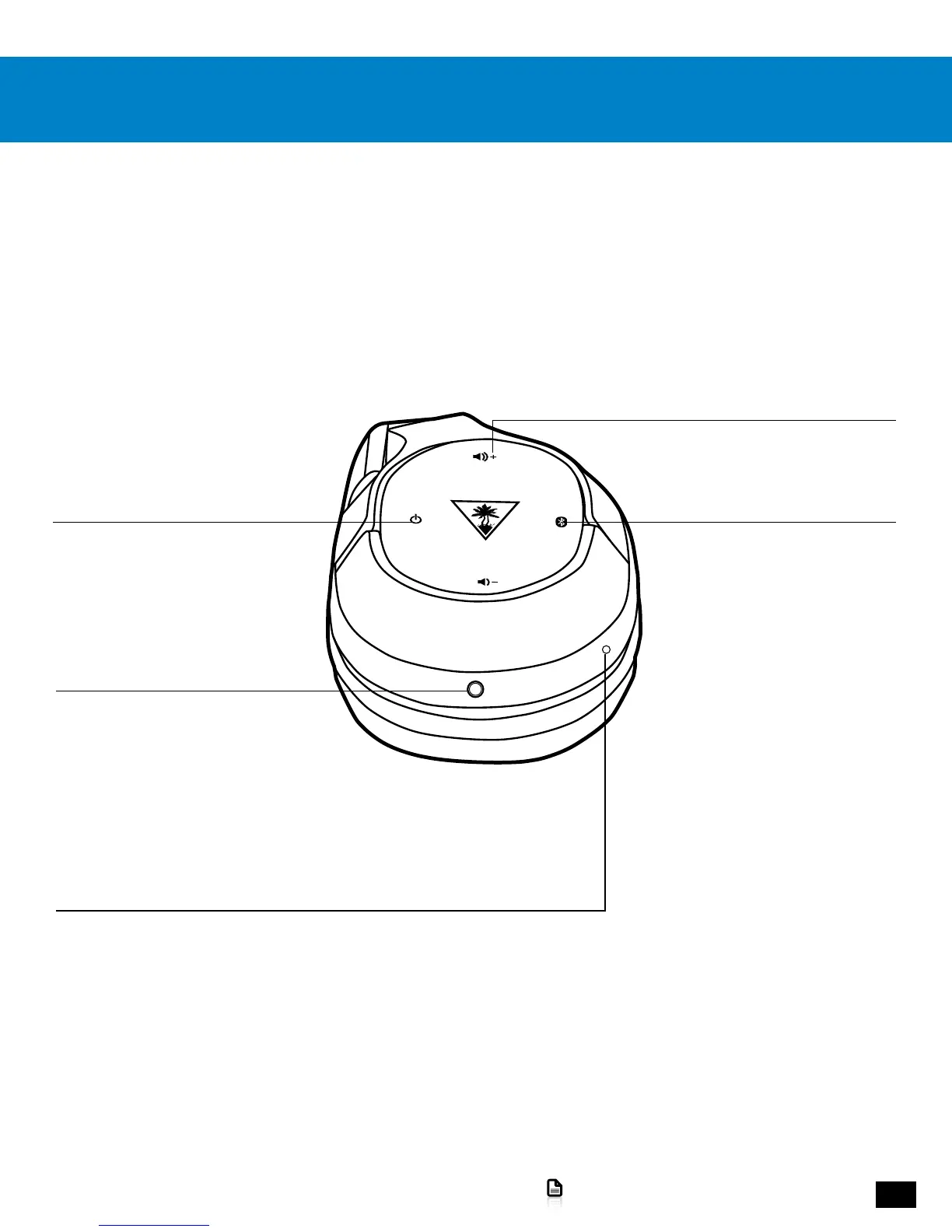
Parts and controls
Game Volume +/- Buttons
Raise and lower the Game Volume.
Bluetooth/Multi-Function Button
See the “Bluetooth Pairing
and Operation,” pages 22-23.
Power LED
HEADSET STATUS
Red = Charging
Blue = Active Noise Cancellation Off/Fully Charged
Pink = Active Noise Cancellation On
PAIRING STATUS
Single Blink = Headset Connected
Double Blink = Headset Not Connected
Power/ANC Button
Press = Active Noise Cancellation On/Off
Press and Hold = Headset Power On/Off
Headset Controls: Left Earcup
Mobile Connection














 To Next Page