9
Go to Table of Contents
Parts and controls
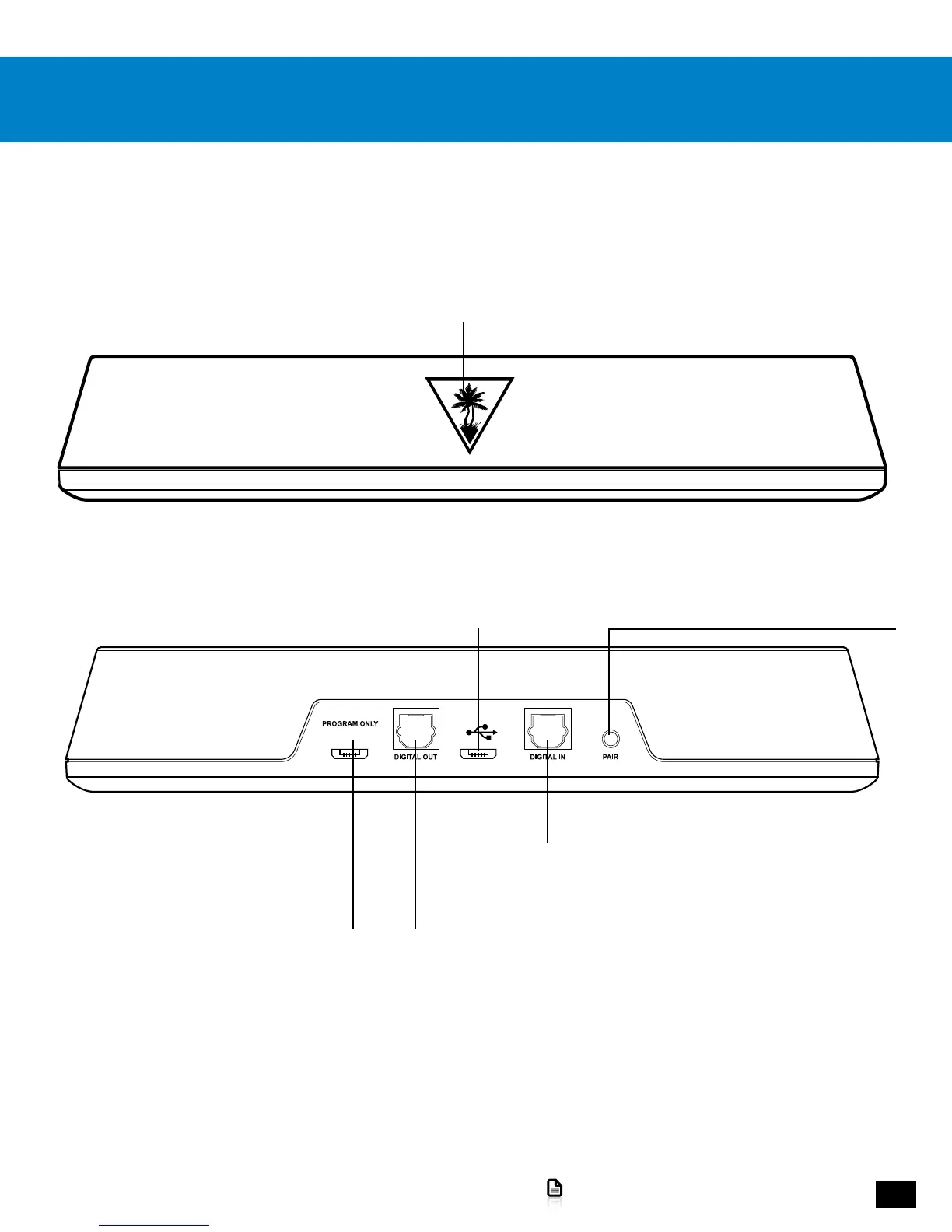
Transmitter: Front
Transmitter: Back
Bluetooth Status LED
CHARGING STATUS
Red = Headset Seated on Transmitter
Blue = Headset Not Seated on Transmitter
PAIRING STATUS
Solid On = Headset Wirelessly Connected
Double Blink = Headset Not Connected
Power and Chat USB
Pairing Button
To initiate pairing, in the unlikely event that it
becomes necessary. See “Pairing the Headset
and Transmitter,” page 24.
Digital Optical Audio Out
For connection to a television
or external audio system.
Programming USB
For programming only. See “Firmware
Upgrades and Personalization,” page 29.
Digital Optical Audio Input
For connection to your Console














 To Next Page