16
Go to Table of Contents
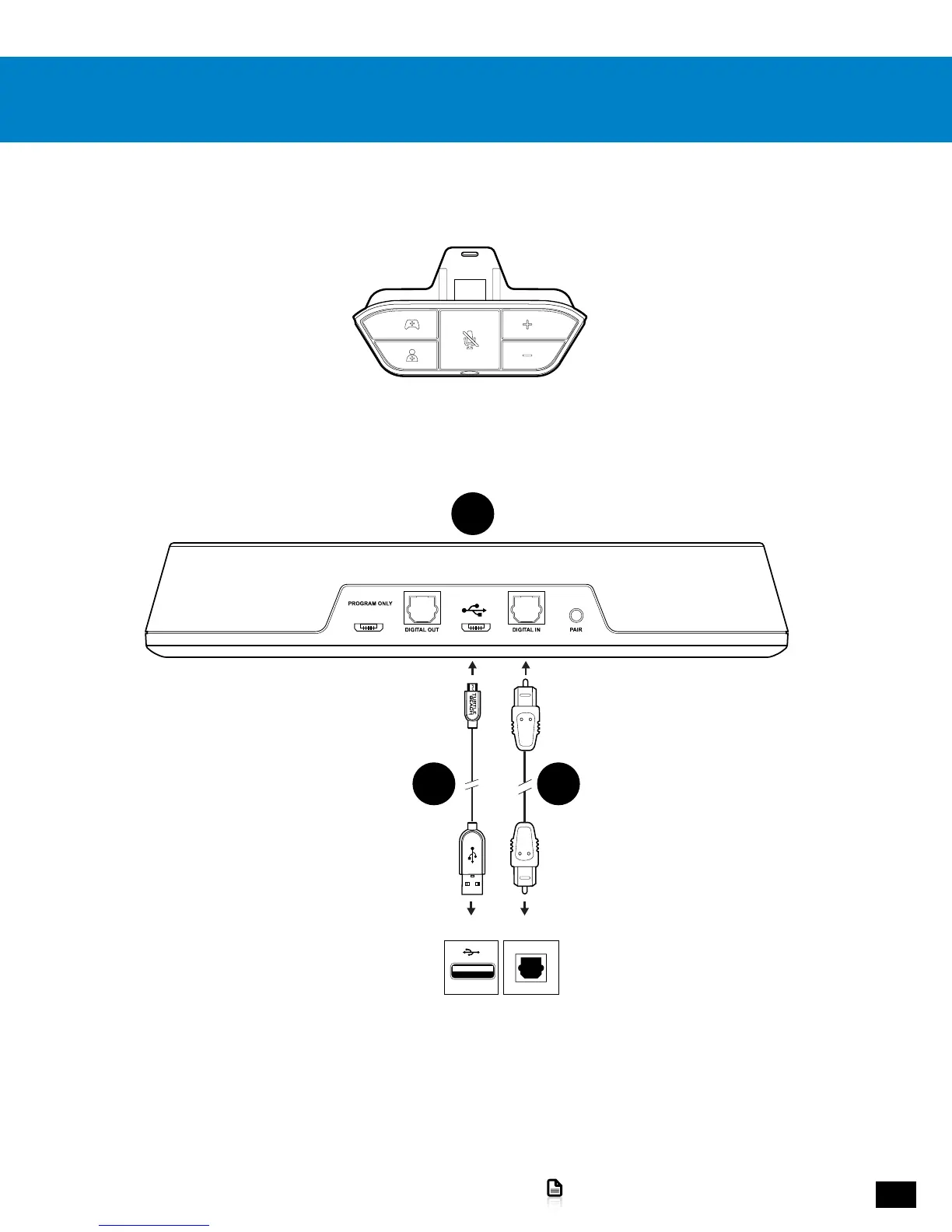
Xbox One Setup
1. Connect the USB end of the USB Transmitter Cable to a USB port on the game console.
2. Connect the micro-USB end of the USB Transmitter Cable to the main USB port on the Transmitter.
NOTE: Do not use the USB port labeled “PROGRAM ONLY.”
3.Connect the Digital Optical Cable from the S/PDIF port of the game console to the Digital In port of the Transmitter.
Requires Xbox One Headset Adapter (Sold Separately)
ConsoleConsole
DIGITAL OUT
(OPTICAL)
B
C F














 To Next Page