29
• Depressing the A button for 2 seconds will Stop the Timer and Reset the Time to
0:00:00.00 (flashing).
• Pressing and releasing the M button momentarily (< 2 sec) will access the Daily Alarm
Status screen.
• Depressing the M button for 2 seconds will revert to the Watch Default Time screen.
While the Chrono is running, it will remain on the screen until a button operation is per-
formed. If another screen is accessed, it will then continue to run in the background.
Upon descending on a dive, Chrono operation will be terminated and reset to 0:00:00.0.
DAILY ALARM
When set ON, the Daily Alarm will sound the Audible Alarm at the Time set every day.
• Pressing and releasing the M button momentarily 4 times (< 2 sec each time) while
viewing the Watch Default Time screen will access the Daily Alarm Status screen.
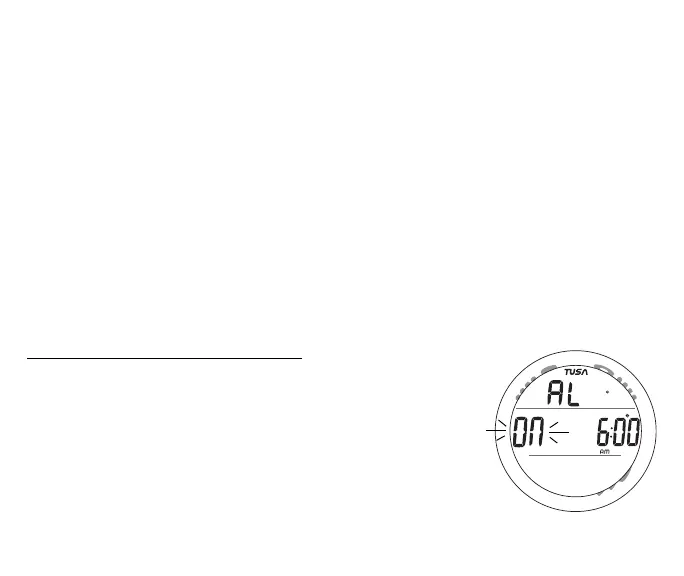
Information provided includes (Fig. 20):
> Graphic AL and clock (alarm) icon
> Graphic ON (or OFF), flashing.
> Alarm Time Set Point (hr:min) with AM (or PM) icon.
• Pressing and releasing the S button momentarily (< 2 sec)
will toggle between ON and OFF.
• Upon being toggled to ON, the Alarm will be set to sound
every day at the Time displayed.
Fig. 20 - DAILY ALARM



 To Next Page