70
NORM NO DECOMPRESSION DIVE MODE
When the Wet Activation feature is set ON, the ZEN will enter the NORM No Decompres-
sion Dive Mode any time you descend to 5 FT (1.5 M) for 5 seconds.
When the Wet Activation feature is set OFF, the ZEN will not enter Dive Mode upon
descent unless it is operating in one of the NORM Dive Computer modes (menus) at that
time. Modes such as Surface Mode, Plan, Fly, etc.
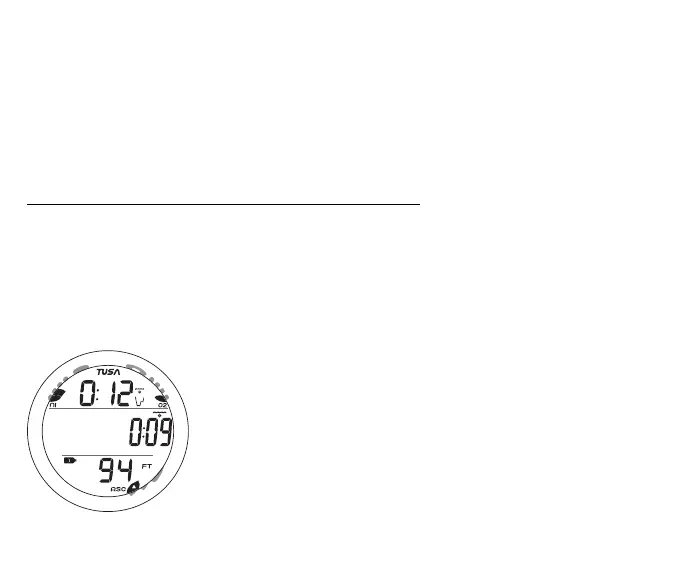
NORM No Deco Main, information includes (Fig. 64) -
> NiBG, O2BG, ASC - if applicable
> DTR (hr:min) with NDC (wave/clock/profile) icon
> EDT (hr:min) with Elapsed Dive Time (wave/clock) icon
> Tank icon representing the Gas selected (1 or 2)
> Current Depth with FT (or M) icon
• Press/release the A button (< 2 sec) to view ALT 1.
• Depress the A button for 2 seconds to access the Deep Stop
Preview screen, if activated.
• Press/release the S button (< 2 sec) to acknowledge alarms.
• Depress the M button for 2 seconds to access the Gas Switch
Routine.
• Press the L button to activate the Backlight.
Fig. 64 - NO DECO MAIN
M
S
A
L



 To Next Page