71
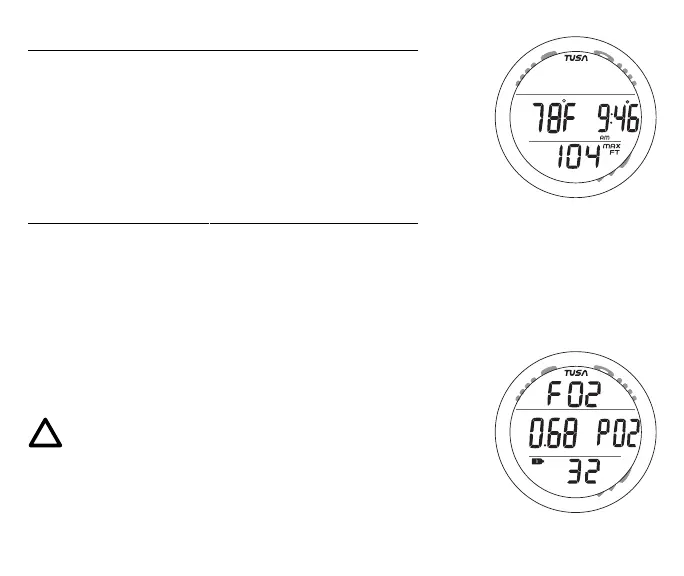
NORM No Deco ALT 1 information includes (Fig. 65) -
> Temperature with degrees icon and graphic F (or C)
> Time of Day (hr:min) with AM (or PM) and clock icons
> Max Depth with MAX and FT (or M) icons
• Press/release the A button to access ALT 2.
• Operation will revert to the Main after 5 seconds if A is not
pressed.
NORM No Deco ALT 2 information includes (Fig. 66) -
> Graphic FO2
> PO2 (ATA) with graphic PO2
> FO2 Setting and symbol FO2
> Tank icon representing the Gas selected (1 or 2)
> FO2 set for the Gas selected (1 or 2)
• Operation will revert to the Main Display after 5 seconds or
if the A button is pressed/released.
NOTE: ALT screens cannot be accessed during
the time when an Alarm is sounding.
Fig. 65 - NO DECO ALT 1
Fig. 66 - NO DECO ALT 2



 To Next Page