82
VIOLATION GAUGE MODE (VGM)
If calculations require a Deco Stop Depth greater than 70 FT (21 M), or if Deco is entered
while operating in FREE Mode (described later), operation will enter Violation Gauge
Mode (VGM) for the remainder of that dive and for 24 hours after surfacing. VGM turns
the ZEN into a digital instrument without any nitrogen or oxygen calculations or monitoring
functions or displayed information until 24 contiguous hours elapse on the surface with no
dives.
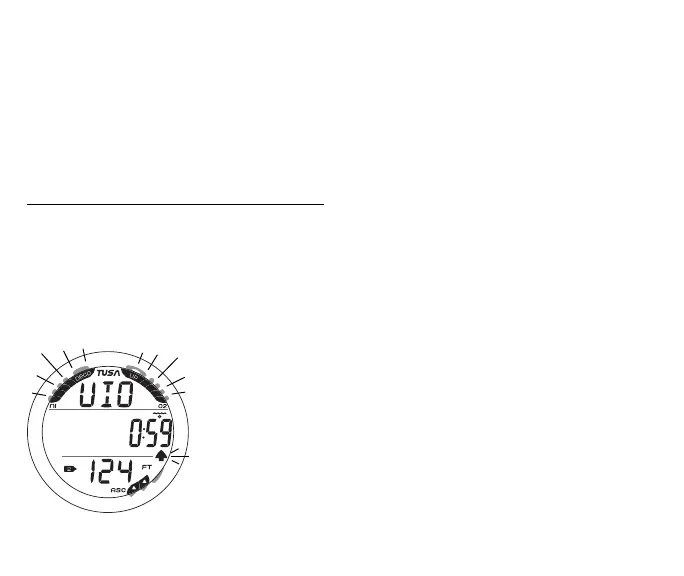
VGM Main information includes (Fig. 77) -
> Full NiBG and full O2BG, all segments flashing
> Graphic VIO, flashing until the audible is silenced then solid
> EDT (hr:min) with wave/clock icon
> Tank icon representing the GAS selected (1 or 2)
> Current Depth with FT (or M) icon
> Up Arrow icon, flashing until on surface
The ZEN will also enter VGM 5 minutes surfacing from a dive in
which a Delayed Violation (1, 2, or 3) occurred.
Once on the surface, VGM does not allow access to the Set F,
Plan, Fly, and Dsat features/screens.
The countdown timer that appears when you try to access Fly is
only provided to inform you of the time remaining before normal
Dive Computer operation can resume with full features and
functions.
Fig. 77 - VGM MAIN



 To Next Page