83
This condition is a Permanent Violation, and in the event that a
dive is made during the 24 hour period, a full 24 hour surface
interval must then be served before all functions are restored.
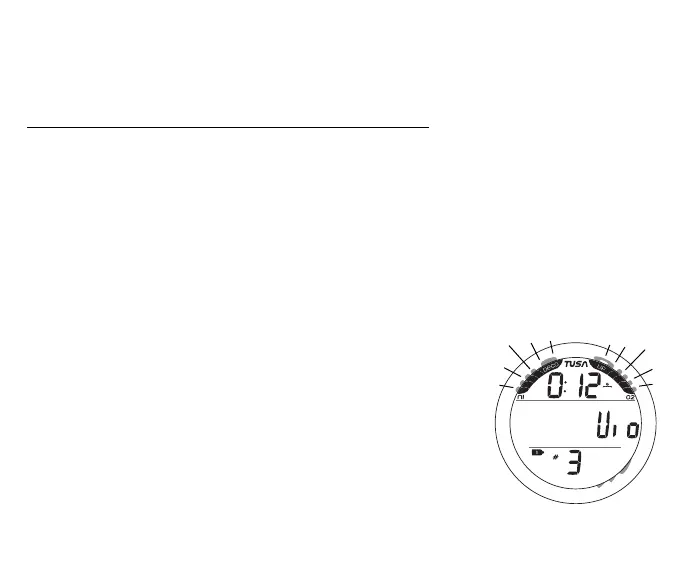
VGM Main (on surface) information includes (Fig. 78) -
> Full NiBG and full O2BG, all segments flashing
> Surface Interval Time (hr:min) with wave/clock icon
> Graphics Vio and Nor alternating
> Tank 1 icon representing Gas 1
> Dive number with # icon
> Battery icon if low battery condition
• Depressing the A button for 2 seconds will access the
NORM SURF ALT screen for 5 seconds.
• Pressing and releasing the A button (< 2 sec) will access
Log Mode, then pressing it again will access History Mode.
• Pressing the L button will activate the Backlight.
• Depressing both the A and S buttons simultaneously for 2
seconds will access the Set Menu.
• Depressing the M for 2 seconds will access the GAUG
Surface Main screen, then another 2 second press will
access the FREE Surface Main screen.
• Pressing and releasing the M button momentarily (< 2 sec)
will revert to the Watch Default Time screen.
Fig. 78 - VGM MAIN
(on surface)



 To Next Page