54
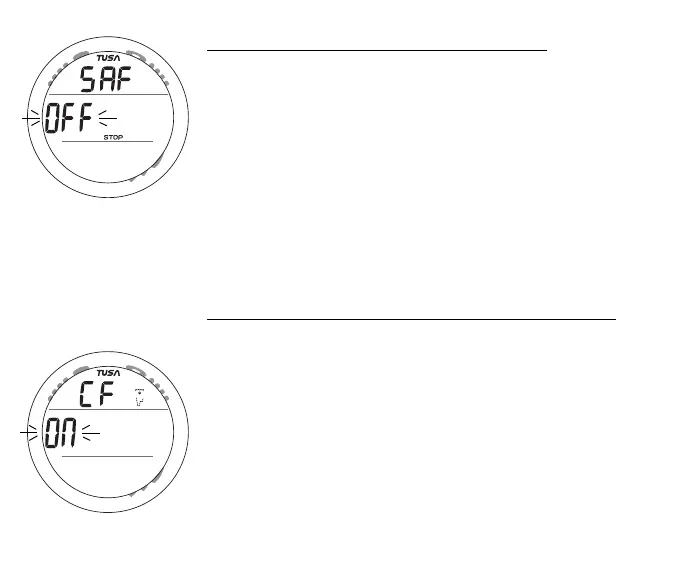
Set Safety Stop information includes (Fig. 47):
> Graphic SAF (meaning Safety Stop).
> Set Point ON or OFF, flashing, with STOP icon.
• Pressing and releasing the S button momentarily (< 2 sec)
will toggle the Set Point between OFF and ON.
• Pressing and releasing the A button momentarily (< 2 sec)
will save the setting and access Set Conservative Factor.
• Depressing the A and S buttons simultaneously for 2
seconds will save the setting and revert to the Set U screen.
• Depressing the M button for 2 seconds, or if no button is
pressed for a period of 2 minutes, operation will revert to
the NORM (or GAUG) Surface Main screen.
Set Conservative Factor information includes (Fig. 48):
> Graphic CF (meaning Conservative Factor) with wave/
clock/profile icon.
> Set Point ON or OFF, flashing.
• Pressing and releasing the S button momentarily (< 2 sec)
will toggle the Set Point between ON and OFF.
• Pressing and releasing the A button momentarily (< 2 sec)
will save the setting and access Set Backlight Duration.
• Depressing the A and S buttons simultaneously for 2
seconds will save the setting and revert to the Set U screen.
Fig. 47 - SET SAFETY STOP
Fig. 48 - SET CONS FACTOR



 To Next Page