Need help?
Do you have a question about the TVLogic LVM-241W and is the answer not in the manual?
Covers SDI, analog signal compatibility, all-in-one design, and wide screen support.
Details AC/DC power, remote control, and built-in DVI/HDMI inputs.
Includes Dual Link support and other additional features like viewing angle and VESA mounting.
Diagram showing front panel controls and indicators.
Diagram showing rear panel ports and connectors.
Explains ANALOG INPUT, SDI INPUT SELECT, UNDER SCAN, and ASPECT buttons.
Explains MARKER, H/V DELAY, BLUE ONLY/MONO, CHROMA/PHASE, MENU functions.
Explains DOWN/BRIGHT, UP/CONTRAST, ENTER, STANDBY, POWER, TALLY functions.
Describes the function of the REMOTE (RJ-45) and DVI IN/FACTORY PGM ports.
Details for CVBS, SDI-IN/OUT A/B BNC connectors.
Details for Audio in/out, AC IN, and DC power input connectors.
Explains the hierarchical organization of the product's menu system.
Describes how to navigate and control functions using buttons like MENU, UP/DOWN, ENTER.
Outlines the step-by-step process for accessing and modifying menu options.
Explains picture adjustments (brightness, contrast, etc.) and color settings (gain, bias, temp).
Details marker functions (type, area, color) and remote control setup options.
Covers system settings like defaults, user configs, OSD, audio, and lock functions.
Controls brightness, contrast ratio, and color saturation.
Adjusts phase (tone), sharpness, and IRE value in NTSC mode.
Selects SDI format (single/dual link) and sampling mode (YCbCr/RGB).
Controls video processing filter and orbiter circuit for image retention prevention.
Generates internal patterns and optimizes fast-moving image quality.
Adjusts VGA horizontal/vertical position and enables 10-bit dithering.
Forces psf mode and toggles Film Mode On/Off.
Controls overall color temperature and individual RGB gain values.
Adjusts black level for RGB channels and copies color settings.
Controls marker display, type selection, and available marker classes.
Adjusts safety area size and enables fit marker function relative to source.
Adjusts marker background darkness, line color, and thickness.
Controls the position of user-defined horizontal (H1/H2) and vertical (V1/V2) marker lines.
Explains how to connect and assign functions to pins via RJ-45 for remote control.
Covers system settings like defaults, user configs, OSD, audio, and lock functions.
Explains LOCK NUMBER, LOCK ENABLE, and BOARD VER settings.
Manages OSD DISPLAY time, OSD POSITION, and KEY LED toggle.
Configures Source ID display and available Closed Caption modes.
Controls audio level meter display, group selection, and reference levels.
Manages waveform/vector scope display and time code enable options.
Details how to process and select input signals in ANALOG mode.
Explains how to select and use the SD 1:1 SCAN mode.
Lists supported resolutions and frequencies for DVI-ANA and DVI-DIG modes.
Guides the user on how to set up the DUAL LINK mode for signal formats.
Step-by-step instructions to switch between UNDERSCAN and SD 1:1 SCAN modes.
Provides resolution and frequency tables for DVI-ANA and DVI-DIG Graphic modes.
Lists the input signals supported by DVI-DIG Video mode.
Outlines the steps to set up DUAL LINK mode using SDI FORMAT and SAMPLING options.
Details input/output types, signal formats, and analog input specifications.
Lists LCD size, resolution, pixel pitch, color depth, viewing angle, luminance, contrast, and power consumption.
Provides detailed specifications for LCD size, resolution, viewing angle, luminance, contrast, and power.
Lists operating/storage temperatures, physical dimensions, and weight.
Details included accessories like power cords and optional items like carrying cases and rack kits.
Compares input/output types, signal formats across LVM-401W, 461W, 571W.
Compares LCD size, resolution, luminance, contrast, and power for larger models.
Compares dimensions, weight, accessories, and options for larger models.
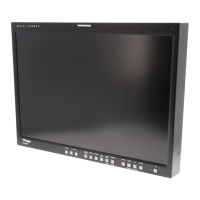
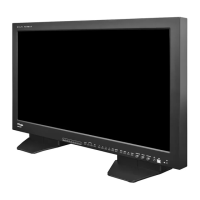
Displays various LVM series LCD monitor models available.
Displays various LHM series high-end LCD monitor models available.
 General
| Resolution | 1920 x 1200 |
|---|---|
| Aspect Ratio | 16:10 |
| Panel Type | IPS |
| Contrast Ratio | 1000:1 |
| Viewing Angle | 178°(H) / 178°(V) |
| Response Time | 6 ms |
| Color Gamut | 100% sRGB |
| Display Size | 24 inch |
| Screen Size | 24 inch |
| Brightness | 250 cd/m2 |
| Input Ports | HDMI, DVI-D, DisplayPort |
| Input | HDMI, DVI-D, DisplayPort |
| Output | Audio Out |


 To Next Page