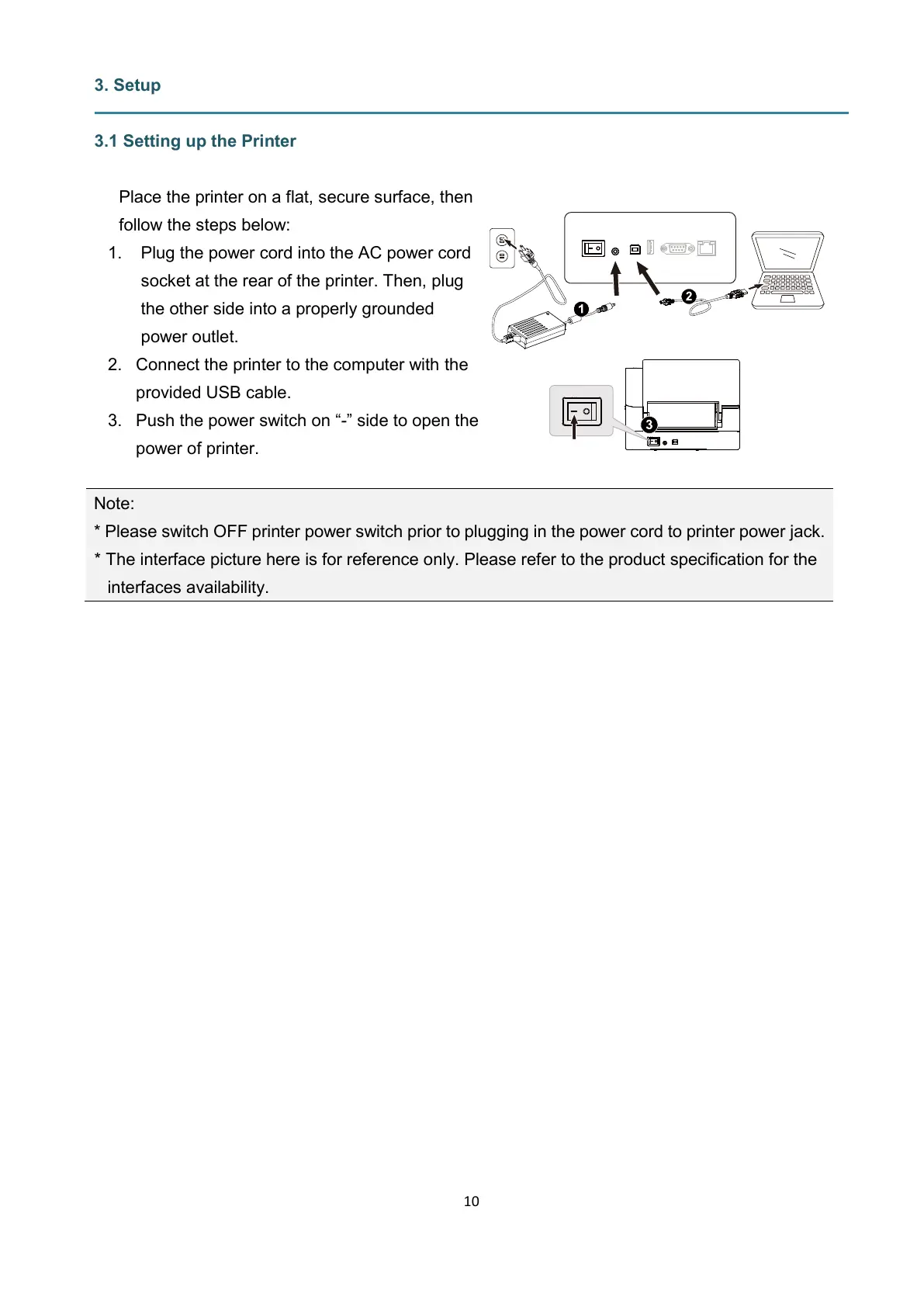
Place the printer on a flat, secure surface, then
follow the steps below:
1. Plug the power cord into the AC power cord
socket at the rear of the printer. Then, plug
the other side into a properly grounded
power outlet.
2. Connect the printer to the computer with the
provided USB cable.
3. Push the power switch on “-” side to open the
power of printer.
Note:
* Please switch OFF printer power switch prior to plugging in the power cord to printer power jack.
* The interface picture here is for reference only. Please refer to the product specification for the
interfaces availability.


 To Next Page