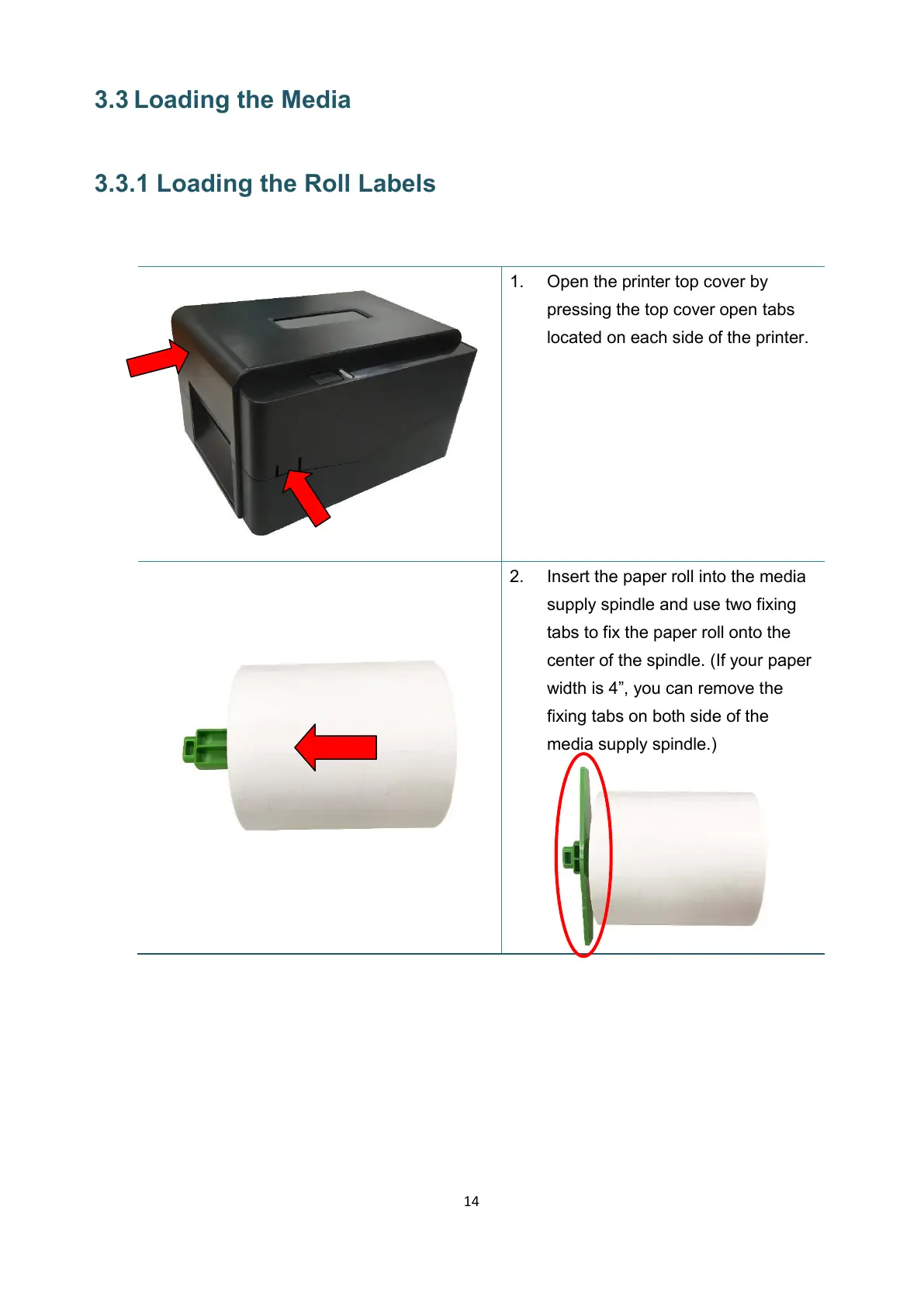
1. Open the printer top cover by
pressing the top cover open tabs
located on each side of the printer.
2. Insert the paper roll into the media
supply spindle and use two fixing
tabs to fix the paper roll onto the
center of the spindle. (If your paper
width is 4”, you can remove the
fixing tabs on both side of the
media supply spindle.)


 To Next Page