28
5.3 Calibrating Media Sensor by Diagnostic Tool
5.3.1 Auto Calibration
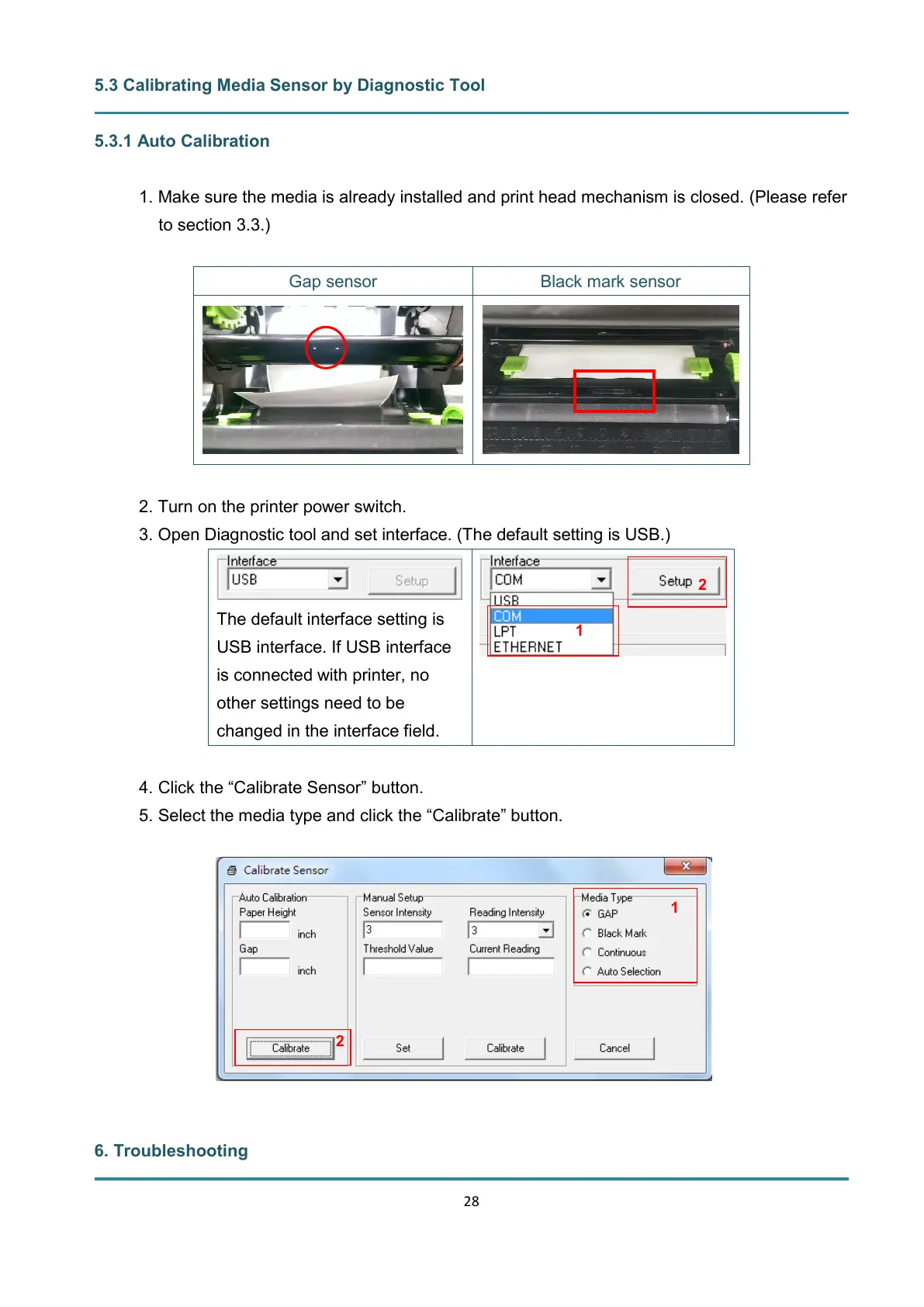
1. Make sure the media is already installed and print head mechanism is closed. (Please refer
to section 3.3.)
2. Turn on the printer power switch.
3. Open Diagnostic tool and set interface. (The default setting is USB.)
The default interface setting is
USB interface. If USB interface
is connected with printer, no
other settings need to be
changed in the interface field.
4. Click the “Calibrate Sensor” button.
5. Select the media type and click the “Calibrate” button.
6. Troubleshooting


 To Next Page